
EasyManua.ls Logo

J.P. Instruments EDM-900 - User Manual

J.P. Instruments EDM-900
62 pages
Print Icon
To Next Page IconTo Next Page
Loading...
For Your Safe Flight Page 1
Pilot’s Guide
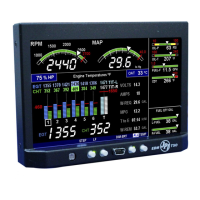
Engine Data Management
EDM-900
Primary
TSO/STC
Copyright 2011 J.P. Instruments, Inc.
All Rights Reserved
J.P. INSTRUMENTS INC.
Information: P. O. Box 7033
Huntington Beach, CA 92646
Factory: 3185-B Airway Ave.
Costa Mesa, CA 92626
(714) 557-3805 Fax (714) 557-9840
www.jpinstruments.com
Printed in the United States of America Rev B

Other manuals for J.P. Instruments EDM-900

Questions and Answers

  • B
    brandimitchellAug 1, 2025
    What to do if the J.P. Instruments GPS display freezes or is incorrect?
    • P
      Patrick JohnsonAug 1, 2025
      If the J.P. Instruments GPS display freezes or shows incorrect information, it might be due to a power transient causing a processor malfunction. To resolve this, recycle the power to the EDM.
  • T
    theresa79Aug 6, 2025
    How to fix off-scale EGT columns (too high or low) on J.P. Instruments GPS?
    • C
      Christopher WrightAug 6, 2025
      Off-scale EGT column readings on your J.P. Instruments GPS might occur if the EDM is in Normalize view (blue EGT scales). Return to Standard mode by holding the LF button.
  • J
    jjonesAug 11, 2025
    What to do if peak is not found during LeanFind on J.P. Instruments GPS?
    • B
      Brian AndersonAug 11, 2025
      If the peak is not found during LeanFind on your J.P. Instruments GPS, ensure Lean Find is activated and that you are not stopping while leaning. Lean at a speed of approximately 10°F per second.
  • L
    Linda WrightAug 16, 2025
    Why does LeanFind find a peak too soon on my J.P. Instruments GPS?
    • C
      Christopher WhiteAug 17, 2025
      LeanFind might find a peak too soon on your J.P. Instruments GPS due to failure to pre-lean before performing LeanFind, stopping while leaning, or leaning too slowly. Continue to lean without stopping, and lean more rapidly.
  • P
    Paul JonesAug 21, 2025
    What to do if there is a missing column in the J.P. Instruments GPS display during flight?
    • J
      James HancockAug 21, 2025
      If a column is missing from the J.P. Instruments GPS display during flight, it could be due to a reading that is jumping around or incorrect because the probe is removed from the line up. Replace the EGT or CHT probe shown in the error message on the next flight.
  • C
    Caitlin CraigAug 27, 2025
    How to fix a missing column in the J.P. Instruments GPS display upon start up?
    • P
      Paul PetersonAug 27, 2025
      A missing column in the J.P. Instruments GPS display upon startup indicates that the diagnostic routine has found an open line or probe with no connection. Replace the EGT or CHT probe shown in the error message.

Summary

Section 1 - Getting Started

Fuel Flow Computer Basics

Explains tracking and computing fuel flow into the engine.

Control Button Basics

Details the four operating buttons and their functions.

Display Screen Basics

Scanner Information Area

Scanner Displays

Overview of various scanner display elements like bar graphs and digital readouts.

LeanFind Basics

Lean Find Procedure-General Explanation

Overview of the Lean Find process for mixture adjustment.

Common Misapplications

Common issues and solutions for Lean Find.

Section 2 - Interpreting Data

Operation for each Phase of Flight

Guides on engine operation for different flight stages.

Typical Normal Measurements

Engine Diagnosis Chart

Section 3 - Displays and Controls

Control Buttons

Details the functions and operation of the EDM's buttons.

Scanner Displays

Section 4 - Operating Modes

Section 5 - Lean Find

Rich of Peak leaning

Step-by-step guide for ROP leaning.

Lean of Peak leaning

Step-by-step guide for LOP leaning.

Common Misapplications

Section 6 - Fuel Flow Operation

Section 7 - Alarms

Section 8 - Memory and Data Download

Section 9 - First Time Setup and Customization

Pilot Programming Mode

Guide for initial configuration and tuning.

Section 10 - Adjusting Manifold Pressure & %HP

Adjusting the MAP

Adjusting Manifold Pressure to altimeter setting.

Adjusting the HP Value

Setting the engine's nominal horsepower.

Section 11 - Programming the Fuel Flow

K Factor

Understanding and setting the fuel flow transducer calibration.

Fine Tuning the K Factor

Procedure to adjust K factor for accuracy.

Troubleshooting the EDM

J.P. Instruments EDM-900 Specifications

General IconGeneral
BrandJ.P. Instruments
ModelEDM-900
CategoryControl Panel
LanguageEnglish