WORMHOLE SWITCH
USER MANUAL
17
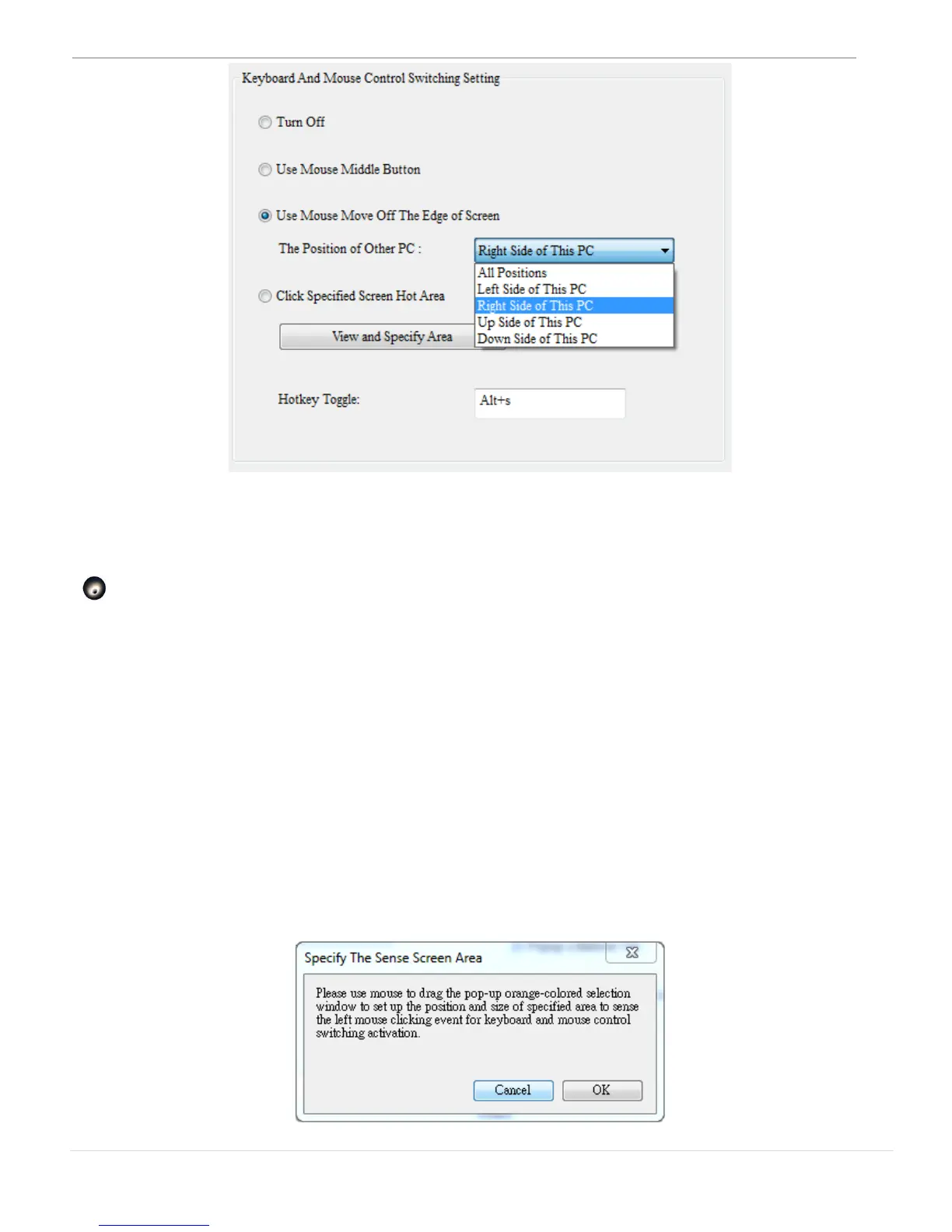
** You also can quickly change this setting on the pop-up menu that
appears on the screen when you click the j5 Wormhole Switch icon
( ). Select “The Position of Other PC”, and then select one of the
options.
o Click Specified Screen Hot Area
It is an option for you to set a hot area (an orange colored area)
and to switch the control of Keyboard and Mouse from one
computer by clicking on it -“the orange hot area”.
Before you set up the specify area, please click “View and Specify
Area”, the below windows will pop-up



 To Next Page