WORMHOLE SWITCH USER MANUAL
17
In Windows OS
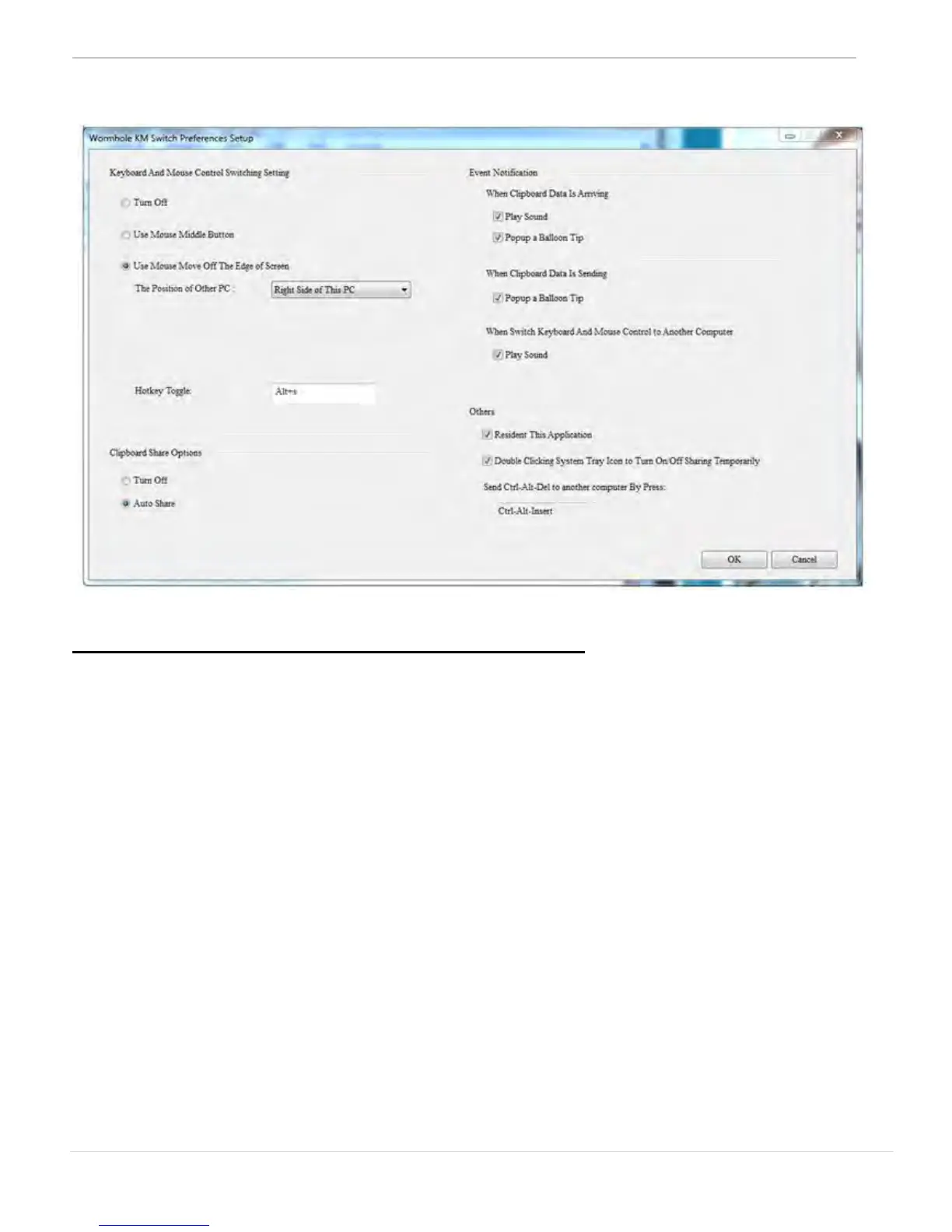
Keyboard & Mouse Control Switching Settings
This option allows you to switch the control of the keyboard and mouse
from one computer to another.
o Turn Off
Disable Keyboard and Mouse Control Switching Sharing.
o Use Mouse to Move Off the Edge of Screen:
* To switch the control of Keyboard and Mouse from one computer
to another, simply move the mouse off the edge of the screen
o Use Mouse Middle Button:
Click the middle button of the mouse to switch the keyboard
and mouse from one computer to another.
* This option is only available for Windows OS computers.
o Hotkey
You can setup the hotkey to activate the control switching.
The default hotkey is (Alt+S)


 To Next Page