WORMHOLE SWITCH USER MANUAL
20
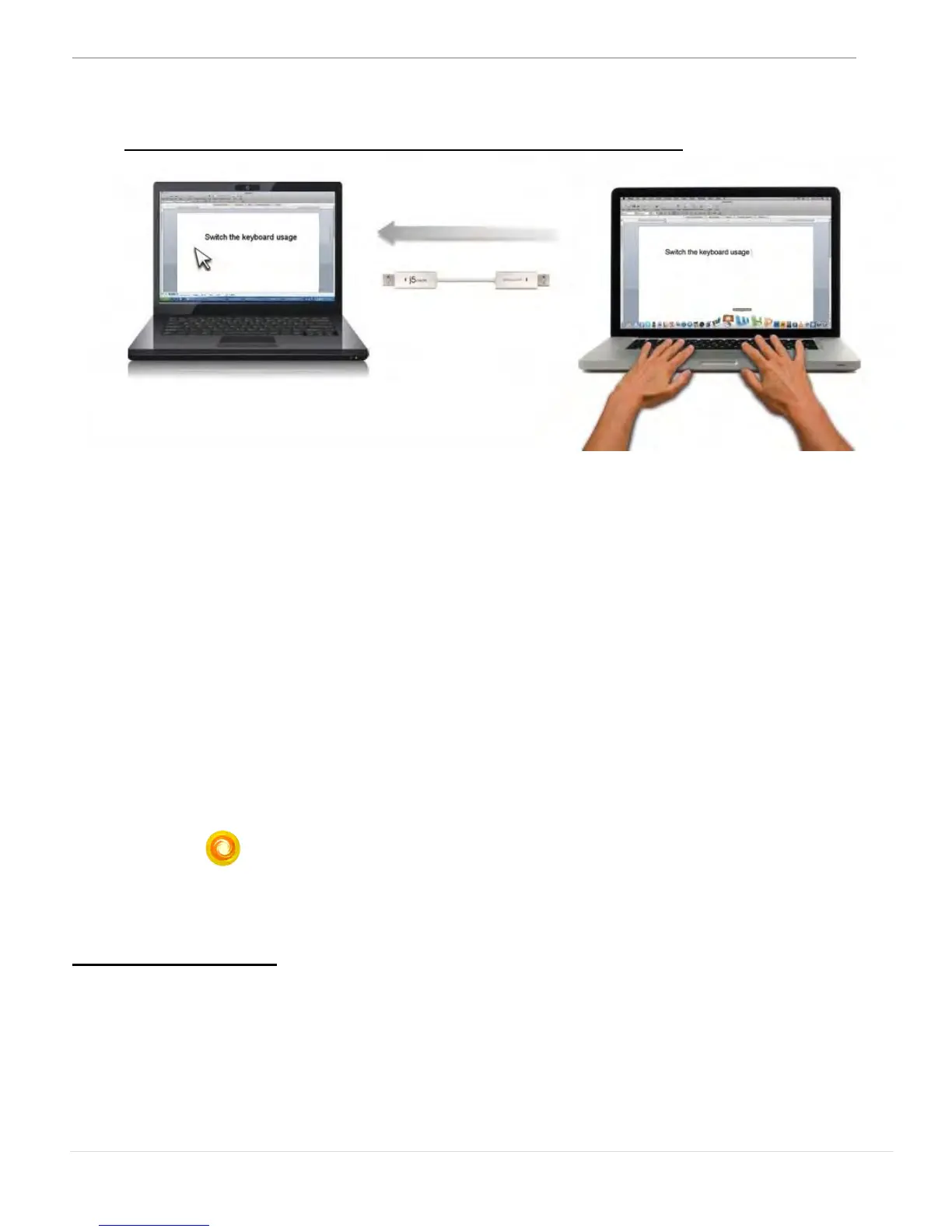
o Switch the Keyboard usage to another computer
Move the mouse cursor to the second computer and open any
editing application such as Word, Excel, Power Point, etc. and use
the keyboard of the first computer to type the text on the file of the
second computer.
Note:
1. Please use a Mouse and Keyboard set. The Keyboard Switch function
always follows the mouse cursor of the same computer. When using a USB
Mouse or Keyboard that is not a set, it will default to its limited screen switching
function mode only.
2. When the keyboard & mouse is under controlled by other computer, you will
see the icon( )on the bottom right hand side of the taskbar
Clipboard Sharing
With the clipboard sharing feature you can easily edit, copy or paste
clipboard content bi-directionally between two computers.
.


 To Next Page