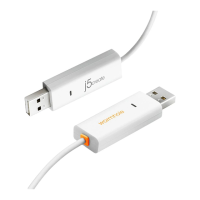
WORMHOLE SWITCH USER MANUAL
3
INTRODUCCIÓ N ............................................................................................ 28
Características destacadas .................................................................. 28
Contenido del paquete ......................................................................... 28
Especificaciones físicas ......................................................................... 28
Requisitos del entorno ............................................................................ 29
Lista de Funciones .................................................................................. 29
PRIMEROS PASOS –MAC ............................................................................... 30
PRIMEROS PASOS –Windows ........................................................................ 32
INSTRUCCIONES DEL SOFTWARE ................................................................... 34
La definición de la Wormhole Switch Icon Utility ................................. 34
Configuración de conmutación de control de teclado y ratón ........ 37
Opciones de uso compartido del portapapeles ................................. 38
Notificación de eventos......................................................................... 38
Otros ........................................................................................................ 38
¡EXPLORAR LAS INCREÍBLES CARACTERÍSTICAS ........................................... 39
Compartir teclado y ratón ..................................................................... 39
Compartir el portapapeles .................................................................... 40
Transferencia de archivos ..................................................................... 41
Compartir teclado para iPad ................................................................ 43
SOPORTE TÉCNICO ........................................................................................ 44
CUMPLIMIENTO DE LA REGULACIÓ N ........................................................... 45
GARANTÍA DE j5 create ................................................................................ 46


 To Next Page