USB DISPLAY ADAPTER USER MANUAL
21
Note:
If your internal graphics card is Dual Display Ports…..
1. When using one USB 3.0 Display Adapter
The display device which connected to the 2
nd
HDMI port will be numbered 3
rd
monitor, the display device which connected to the USB 3.0 Display Adapter will be
numbered 2
nd
monitor.
2. When using two USB 3.0 Display Adapter
The display device which a port to the 2
nd
HDMI port will be numbered 4
th
monitor,
the display device which connected to the USB 3.0 Display Adapter will be
numbered 2
nd
and 3
rd
monitor and so on…
Setup The Sound
Microsoft’s audio system restricts the audio function to one output at a time; therefore,
when using the USB HDMI multi-display adapter only one output will receive audio.
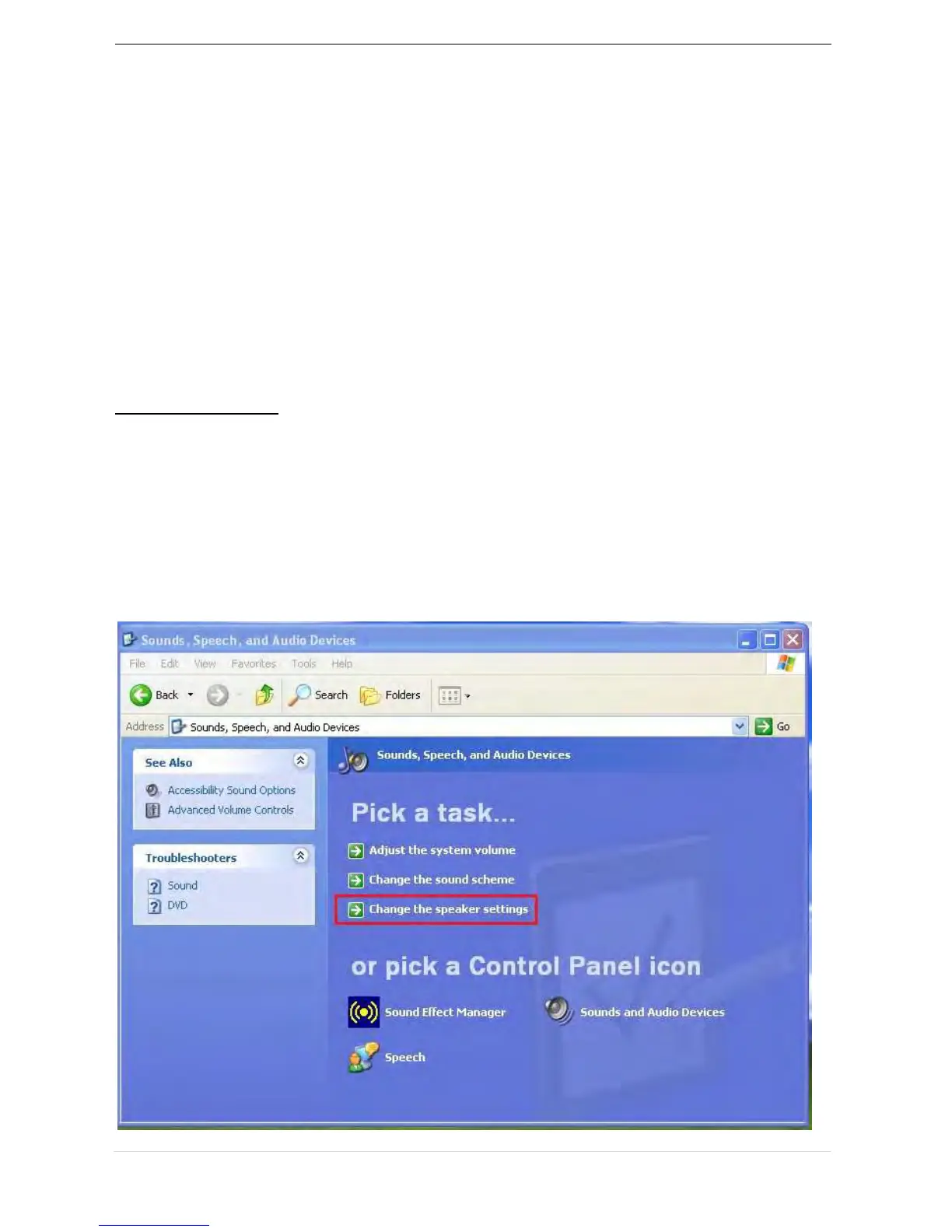
The following explains how to set-up and change the default sound output from the
display device connected with the USB 3.0 HDMI Display Adapter.
1. Go to “Control Panel> Sounds, Speech, and Audio Devices” and select “Changes
the speaker settings”.



 To Next Page