USB DISPLAY ADAPTER USER MANUAL
37
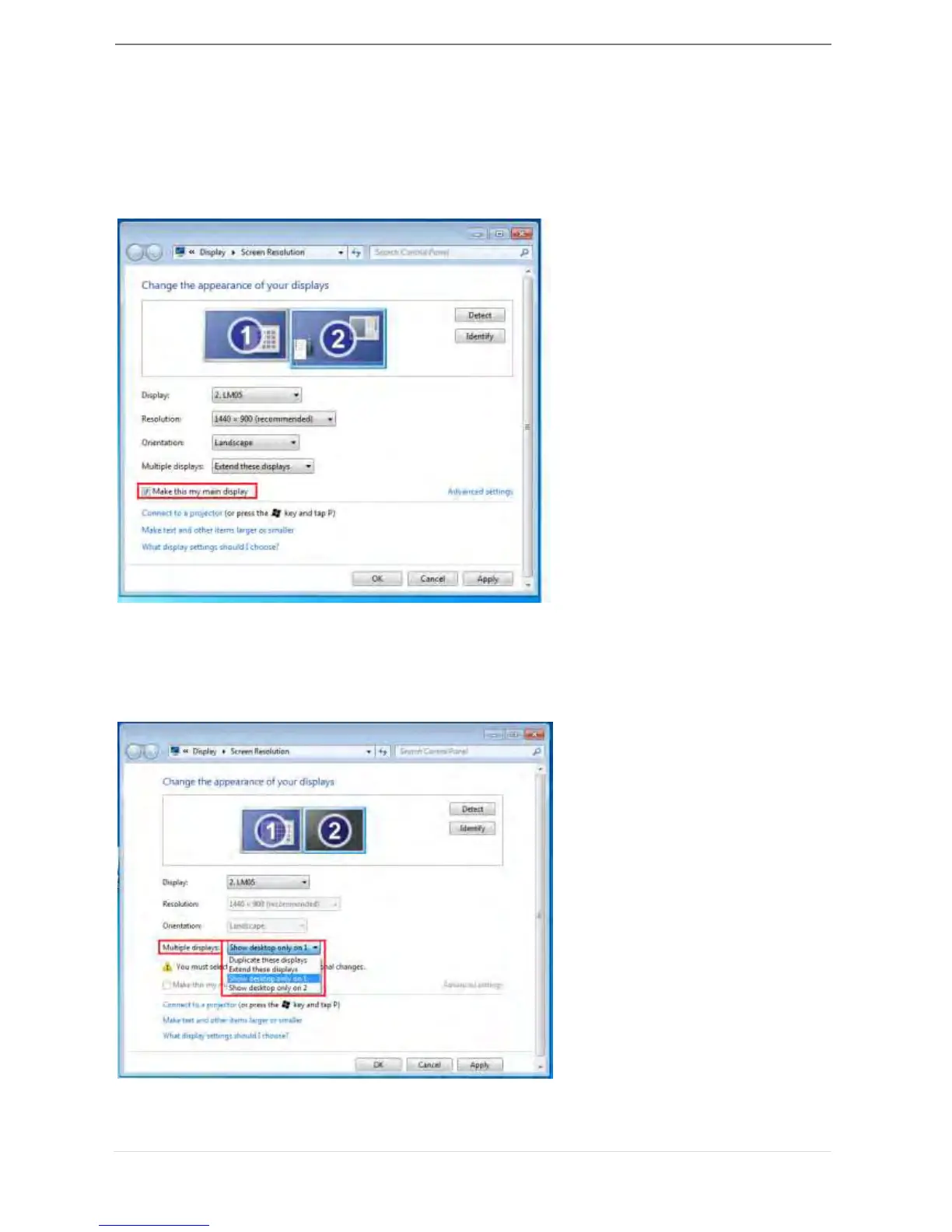
Primary mode
When you want to switch the enabled monitor as main display and extend view to on-
board screen.
Please choose the “Number” of the main display you want it to be and check on
“Make this my main display”.
Off mode
To turn one of the displays off:
Select “Show desktop only on 1” and the 2
nd
display will be off
Select “Show desktop only on 2” and the 1
st
display will be off



 To Next Page