USB DISPLAY ADAPTER USER MANUAL
38
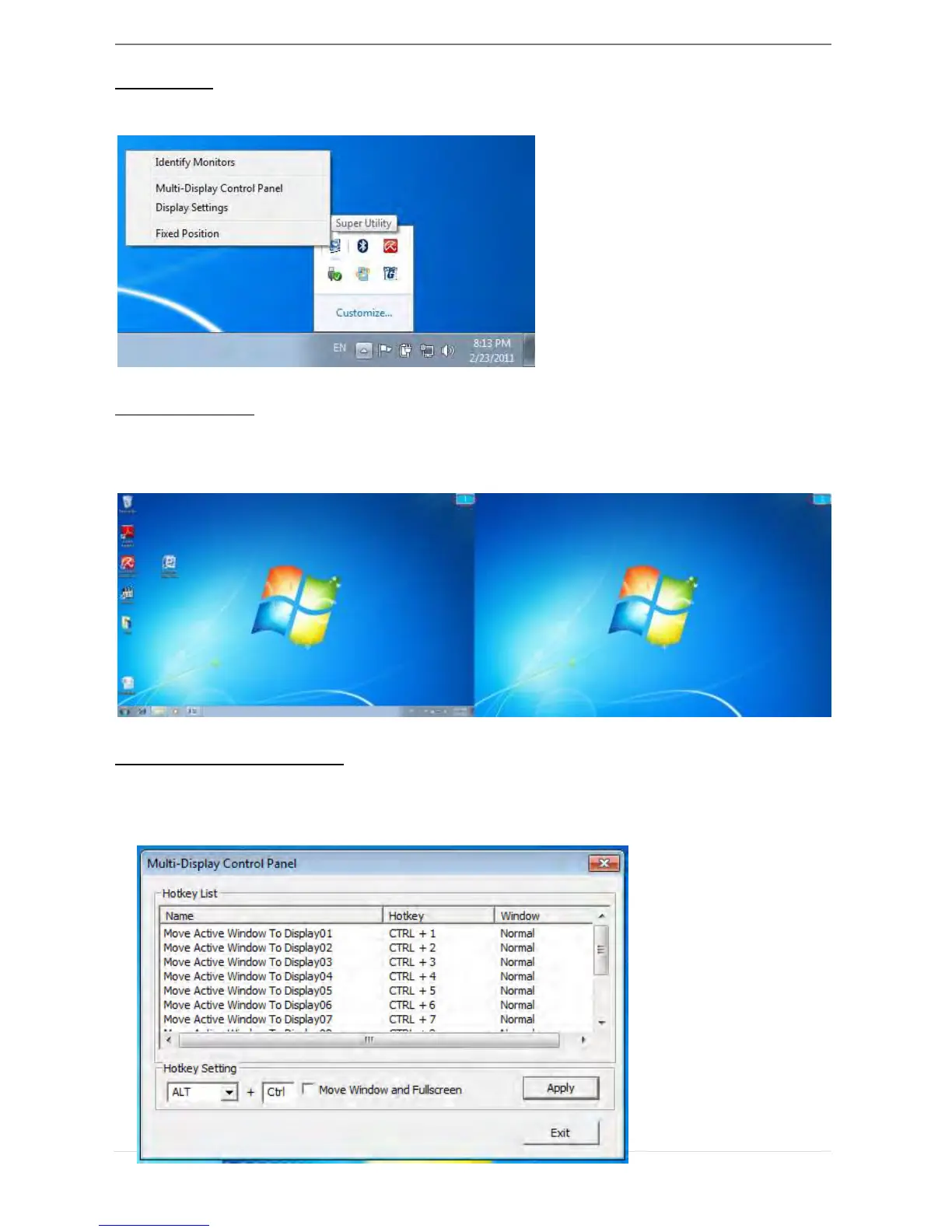
Super Utility
A super utility provides more options, you can find the icon on the lower right task bar
Identify Monitors
When “Identify Monitors” is selected, a serial number will be shown at the upper right
corner of the display devices. You can see the serial number of each display when
using the Hotkey function.
Multi-Display Control Panel
This unique feature provides a simpler working experience for the multi-display
environments. A series of Hotkey setting helps move quickly between desired display
devices.



 To Next Page