USB DISPLAY ADAPTER USER MANUAL
12
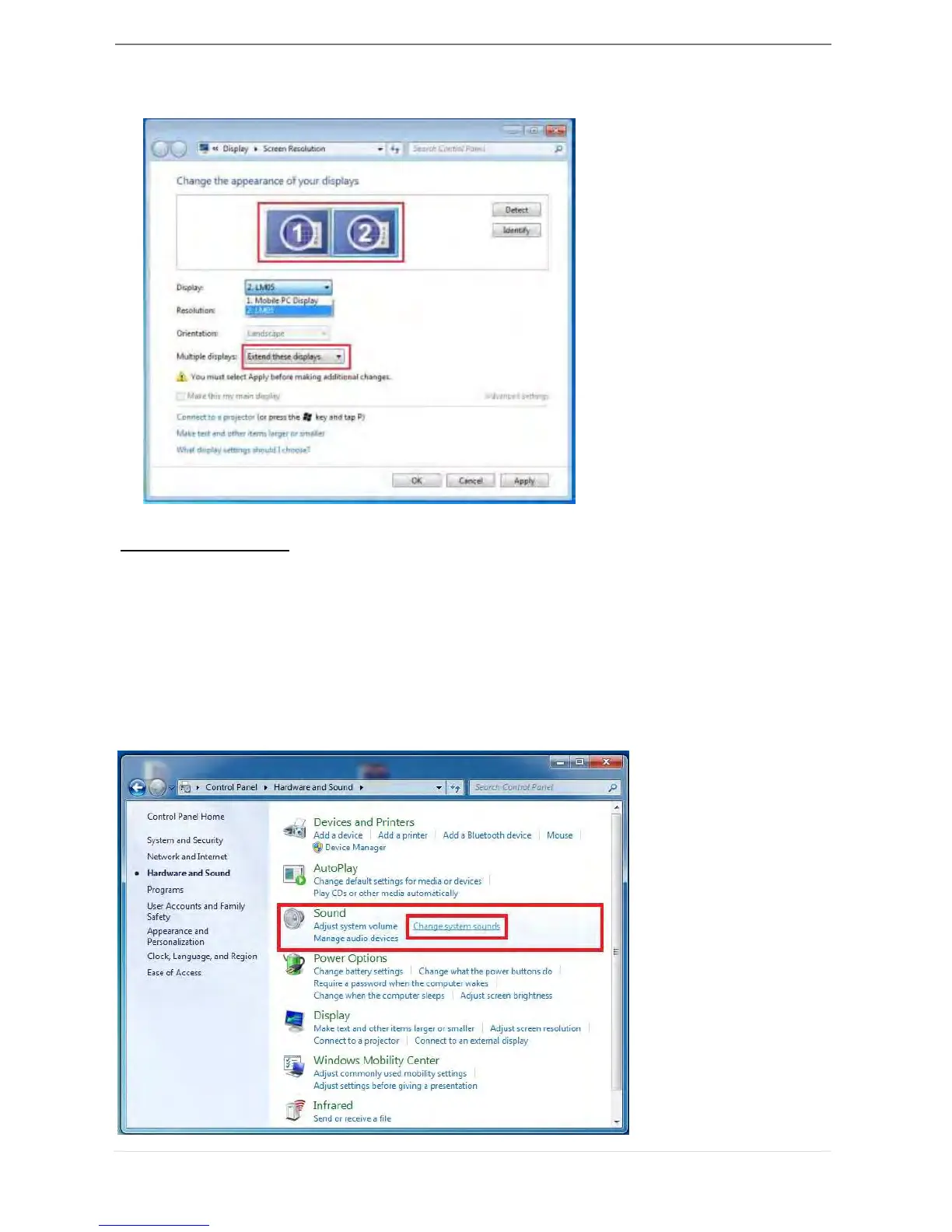
When the ‘Screen Resolution’ window appears, each monitor’s number can be
identified by clicking “Identify.” Drag the monitor to the location you want.
Setup The Sound
Microsoft’s audio system restricts the audio function to one output at a time; therefore,
when using the USB HDMI multi-display adapter only one output will receive audio.
The following explains how to set-up and change the default sound output from the
display device connected with the USB 3.0 HDMI Display Adapter.
1. Go to “Control Panel> Hardware and Sound” and select “Changes system sounds”



 To Next Page