USB DISPLAY ADAPTER USER MANUAL
29
10. Plug the USB 3.0 Display Adapter into the USB port of your Mac Desktop or Mac
Notebook. The screen will turn on automatically, and be in “Mirror Mode”
To change your screen preferences choose the “System Preference”->“Displays”->
“Arrangement” tab to set up the monitor position.
* please refer to the section : Function Instructions: Mac
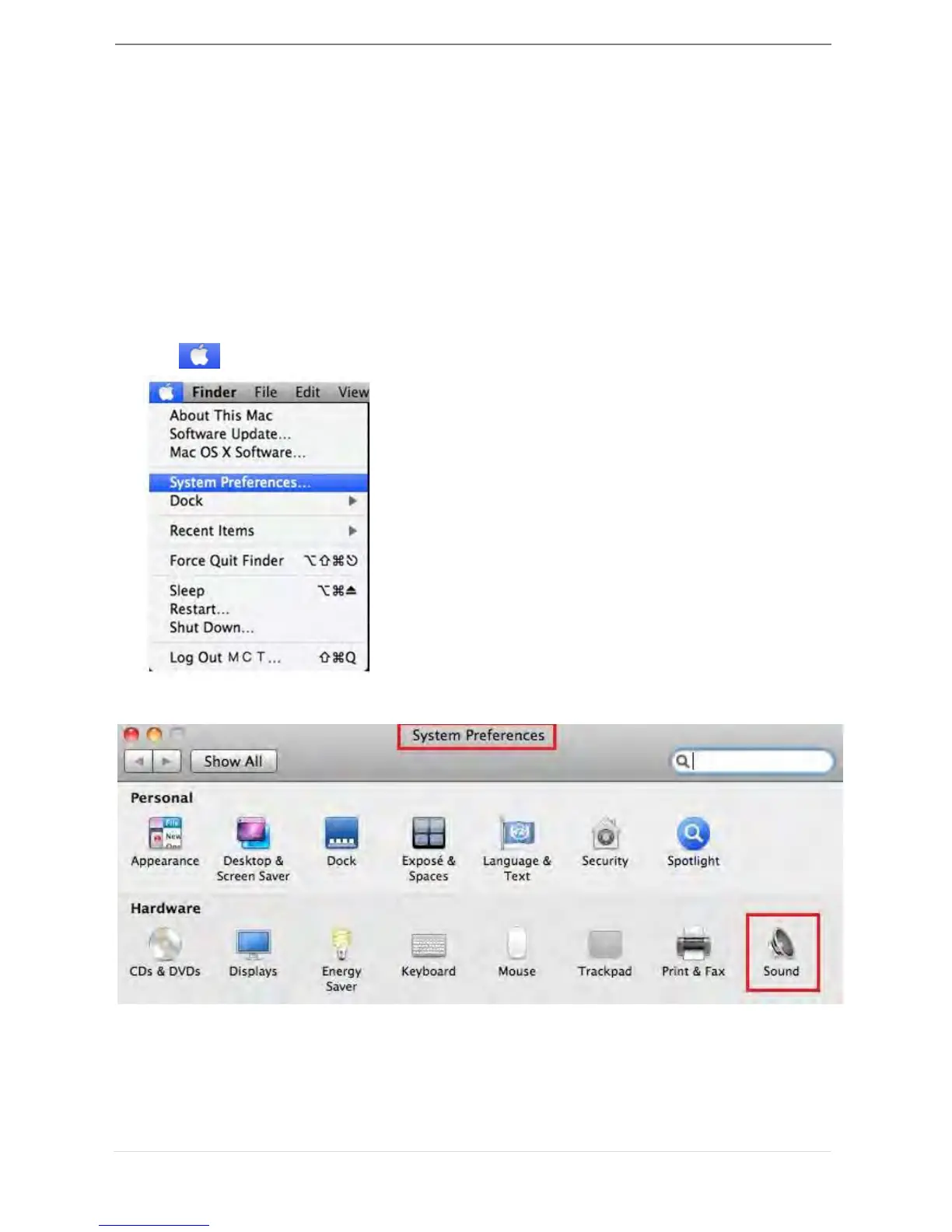
Setup The Sound
Mac audio system restricts the audio function to one output at a time; therefore, when
using the USB HDMI multi-display adapter only one output will receive audio.
1. GO , and then “System Preferences”
2. Go to the “System Preferences” and select “Sound”



 To Next Page