USB DISPLAY ADAPTER USER MANUAL
47
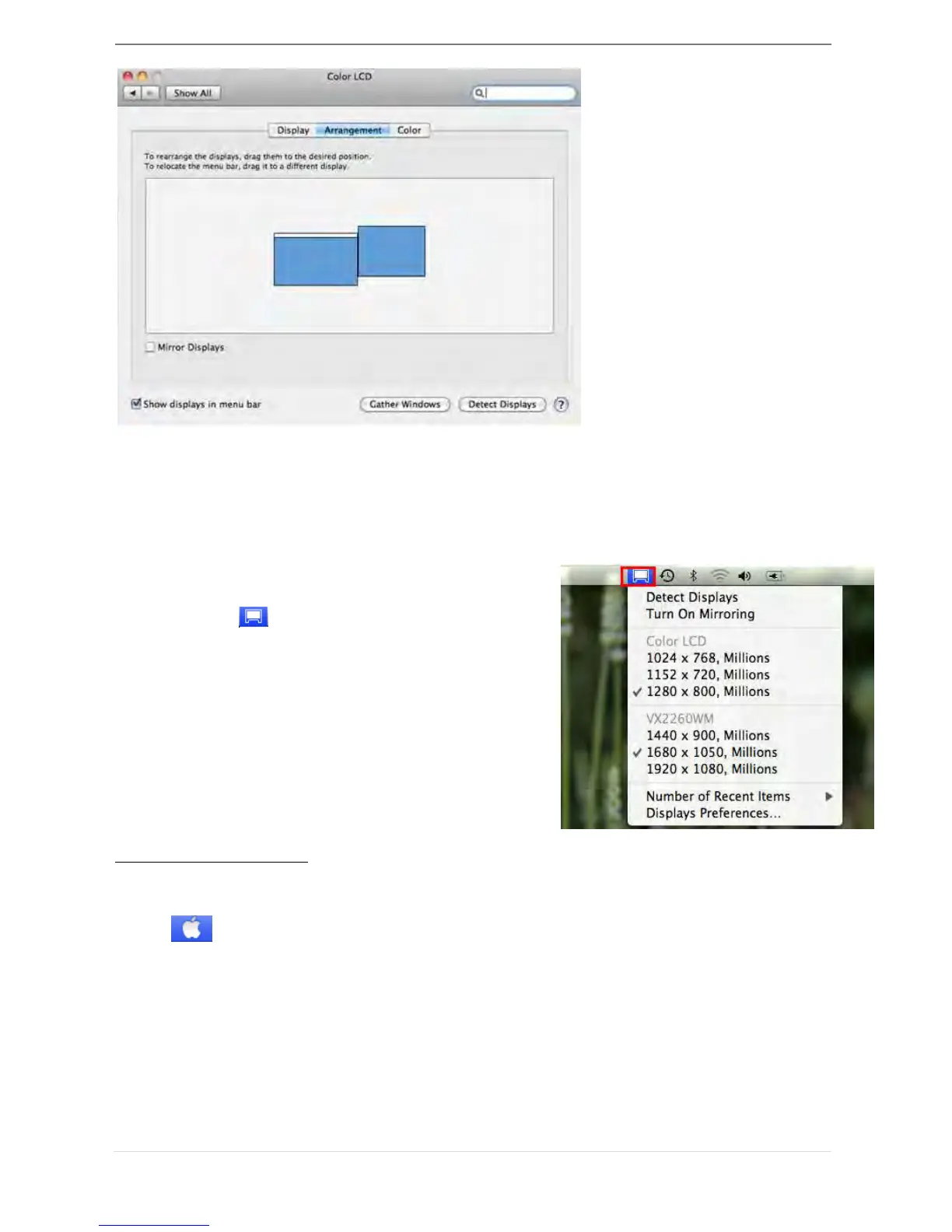
You can move the menu bar to any display to assign any display to Primary.
If you cannot see the Display window to adjust your secondary monitor resolution,
click on the “Gather Windows” button.
TIP: To simplify using the USB 3.0 Display Adapter,
click “show display in menu bar.” You will see the
display icon that you can double-click on at
any time.
Windows Arrangement
You can arrange Windows on display by “Expose & Spaces”
Go to , and then “System Preferences”
From System Preferences click on “Exposé & Spaces.” You should see this screen.



 To Next Page