2.2 Operation panel each key-press function description
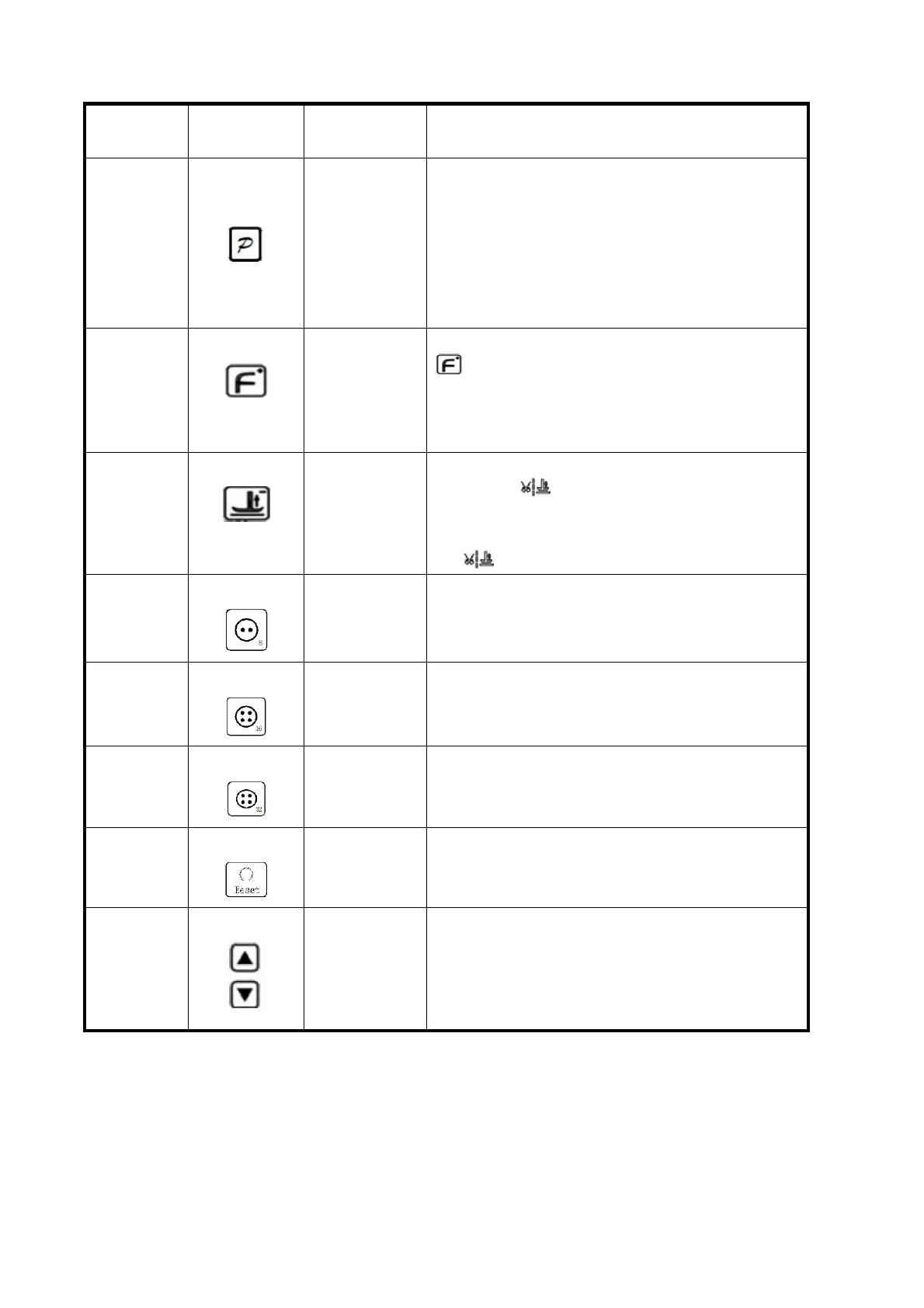
Key input parameters confirmed a key,
and backs up one level menu until the
sewing operator working condition. In
addition, but also with other key
press at the same time Implement
composite function, can enter advanced
parameters and feature set.
Press the key, LCD screen icon
bright, showed that the soft start,
effective click the icon to go out
again, show closed soft start
function.
Press the key, LCD screen icon is
displayed , electromagnet presser
foot lift at the same time, press the
button again, the LCD panel icon shows
no .
Press the button, the system into 8
needles sewing patterns
Press the button, the system into 16
needles sewing patterns
Press the button, the system into 32
needles sewing patterns
Press the button, the system
automatically search for the origin
The speed
of increase
or decrease
in key
Long press can quickly adjust system.
Further into the parameters set
pattern, through and the P key
combination mode switch can be set on
a few parameters.



 To Next Page