Page 59
J-400
12.9 Programming the Time and Date
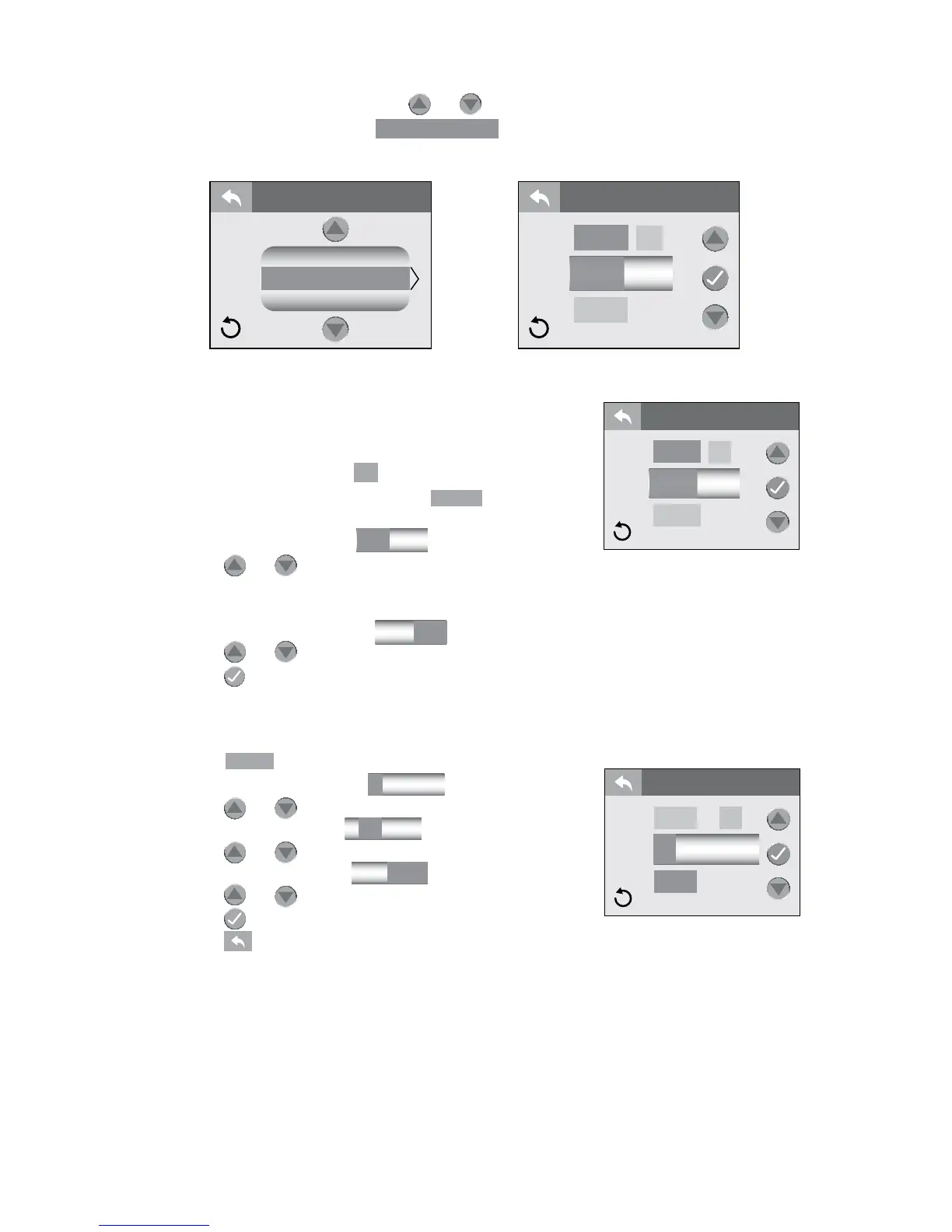
From the Settings Menu, tap or to highlight the “Time & Date”
menu tab in Orange. Tap
Time & Date
to enter the programming
options, Figures 12.9a and 12.9b.
A. To set the time:
The default time setting is a 12-Hour
conguration. To choose the 24-Hour
conguration, then tap
24
to change the setting.
1. When you enter the menu,
will be
highlighted Orange, Figure 12.9c.
2. Tap the hour block
12:30
to program.
3. Tap or to change the hour in 1-hour
increments. To switch from “AM” to “PM” you must
round a 12-Hour period.
4. Tap the minute block
12:30
to program.
5. Tap or to change the minutes.
6. Tap to conrm and save your changes.
B. To set the date:
Each setting for month, day and year can be set independently.
1. Tap
to program the date, Figure 12.9d.
2. Tap the month block
1 30 2015
to program.
3. Tap or to make changes.
4. Tap the day block
1 30 2015
to program.
5. Tap or to make changes.
6. Tap the year block
1 30 2015
to program.
7. Tap or to make changes.
8. Tap to save and accept the changes.
9. Tap to return to the “Settings” Menu.
Lock
Time & Date
Language
SETTINGS
Date
pm
24
12:30
Time & Date
Time
Figure 12.9a
Figure 12.9b
Figure 12.9c
Date
pm
24
12:30
Time & Date
Time
Figure 12.9d
Time
Date
Time & Date
24
1 30 2015




 To Next Page