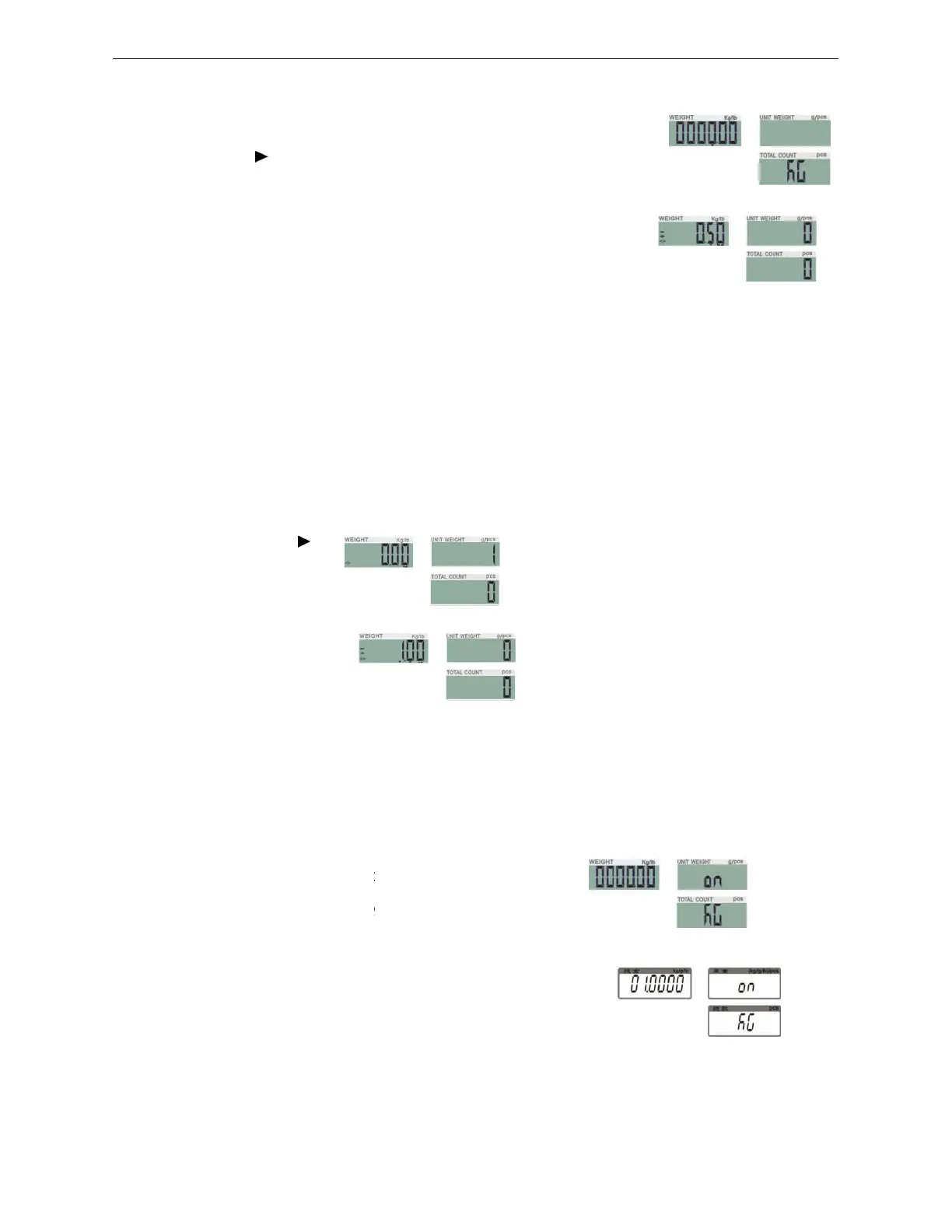
Preset Tare
Method 1:
1
)
Press
TARE/
for three seconds, it enters to preset tare
Preset-
tare value setting: Press
PRINT/LO
to modify the value (or via numeric keys).
Press key
M+/SAVE
to save and return to weighing
2
)
Place the items into the container and the weight of container will be tared
from the total weight.
3
)
To
cancel tare action, clear the pan and press
Method 2:
Enter the tare value by pressing the numeric botton, the sc
tare value.
1
)
Then press
TARE/ :
2
)
Place the items into the container and the weight of container will be tared
from the total weight.
3
)
To
cancel tare action, clear the pan and press
7-3 Checking function
7-3-1
Upper & Lower Weight Limit
Upper weight limit
1)
Long press key
M-/HI
The number leftmost is
2)
Press key
/MR
or
TARE/
to modify the value (or via numeric keys)
3)
Press key
G N/SET
to start or close weighing
4)
Press key
M+/SAVE
to confirm and save. Press key
mode without saving.
(II)
for three seconds, it enters to preset tare
setting.
tare value setting: Press
key
/MR
or
TARE/
to shift and key
to modify the value (or via numeric keys).
to save and return to weighing
mode.
Place the items into the container and the weight of container will be tared
cancel tare action, clear the pan and press
TARE/
or
ZERO/ESC.
Enter the tare value by pressing the numeric botton, the screen will show the
Place the items into the container and the weight of container will be tared
cancel tare action, clear the pan and press
TARE/
or
ZERO/ESC.
Upper & Lower Weight Limit
Checking
mode.
to shift and key
M-/HI
or
PRINT/LO
to modify the value (or via numeric keys)
to start or close weighing
checking
to confirm and save. Press key
ZERO/ESC
M-/HI
or
Place the items into the container and the weight of container will be tared
automatically
reen will show the
Place the items into the container and the weight of container will be tared
automatically



 To Next Page
 Loading...