21
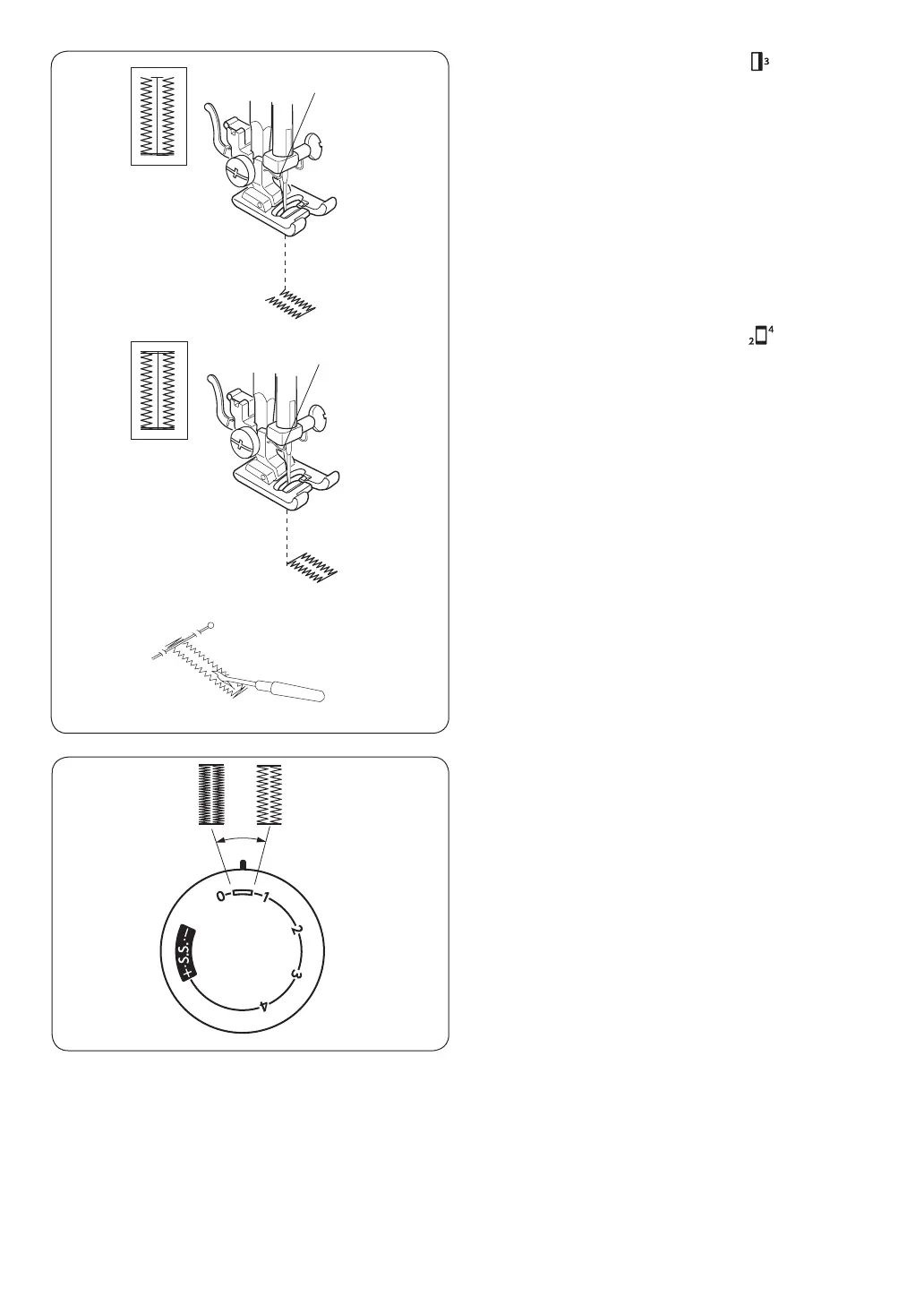
b Set the pattern selector dial at “ ”.
Sew a few bartacks and raise the needle from
the fabric.
Set the stitch length dial to “0”. and the pattern
selector dial at straight stitch sewing.
Sew a few locking stitches.
v Set the pattern selector dial at “ ”.
Sew up the right side of the buttonhole.
Stop the machine when you are directly
opposite the ne stitch on the left-hand side
and raise the needle.
n Remove the fabric from the machine and cut
the sewing threads.
Insert a pin inside the bartack.
Then cut the opening with a seam ripper.
Take care not to cut the stitches.
Adjusting buttonhole stitch density
Turn the stitch length dial to the left for a coarser
density.
Turn the stitch length dial to the right for a tighter
density.
v
b
n


 To Next Page