EasyManua.ls Logo

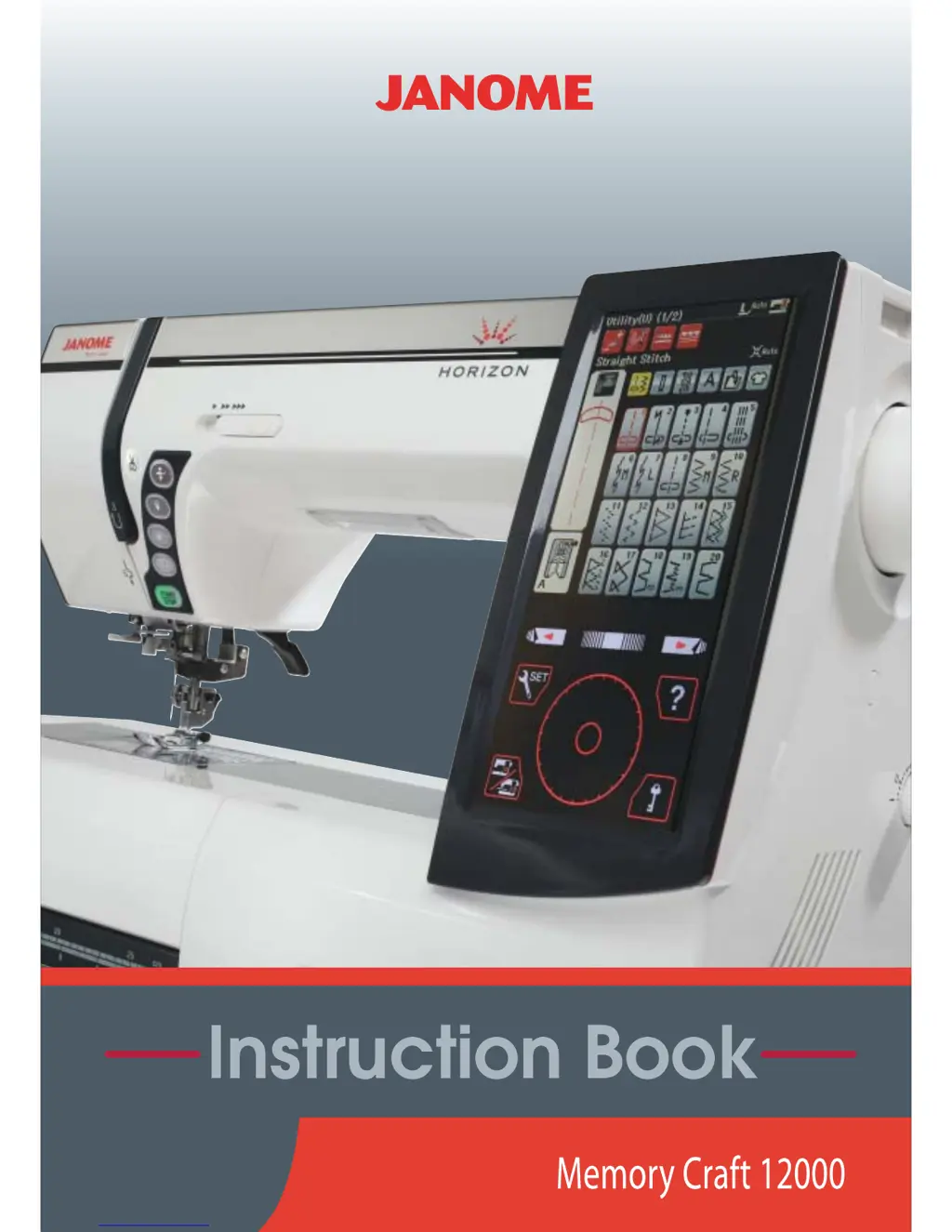
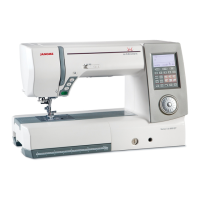
Janome Horizon - User Manual

Janome Horizon
151 pages
Print Icon
To Next Page IconTo Next Page
Loading...

Table of Contents

Questions and Answers

  • T
    Tracy LoganSep 23, 2025
    How to prevent slipping layers on Janome Horizon Sewing Machine?
    • S
      stewartpaulSep 23, 2025
      If you're experiencing slipping layers while sewing with your Janome Sewing Machine, it might be that the dual feed foot is not being used for sewing hard to feed material. In this case, use the dual feed foot.
  • J
    Jennifer MorganAug 23, 2025
    Why does the needle thread break on my Janome Sewing Machine?
    • I
      Ian DurhamAug 23, 2025
      The needle thread may break due to several reasons: * The needle thread is not threaded properly. * The needle thread tension is too tight. * The needle is bent or blunt. * The needle is incorrectly inserted. * The needle thread and the bobbin thread are not set under the presser foot when starting to sew. * The threads were not drawn to the rear after sewing. * The fabric is moved too fast when stitching free motion quilting. * The thread is tangled around the spool. In this case, use the spool holder.
  • D
    David RoachAug 25, 2025
    Why does the bobbin thread break on my Janome Horizon?
    • L
      laura04Aug 26, 2025
      If the bobbin thread breaks on your Janome Sewing Machine, check the following: * Ensure the bobbin thread is threaded properly in the bobbin holder. * Remove any lint collected in the bobbin holder. * Replace the bobbin if it is damaged and doesn't turn smoothly.
  • C
    Cynthia TurnerAug 26, 2025
    What to do if my Janome Sewing Machine does not run?
    • J
      Jessica MartinezAug 27, 2025
      If your Janome Sewing Machine is not running, check the following: * Ensure the machine is plugged in. * Check for any thread caught in the hook race. * If a faulty foot control is plugged in while the machine is turned on (buzzer sounds once when plugging in). * The start/stop button is used for ordinary sewing with the foot control plugged in.
  • S
    Sarah PotterAug 27, 2025
    What causes skipped stitches on a Janome Sewing Machine?
    • S
      sharonsotoAug 27, 2025
      If your Janome Sewing Machine is skipping stitches, it might be due to: * The needle being inserted incorrectly. * The needle being bent or blunt. * The needle and/or threads not being suitable for the fabric being sewn. * A blue needle not being used for sewing stretch, very fine and synthetics. * The needle thread not being threaded properly. * The needle being defective (rusted, burr on needle eye or tip). * The embroidery hoop not being set properly. * The fabric not being stretched tightly enough on the embroidery hoop. * A purple needle not being used for sewing thick fabrics, denims and across the hem.
  • M
    Michael MorganSep 18, 2025
    Why are the patterns distorted on my Janome Horizon?
    • J
      Joseph MartinSep 18, 2025
      If the patterns are distorted on your Janome Sewing Machine, it could be due to: * The needle thread tension being too loose. * The stitch length not being suitable for the fabric being sewn. * The feed balancing dial not being properly set. * Interfacing not being used for sewing stretch and very fine fabrics. * The embroidery hoop attaching knob being loose. * The embroidery hoop hitting something around the machine. * The fabric not being stretched tightly enough on the embroidery hoop. * The fabric being caught or trapped when sewing embroidery. * The embroidery foot being trapped by a jump thread. * The embroidery foot stumbling on a mound of embroidery threads.
  • W
    woodskristenSep 15, 2025
    What causes auto thread cutting to fail on my Janome Horizon Sewing Machine?
    • A
      Amy CarterSep 15, 2025
      Auto thread cutting can fail if: * Thread is too thick for the auto thread cutting. * Threads have been caught in the thread cutter mechanism.
  • R
    Renee ButlerSep 16, 2025
    What causes seam puckering on a Janome Horizon?
    • E
      Eric MosleySep 16, 2025
      If you're experiencing seam puckering with your Janome Sewing Machine, consider these potential causes: * The needle tension is too tight. * The needle thread or the bobbin thread is not threaded correctly. * The needle is too heavy for the fabric being sewn. * The stitch length is too long for the fabric. * The stitch width is too wide. * The fabric is not stretched tightly enough on the embroidery hoop.
  • C
    christinequinnSep 6, 2025
    Why does the needle thread keep breaking on my Janome Horizon Sewing Machine?
    • M
      Matthew LyonsSep 6, 2025
      The needle thread may break due to several reasons. Ensure the needle thread is threaded properly, using the spool holder. A too-tight needle thread tension can also cause this issue. Other potential causes include a bent or blunt needle, incorrect needle insertion, failure to set the needle and bobbin thread under the presser foot before sewing, neglecting to draw the threads to the rear after sewing, moving the fabric too fast during free motion quilting, or thread becoming tangled around the spool.
  • S
    Sandra MccoySep 3, 2025
    Why is the cloth not feeding smoothly on my Janome Horizon?
    • K
      Kara OliverSep 4, 2025
      If the cloth is not feeding smoothly through your Janome Sewing Machine, it might be because: * The feed dog is packed with lint. * The dual feed foot is not being used for sewing hard to feed material. * The stitches are too fine. * The feed dog is lowered.

Summary

Important Safety Instructions

Getting Ready to Sew

Connecting the Power Supply

Controlling Sewing Speed

Machine Operating Buttons

Touch Panel Keys

Thread and Bobbin Preparation

Winding the Bobbin

Detailed steps for removing and winding the bobbin.

Inserting the Bobbin

Threading the Machine

Needle Threader Operation

Drawing Up the Bobbin Thread

Needle Replacement and Chart

Replacing the Presser Foot

Replacing the Foot Holder

Attaching and Detaching Feet

Replacing the Needle Plate

Ordinary Sewing Mode

Ordinary Stitch Patterns Overview

Overview of the 6 categories of stitches available in ordinary sewing mode.

Function Keys in Ordinary Sewing Mode

Utility Stitches

Variety of Straight Stitches

Sewing with the Dual Feed Device

Variety of Overcasting Stitches

Manual Stitch Settings

Stitch Adjustment Details

Adjusting Thread Tension

How to manually adjust thread tension for optimal stitch balance.

Buttonholes and Specialty Stitches

Variety of Buttonholes

Introduces different types of buttonholes, from sensor to keyhole and stretch.

B1 Sensor (Square) Buttonhole

B1 Buttonhole Sewing Steps

Manual Buttonhole Settings

B2 Automatic (Square) Buttonhole

B2 Buttonhole Sewing Steps

Other Buttonhole Types

B13 Welted Buttonhole (Bound Buttonhole)

Corded Buttonhole

B15 Darning

Decorative Stitches

Quilting Stitches (Q)

Twin Needle Sewing

Programming a Pattern Combination

Pattern Combination Editing

Editing a Pattern Combination

Managing Pattern Combinations

Monogramming

Sewing Application

Sewing Application: Zipper Sewing

Quilting Stitches

Customizing Machine Settings

Common Setting Mode

Adjusting general machine settings like screen contrast and volume.

Touch Screen and Ring Settings

Touch Screen Calibration

Calibrating the touch screen for accurate response.

Ordinary Sewing Setting Mode

Sewing Parameters Adjustment

Presser Foot and Zigzag Settings

Correcting Deformed Stitch Patterns

Embroidery Mode

Embroidery Unit Attachment

Instructions for attaching the embroidery unit to the sewing machine.

Extending the Carriage Arm

How to extend and retract the carriage arm for embroidery.

Detaching the Embroidery Unit

Procedures for safely removing the embroidery unit.

Attaching the Embroidery Foot

Steps for attaching the specific embroidery foot.

Attaching the Straight Stitch Needle Plate

Installing the straight stitch needle plate for embroidery.

Special Bobbin Holder for Embroidery

Replacing the standard bobbin holder with the special one for embroidery.

Embroidery Hoops Overview

Description of the different embroidery hoops included.

Stabilizers for Embroidery

Importance, types, and usage of stabilizers for quality embroidery.

Setting Fabric in Embroidery Hoop

Procedures for preparing and placing fabric in the embroidery hoop.

Attaching Embroidery Hoop to Machine

Securing the embroidery hoop onto the machine carriage.

Selecting Built-in Embroidery Designs

Navigating and selecting designs from the machine's library.

Embroidery Monogramming

Overview of monogramming features, fonts, and patterns.

Monogramming Function Keys

Explanation of keys used for monogramming text and symbols.

Programming and Placing Monograms

Steps for creating and positioning monograms on fabric.

Ready to Sew Window Overview

The main screen before starting embroidery, showing design info and controls.

Pattern Tracing and Basting

Using tracing features to preview designs and baste fabric.

Embroidery Settings and Information

Adjusting tension, mode, and viewing design details.

Starting to Sew Embroidery

Step-by-step guide to starting an embroidery project.

Embroidery Editing Mode

Tools for editing and combining embroidery designs.

Pattern Manipulation Tools

Resizing, duplicating, deleting, rotating, and flipping embroidery patterns.

Embroidery Techniques: Free Arm Embroidery

Using the free arm hoop for embroidering tubular garments.

Embroidery Mode Settings

Adjusting auto thread tension, bobbin warning, thread cutting, and foot height.

File Management

Saving and Opening Files

Procedures for saving and retrieving embroidery designs and pattern combinations.

File;Folder Renaming and PC Connection

Renaming files/folders and connecting to a PC via USB.

Care and Maintenance

Cleaning the Hook Area

Instructions for cleaning the hook area, feed dog, and thread cutter.

Cleaning the Inside of the Thread Guide

Steps for cleaning the thread guide plate and pre-tension leaf.

Troubleshooting

Janome Horizon Specifications

General IconGeneral
Needle ThreaderYes
LCD ScreenYes
Knee LifterYes
Start/Stop ButtonYes
Foot Pressure AdjustmentYes
Maximum Stitch Width9mm
Maximum Stitch Length5mm
TypeComputerized
Built-in MemoryYes
USB PortYes
Maximum Sewing Speed1, 000 stitches per minute
Weight26.5 lbs
Presser FeetVarious (Zigzag foot A, Rolled Hem foot D, Zipper foot E, Satin stitch foot F, Blind Hem foot G, Overcasting foot M, Buttonhole foot R with stabilizer plate, Automatic Buttonhole foot T, 1/4" Seam foot O)

Related product manuals