EasyManua.ls Logo

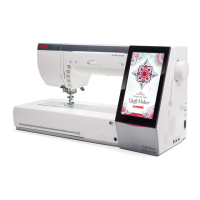
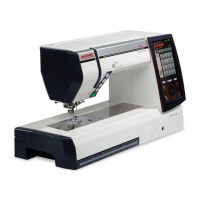
Janome Horizon Memory Craft 12000 - User Manual

Janome Horizon Memory Craft 12000
151 pages
Print Icon
To Next Page IconTo Next Page
Loading...
JanomeFlyer.com
Janome Horizon Memory Craft
12000 Instruction Manual
Janome 12000 Sewing Machine Instruction Manual
www.janomeflyer.com
12000 Owners Manual/ User Guide

Table of Contents

Questions and Answers

  • S
    Sandra ThomasAug 17, 2025
    Why does the needle thread break on my Janome Horizon Memory Craft 12000?
    • B
      brandon96Aug 18, 2025
      There are several reasons why the needle thread might break on your Janome Sewing Machine: * The needle thread might not be threaded properly. * The needle thread tension might be too tight. * The needle could be bent or blunt. * The needle might be inserted incorrectly. * The thread might be too heavy for the needle. * The needle thread might not have been set in the thread holder when you started embroidery sewing.
  • L
    Lori FullerAug 20, 2025
    What to do if my Janome Sewing Machine is skipping stitches?
    • K
      karen91Aug 20, 2025
      Here’s what might cause skipped stitches on your Janome Sewing Machine: * The needle may be inserted incorrectly. * The needle may be bent or blunt. * The needle and/or threads may not be suitable for the fabric being sewn. * A blue needle might not be used for sewing stretch, very fine, and synthetic fabrics. * The needle thread may not be threaded properly. * The needle may be defective (rusted, burr on needle eye or tip). * The embroidery hoop might not be set properly. * The fabric might not be stretched tightly enough on the embroidery hoop. * A purple needle might not be used for sewing thick fabrics, denims, and across the hem.
  • C
    christina68Aug 22, 2025
    Why does the bobbin thread break on my Janome Horizon Memory Craft 12000 Sewing Machine?
    • J
      Jennifer PowersAug 23, 2025
      The bobbin thread on your Janome Sewing Machine might break due to: * The bobbin thread not being threaded properly in the bobbin holder. * Lint collecting in the bobbin holder. * A damaged bobbin that doesn't turn smoothly. If the bobbin is damaged, replace it.
  • H
    Heather FlynnAug 25, 2025
    Why is my Janome Horizon Memory Craft 12000 causing seam puckering?
    • C
      Christina WilliamsAug 26, 2025
      Seam puckering on your Janome Sewing Machine can occur if: * The needle tension is too tight. * The needle thread or the bobbin thread is not threaded correctly. * The needle is too heavy for the fabric being sewn. * The stitch length is too long for the fabric. To fix this, make stitches shorter. * The stitch width is too wide. To fix this, reduce the stitch width. * The fabric is not stretched tightly enough on the embroidery hoop.
  • G
    George TorresAug 28, 2025
    Why is the cloth not feeding smoothly on my Janome Horizon Memory Craft 12000 Sewing Machine?
    • J
      Johnny PerezAug 28, 2025
      If the cloth isn't feeding smoothly through your Janome Sewing Machine, it could be because: * The feed dog is packed with lint. * The dual feed foot is not being used for sewing hard to feed material; use the dual feed foot. * The stitches are too fine; try making the stitches longer. * The feed dog is lowered.
  • M
    Michael DayAug 30, 2025
    What to do if my Janome Horizon Memory Craft 12000 Sewing Machine does not run?
    • F
      fwrightAug 30, 2025
      If your Janome Sewing Machine isn't running, check the following: * Ensure the machine is plugged in. * Check for a thread caught in the hook race. * A faulty foot control might be plugged in while the machine is turned on. Replace the foot control if this is the case. * The start/stop button might be used for ordinary sewing with the foot control plugged in.
  • O
    omccoySep 2, 2025
    Why are patterns distorted on my Janome Horizon Memory Craft 12000 Sewing Machine?
    • K
      Kristen DelgadoSep 2, 2025
      Patterns on your Janome Sewing Machine might be distorted due to: * The needle thread tension being too loose. * The stitch length not being suitable for the fabric being sewn. * The feed balancing dial not being properly set. * Interfacing not being used for sewing stretch and very fine fabrics; use an interfacing. * The embroidery hoop attaching knob being loose. * The embroidery hoop hitting something around the machine. * The fabric not being stretched tightly enough on the embroidery hoop. * The fabric being caught or trapped when sewing embroidery; stop the machine and free the fabric. * The embroidery foot being trapped by a jump thread; trim the jump thread. * The embroidery foot stumbling on a mound of embroidery threads.
  • B
    Brian RaySep 4, 2025
    Why does my Janome Horizon Memory Craft 12000 make a crunching sound?
    • M
      Mr. Cody NielsenSep 4, 2025
      If you hear a crunching sound when running your Janome Sewing Machine, it could be because: * Something is caught between the carriage and the arm; remove the object. * The carriage is hitting something around the machine; this is an initializing sound and not a defect. * The power is turned on when the feed dog is lowered.
  • D
    Daniel BakerSep 7, 2025
    What causes slipping layers on my Janome Horizon Memory Craft 12000 Sewing Machine?
    • E
      Evelyn JeffersonSep 7, 2025
      Slipping layers when using your Janome Sewing Machine can occur if the dual feed foot is not being used for sewing hard to feed material. Use the dual feed foot.
  • W
    wellstanyaSep 9, 2025
    Why are the automatic buttonhole stitches not balanced on my Janome Horizon Memory Craft 12000?
    • J
      Judy HuntSep 9, 2025
      The automatic buttonhole stitches on your Janome Sewing Machine might not be balanced because: * The stitch length is not suitable for the fabric being sewn. * The feed balancing dial is not set properly. * Interfacing is not being used with stretch fabric; use an interfacing.

Summary

Important Safety Instructions

Getting Ready to Sew

Machine Overview and Setup

Identification of parts, accessories, power, speed control, and buttons.

Threading and Bobbin Operations

Setting and Winding the Bobbin

Guide to spooling thread and winding bobbins.

Inserting and Threading the Machine

Correct bobbin insertion and upper thread path guidance.

Needle and Presser Foot Management

Replacing Needles

Safely changing needles, includes needle chart.

Presser Foot and Holder Replacement

Attaching/detaching presser feet and holders.

Presser Foot Height Adjustment

Modes and Machine Features

Mode Selection and Help

Switching modes and accessing on-screen help.

Machine Settings Customization

Adjusting machine settings for sewing and embroidery.

ORDINARY SEWING MODE

Stitch Categories and Patterns

Overview of stitch types: Utility, Buttonhole, Decorative, Monogramming.

Ordinary Sewing Function Keys

Utility Stitches

Sewing with the Dual Feed Device

Manual Stitch Settings

Buttonholes and Specialty Stitches

Variety of Buttonholes

Overview of different buttonhole types.

Sewing Specific Buttonholes

Sensor and Automatic Buttonholes

Step-by-step for sensor and automatic buttonholes.

Decorative Stitches Overview

Applique, Heirloom, Quilting, and Satin Stitches

Instructions for applique, heirloom, quilting, and satin stitches.

Twin Needle Sewing

Pattern Combination Programming

Monogramming and Fonts

Creating and Programming Monograms

How to create monograms using built-in fonts.

Sewing Applications

Zipper Sewing Procedures

Patchwork and Quilting Techniques

Patchwork Piecing Instructions

Instructions for patchwork piecing.

Quilting Techniques Overview

Various quilting methods and stitches.

Free Quilting and Variable Zigzag

CUSTOMIZING MACHINE SETTINGS

Embroidery Mode Settings

Customizing settings for embroidery.

Ordinary Sewing Setting Mode

Correcting Deformed Stitch Patterns

EMBROIDERY MODE OPERATIONS

Embroidery Unit Installation

Instructions for attaching/detaching the embroidery unit.

Embroidery Foot and Needle Plate Setup

Attaching Embroidery Foot and Needle Plate

Setting up embroidery foot and needle plate.

Special Embroidery Accessories

Bobbin Holders, Hoops, and Stabilizers

Details on special bobbin holders, hoops, and stabilizers.

Hooping Fabric for Embroidery

Selecting Built-in Embroidery Designs

Monogramming Functions

Creating and Editing Monograms

Steps to create and modify monograms.

Starting an Embroidery Project

Embroidery Editing Mode

Pattern Manipulation Tools

Resize, duplicate, delete, rotate, and flip patterns.

Combining and Grouping Embroidery Patterns

Combining Patterns for Frames

Steps to combine designs for frames.

Free Arm Embroidery

FILE MANAGEMENT

Saving and Opening Files

Procedures for saving and retrieving files.

Renaming Files and PC Connectivity

Direct PC-Link for Design Transfer

Connecting machine to PC for data transfer.

CARE AND MAINTENANCE

Cleaning the Hook Area

Step-by-step guide to cleaning the hook area.

Cleaning the Thread Guide System

Troubleshooting Common Issues

STITCH CHART

Ordinary Sewing Stitches

Visual reference of ordinary sewing stitches.

DESIGN CHART

Embroidery Designs Overview

Visual catalog of built-in embroidery designs.

Janome Horizon Memory Craft 12000 Specifications

General IconGeneral
BrandJanome
ModelHorizon Memory Craft 12000
CategorySewing Machine
LanguageEnglish

Related product manuals