18
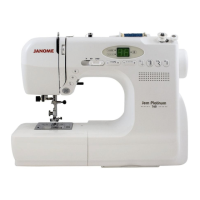
Altering the needle drop position
The needle drop position of the following stitches can
be altered:
Press the stitch width adjusting button to change the
needle drop position. The top green light will light up
and the preset value "2.5" (center needle position)
will be indicated.
Press on the "+" sign to move the needle drop to the
right.
Press on the "–" sign to move the needle drop to the
left.
q Left needle drop position
w Center needle drop position
e Right needle drop position
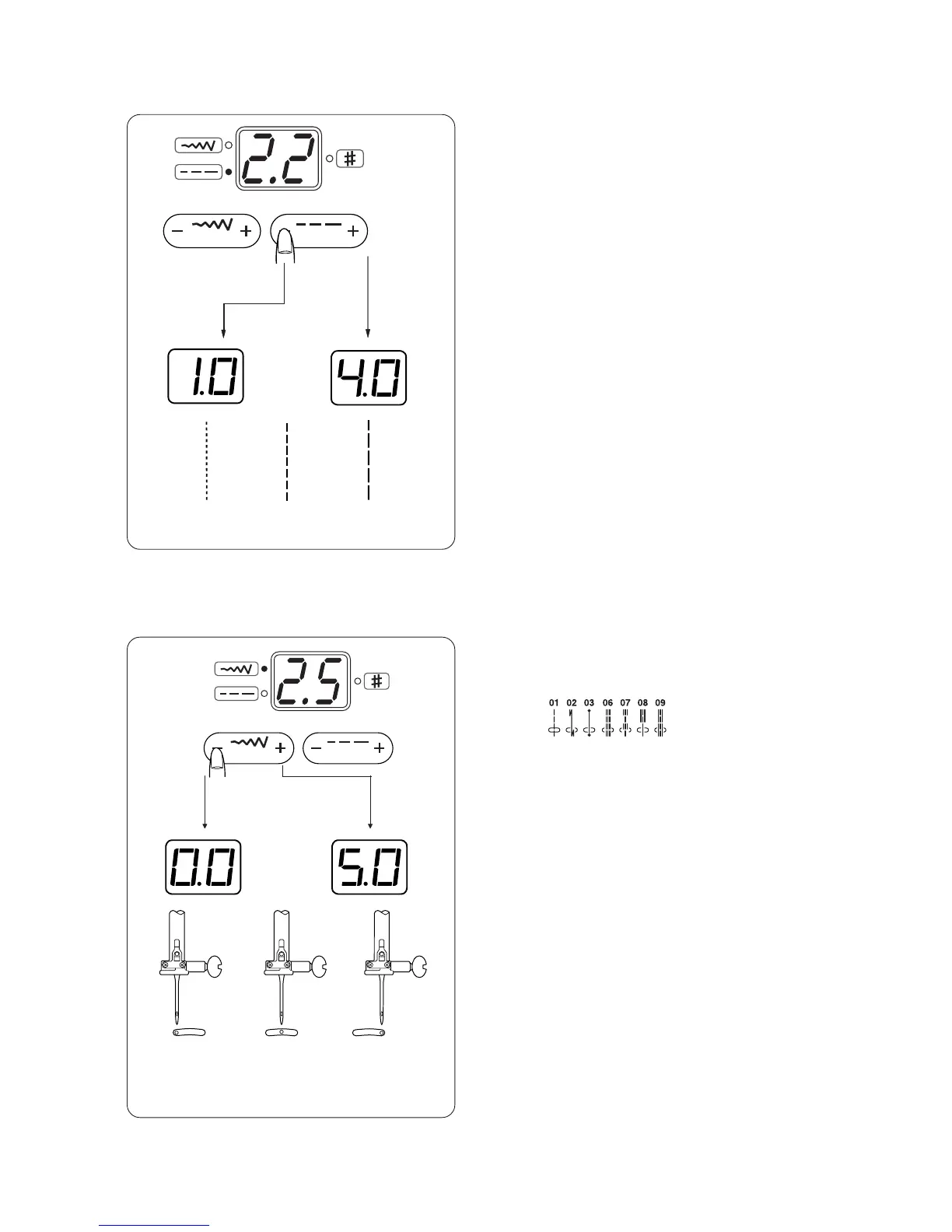
Altering the stitch length
The stitch length can be altered between 0.0 and 4.0.
Press the stitch length adjusting button to alter the
stitch length. The bottom green light will light up and
the preset value "2.2" will be indicated.
Press on the "+" sign to increase the stitch length.
Press on the "–" sign to decrease the stitch length.
1.0
2.2
4.0
0.0
2.5
5.0
q
w
e


 To Next Page