28
Knit buttonhole
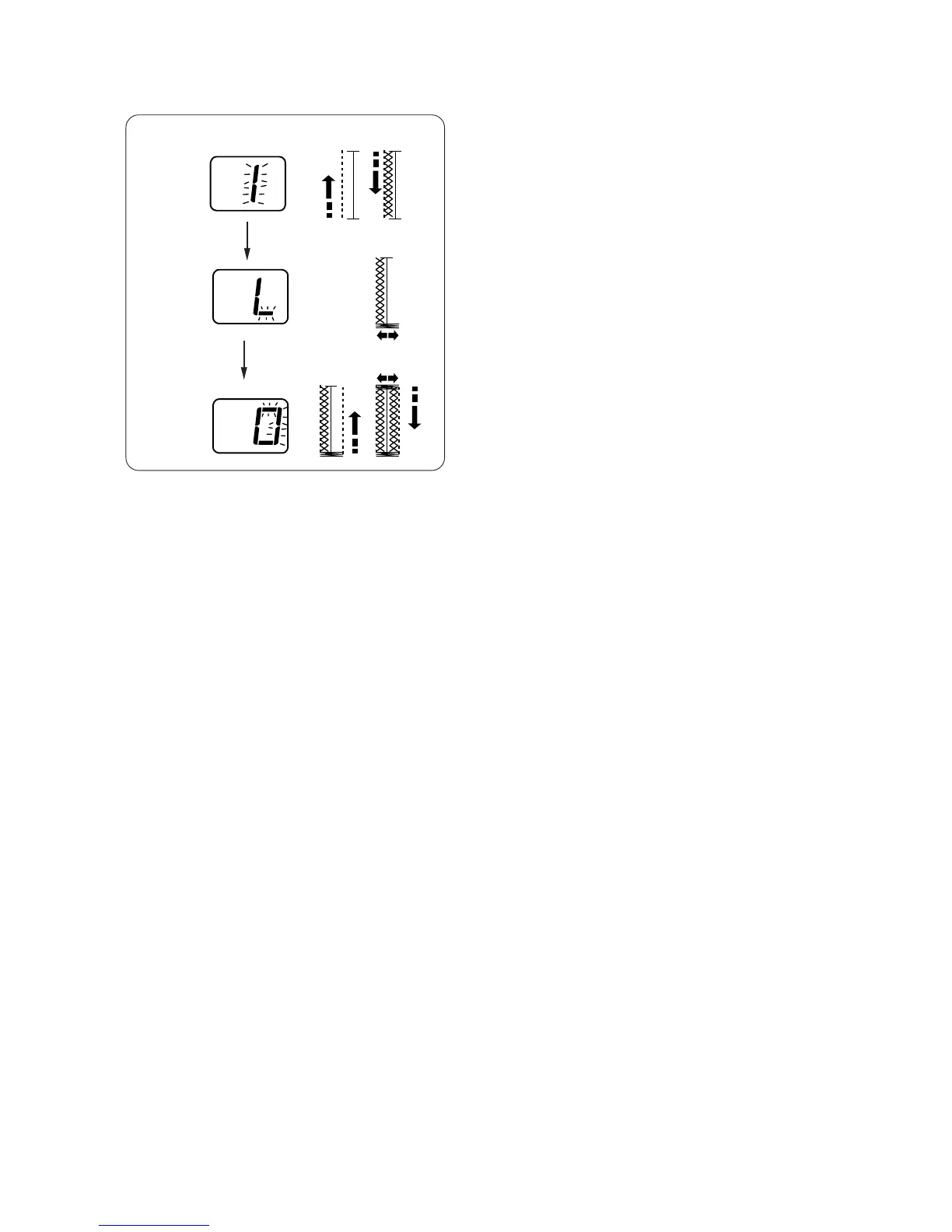
The knit buttonhole will be sewn in the following
sequence:
Step 1: The machine will sew straight stitches to the
back end of the buttonhole, then left row.
Step 2: The front bartack
Step 3: The straight stitching to the back end of the
buttonhole, then back bartack and the right
row.
The machine will stop automatically when
finished.
* The width can be altered between 2.5 and 5.5.
* The stitch density can be altered between 0.7 and
1.7.
Step 1
Step 2
Step 3


 To Next Page