34
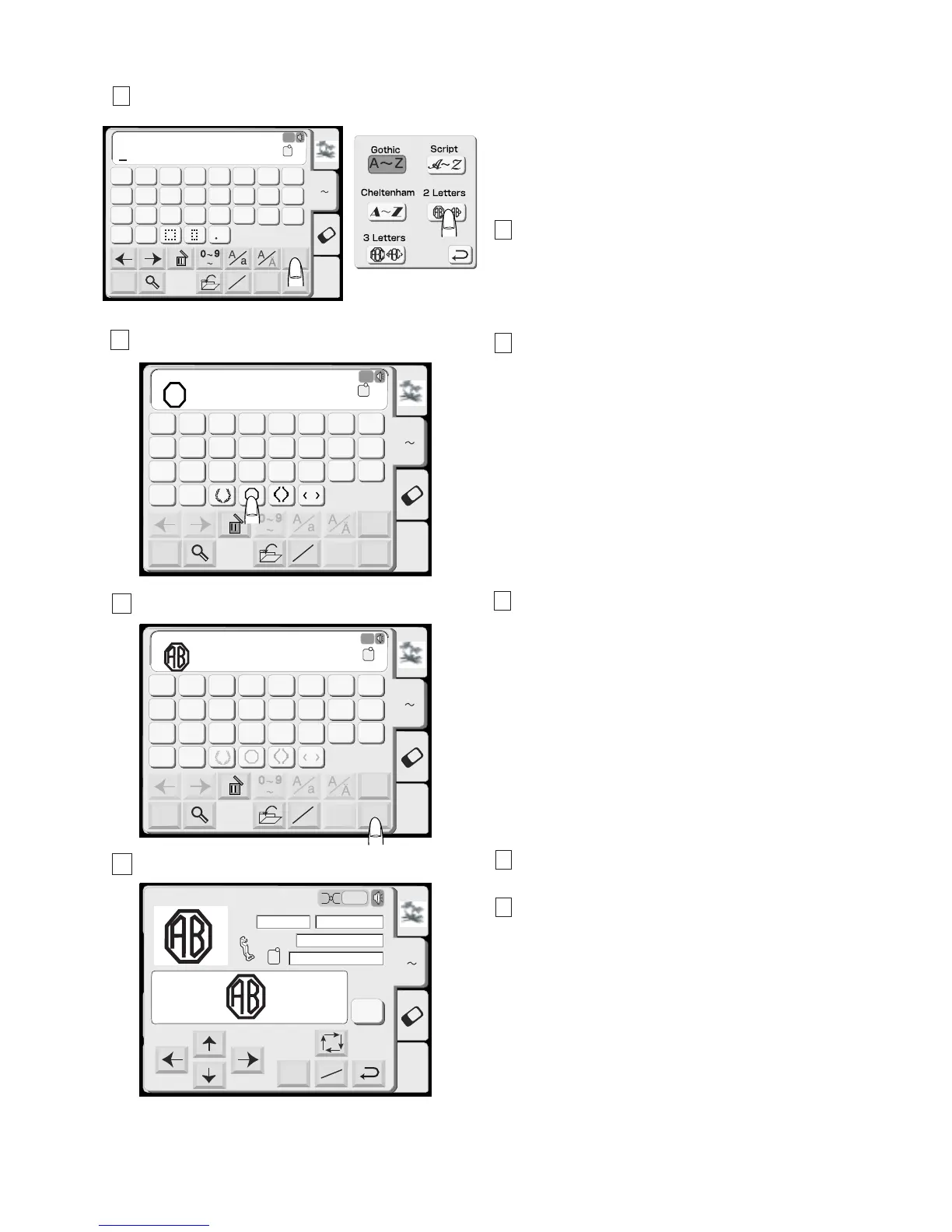
2- Letters Monogram
Example: 2-Letters with a crest
1 Press the Font key. Select 2-Letters and press the
crest key.
2 Select the letter “A”. The cursor will move to the
right.
3 Select the letter “B”. The cursor will move to the
right.
4 Press the OK key and the screen will change to the
Embroidery screen.
5 Press the Start/stop button to start sewing and the
machine will stop sewing automatically.
NOTES:
The 3-Letters monogram will be sewn in the same way
as the 2-Letters monogram.
The starting position for the 2-letters and 3-letters is in
the center of the hoop.
Edit
Font
A Z
AB
OK
M
L
S
AB
Mode
G
H
IJKL
M
N
OP
Q
RST
U
V
W
X
YZ
A
B
C
DEF
2
Letters
AB
120X110
A(F)
A Z
Edit
Font
A Z
AB
OK
M
L
S
AB
Mode
G
H
IJKL
M
N
OP
Q
RST
U
V
W
X
YZ
A
B
C
DEF
Gothic
AB
A(F)
A Z
Edit
Font
A Z
AB
OK
M
L
S
AB
Mode
G
H
IJKL
M
N
OP
Q
RST
U
V
W
X
YZ
A
B
C
DEF
2 Letters
AB
A Z
A(F)
Edit
Mode
Ready to Sew
A Z
Size
2
P
A(F): 126x110mm
53x62mm
1 Color
7 min
Jog
ST
Color
Change
1
2
3
4





 To Next Page