EasyManua.ls Logo

Janome MEMORY CRAFT 9500 - User Manual

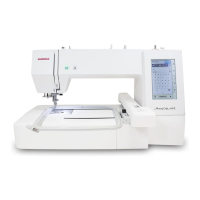
Janome MEMORY CRAFT 9500
109 pages
Print Icon
To Next Page IconTo Next Page
Loading...
www.toews.com
Janome
Memory Craft 9500
Instruction Manual
Janome Memory Craft 9500 Instruction Manual
Janome Sewing Machine
www.toews.com
MC9500 Owners Manual/ User Guide
*Please Note: This version is only a partial manual. Visit your local Janome Dealer for
a full version.

Table of Contents

Other manuals for Janome MEMORY CRAFT 9500

Questions and Answers

  • S
    Sherry EdwardsSep 23, 2025
    Why does my Janome MEMORY CRAFT 9500 Sewing Machine make strange sounds when switched on?
    • S
      Sheila WilcoxSep 23, 2025
      Strange sounds when your Janome Sewing Machine is switched on can occur if: * Something is caught between the carriage and the arm; remove the object. * The carriage is touching something around the machine.
  • H
    hernandezedwardAug 23, 2025
    Why is the needle breaking on my Janome MEMORY CRAFT 9500 Sewing Machine?
    • E
      evanspamelaAug 23, 2025
      The needle may break due to: * Incorrect needle insertion. * A bent or blunt needle. * A loose needle clamp screw. * Excessive needle thread tension. * Failure to draw the fabric to the rear after sewing. * Using a needle too fine for the fabric.
  • L
    Lawrence JohnsonAug 25, 2025
    What to do if my Janome Sewing Machine does not run?
    • M
      Monica SalinasAug 25, 2025
      If your Janome Sewing Machine isn't running, check the following: * Ensure the machine is plugged in. * Check for thread caught in the hook race. * If the control circuit isn't working correctly, turn the switch off and on again. * Note that the Start/Stop button is not for ordinary sewing when a foot control is plugged in.
  • L
    loweryraymondAug 27, 2025
    Why does the bobbin thread keep breaking on my Janome Sewing Machine?
    • A
      Amy SantosAug 27, 2025
      The bobbin thread may break because: * The bobbin thread is not threaded properly in the bobbin holder. * Lint has collected in the bobbin holder. * The bobbin is damaged and doesn’t turn smoothly. Replace the bobbin.
  • V
    Vernon PowersAug 27, 2025
    Why does the needle thread break on my Janome MEMORY CRAFT 9500 Sewing Machine?
    • D
      danny79Aug 27, 2025
      The needle thread may be breaking due to several reasons: * The needle thread might not be threaded properly. * The needle thread tension could be too tight. * The needle might be bent or blunt. * The needle might be inserted incorrectly. * The thread could be too heavy for the needle. * The needle thread may not have set in the thread holder when you started embroidery sewing.
  • A
    Alexandra RoseSep 18, 2025
    Why are the automatic buttonhole stitches not balanced on my Janome MEMORY CRAFT 9500?
    • J
      jensenaaronSep 18, 2025
      If the automatic buttonhole stitches on your Janome Sewing Machine aren't balanced, it could be because: * The stitch length isn't suitable for the fabric. * The feed balancing dial isn't set properly. * Interfacing isn't used with stretch fabric; use an interfacing.
  • M
    Maria SullivanSep 15, 2025
    Why is my Janome Sewing Machine causing seam puckering?
    • S
      Stacy ClarkSep 15, 2025
      Seam puckering on your Janome Sewing Machine can occur if: * The needle tension is too tight. * The needle thread or bobbin thread isn't threaded correctly. * The needle is too heavy for the fabric. * The stitch length is too long for the fabric; try making the stitches denser. * The presser foot pressure isn't adjusted correctly; when sewing extremely lightweight materials, place interfacing underneath the fabric. * The fabric isn't pulled tightly enough on the embroidery hoop.
  • D
    Deborah WilliamsSep 16, 2025
    Why is the fabric slipping when I use my Janome MEMORY CRAFT 9500 Sewing Machine?
    • J
      James DyerSep 16, 2025
      Slipping fabric with your Janome Sewing Machine can occur because: * The presser foot pressure isn't adjusted correctly. * The correct presser foot isn't being used.
  • S
    smithalanSep 6, 2025
    Why are the patterns distorted on my Janome Sewing Machine?
    • M
      mackenzieayalaSep 7, 2025
      Distorted patterns on your Janome Sewing Machine may result from: * Using the incorrect presser foot. * The needle thread tension being too light. * The stitch length not being suitable for the fabric. * The feed balancing dial not being properly set. * Not using interfacing for stretch and very fine fabrics; use an interfacing. * A loose embroidery hoop Attaching Knob. * The carriage bumping into something around the machine. * The fabric not being pulled tightly enough on the embroidery hoop. * The fabric being caught or pulled during embroidery; stop the machine and free the fabric.
  • K
    Kathryn VaughnSep 3, 2025
    Why is the cloth not feeding smoothly through my Janome MEMORY CRAFT 9500?
    • T
      Tamara SmithSep 3, 2025
      The cloth may not feed smoothly due to: * The feed dog being packed with lint. * The presser foot pressure being too weak. * The stitches being too fine; try making stitches coarser. * The fabric not being fed when sewing is starting. * The feed dog being lowered. * The incorrect presser foot being used.

Summary

Know Your Machine

Name of Parts

Identifies all parts of the sewing machine and their functions.

Standard Accessories and Storage

Lists and illustrates the included accessories and their storage options.

Extension Table

Details the extension table for free arm and flat-bed sewing operations.

Getting Ready to Sew

Connecting the Power Supply

Instructions for connecting the sewing machine to the power source safely and correctly.

Function Buttons

Explains the purpose and operation of the machine's various function buttons.

Controlling Sewing Speed

Details how to adjust sewing speed using the speed control lever and foot control.

Presser Foot Operations

Guides on how to raise, lower, remove, and attach the presser foot.

Various Presser Feet and Their Uses

Common Presser Feet

Describes versatile presser feet like Zigzag, Overedge, and Zipper feet.

Specialty Sewing Feet

Details specialized feet for Button Sewing, Darning, Embroidery, and Buttonholes.

Winding the Bobbin

Removing the Bobbin

Steps to remove the bobbin from the bobbin holder.

Setting the Spool of Thread

Instructions on placing the thread spool correctly on the spool pin.

Additional Spool Pin

Explains the use of the additional spool pin for specific sewing tasks.

Threading for Bobbin Winding

Inserting the Bobbin

Threading the Machine

Built-in Needle Threader

Drawing Up the Bobbin Thread

Changing Needles

Needle Selection Guide

Table guiding needle type and size based on fabric weight and type.

Thread Tension Adjustment

Auto and Manual Tension Control

Explains automatic tension setting and manual adjustment for optimal stitch balance.

Foot Pressure and Feed Dog Adjustment

Adjusting Foot Pressure

Guides on setting the correct foot pressure for different fabric types and sewing techniques.

Dropping the Feed Dog

Instructions on lowering the feed dog for specific operations like button sewing.

Mode Selection

Mode Selection Keys

Identifies keys for Ordinary Sewing, Embroidery, File Open, Settings, and Help modes.

Setting Mode

Screen and Sound Settings

Adjusts screen contrast, buzzer volume, and eco mode timer for user preference.

Unit and Navigation Settings

Options for setting units, navigating pages, registering settings, and returning to previous screens.

Machine Settings and Adjustments

Covers key position calibration, free arm length, embroidery speed, light, thread selection, memory format, and reset.

Language Selection

Ordinary Sewing Mode

Pattern Selection and Navigation

How to select patterns, use utility stitches, buttonholes, satin, decorative stitches, and monograms.

Straight Stitch Operation

Detailed steps for sewing a straight stitch, including handling thick fabric and changing direction.

Seam Securing and Guides

Techniques for securing seams with reverse stitches and using seam guides for accuracy.

Needle Position and Stitch Length Adjustment

Adjusting Needle Drop Position

How to move the needle left or right for precise stitch placement.

Adjusting Stitch Length

How to decrease or increase the stitch length for desired results.

Variety of Straight Stitches

Straight Stitch Variations

Describes different straight stitch types like Lock-a-Matic, Locking, Triple Stretch, and Stretch stitches.

Zigzag Stitch

Adjusting Zigzag Width and Length

Guides on modifying stitch width and length for zigzag stitches.

Zigzag Stitch Width and Length Control

Specific steps to change stitch width and length for zigzag sewing.

Overcasting with Zigzag Stitch

Variety of Overcasting Stitches

Overcasting Stitch Types

Details different overcasting stitches like Tricot, Knit, Double Overedge, and Overlock.

Blind Hem Stitch

Adjusting Needle Drop Position for Blind Hem

Zipper Sewing

Attaching the Zipper Foot

Instructions on attaching the zipper foot for sewing zippers correctly.

Zipper Sewing Procedure

Step-by-step guide for sewing zippers, including fabric preparation and needle/tension settings.

Completing Zipper Sewing

Final steps for zipper sewing, including basting, removing stitches, and finishing the seam.

Quilting

Regular Quilting with Quilting Bar

How to use the quilting bar with the zigzag foot for regular quilting.

Variety of Buttonholes and Their Uses

Buttonhole Types

Describes various buttonhole types like Sensor, Auto, Round End, Keyhole, Stretch, and Knit buttonholes.

Sensor Buttonhole

Sewing a Sensor Buttonhole

Step-by-step guide to sew sensor buttonholes using the automatic buttonhole foot.

Completing the Sensor Buttonhole

Final steps for sensor buttonholes, including bartacking, cutting, and opening.

Corded Buttonhole

Adjusting Buttonhole Settings

Automatic Buttonhole

Automatic Buttonhole Procedure

Steps for sewing automatic buttonholes, including marking and positioning.

Completing Automatic Buttonholes

Details on sewing multiple automatic buttonholes and cutting the opening.

Button Sewing

Darning

Darning Techniques

How to sew shorter darns, same size darns, and adjust darning evenness.

Tacking

Eyelet

Basting

Satin Stitches

Satin Stitch Adjustments

Covers adjusting width, length, and elongation for satin stitches.

Programming Stitches

How to program pattern combinations, use cursor keys, delete, mirror, and save files.

Locking Stitches and Pattern Combinations

Sewing single patterns with locking stitches and creating pattern combinations.

Elongation Sewing

Mirror Image Pattern Combinations

Decorative Stitches

Shell Tuck Stitch

Instructions for creating shell tuck stitches on various fabrics.

Applique Sewing

Programming French Knots

Sewing Pattern Combinations

Individual Pattern Adjustment

Editing Programmed Patterns

Modifying Programmed Patterns

Guides on deleting and inserting patterns within programmed sequences.

Program Check

Twin Needle Sewing

Twin Needle Setup and Threading

Instructions for setting up and threading the machine for twin needle sewing.

Monogramming

Monogramming Features and Keys

Overview of monogramming options, letter keys, cursor control, saving, and size adjustments.

Programming a Monogram

Step-by-step guide to programming monograms using letters and symbols.

Saving and Opening Files

Saving Your Designs

Instructions on saving programmed patterns to memory or PC card.

Assigning File Names to Designs

How to name saved files, including character limits and overwriting existing files.

Correcting Distorted Patterns

Adjusting Stretch Stitch Patterns

Guides on using the Feed Balancing Dial to correct distorted stretch stitch patterns.

Embroidery Mode

Embroidery Hoops and Templates

Details on using Embroidery Hoops A and B, including their templates and features.

Embroidery Setup and Stabilizers

Covers stabilizer types, thread tension, pressure dial, and needle selection for embroidery.

Setting Fabric in Embroidery Hoop

Attaching Embroidery Hoop

Thread Holder Setup

Instructions for using the thread holder to prevent sewing on the needle thread.

Embroidery Mode Selection

Using Built-in Embroidery Designs

Design Selection and Control

How to select designs, manage colors, skip parts, and adjust hoop position.

Embroidery Operation Controls

Using trace key, stitch back/forward, jog keys, return carriage, and understanding screen information.

Starting to Sew Embroidery

Monogram Embroidery

Font Selection and Monogramming

Choosing fonts and creating monograms using various keys and options.

Monogramming Input and Customization

Detailed steps for entering letters, numbers, and symbols for monograms.

Monogram in Gothic Style

Sewing Monograms

Instructions on sewing monograms, adjusting hoop position, and sewing vertically.

Monogram Editing

Deleting and Inserting Monogram Letters

Procedures for correcting monograms by deleting or inserting letters.

PC Card Designs

PC Card Management

How to insert, eject, and select designs from PC cards.

Card Reader 10000

Using the Card Reader

Connecting and using the Card Reader 10000 to access designs from memory cards.

Editing Mode

Editing Screen and Hoop Selection

Accessing the editing screen and selecting the appropriate embroidery hoop.

Selecting Patterns for Editing

The Patterns from the built-in designs, monograms, PC cards and Memory Cards can be edited.

Moving Patterns and Selecting Hoops

How to move patterns on screen and select different hoop sizes for editing.

Editing Pattern Transformations

Adjusting pattern size, flipping, deleting, rotating, and magnifying designs.

Saving Edited Designs

Assigning File Names to Designs

Steps for naming saved embroidery designs, including handling memory space and duplicate names.

Combining Designs and Monograms

Sewing Combined Designs

Instructions for sewing combined embroidery designs and monograms.

Opening and Deleting Saved Files

Managing Saved Embroidery Files

How to open saved files and delete unwanted ones.

On-screen Help

Care and Maintenance

Cleaning Hook Race and Feed Dog

Detailed steps for cleaning the machine's hook race and feed dog area.

Replacing the Light Bulb

Instructions for safely replacing the sewing machine's light bulb.

Troubleshooting

Common Sewing Problems and Solutions

Guides to diagnose and resolve common issues like noisy machine, thread breaks, and skipped stitches.

Stitch Chart

Design Chart

Janome MEMORY CRAFT 9500 Specifications

General IconGeneral
TypeComputerized Sewing and Embroidery Machine
Maximum Stitch Width7 mm
Maximum Stitch Length5 mm
DisplayLCD Touchscreen
USB ConnectivityYes
Automatic Needle ThreaderYes
Drop FeedYes
Bobbin TypeHorizontal Rotary
Maximum Sewing Speed820 stitches per minute

Related product manuals