Pre-survey Preparation
Power Management
Power supply requirements
33www.javad.com
2.5. Power Management
JAVAD GNSS’s TriVU software provides an interface for various configuration, monitoring, and
management functions for the receiver.
For power management of the receiver, TriVU enables the power source, enables the charging
mode, and displays the current voltage for the batteries.
1. Connect your receiver and computer. See “Connecting the Receiver and a Computer” on
page 37 for this procedure.
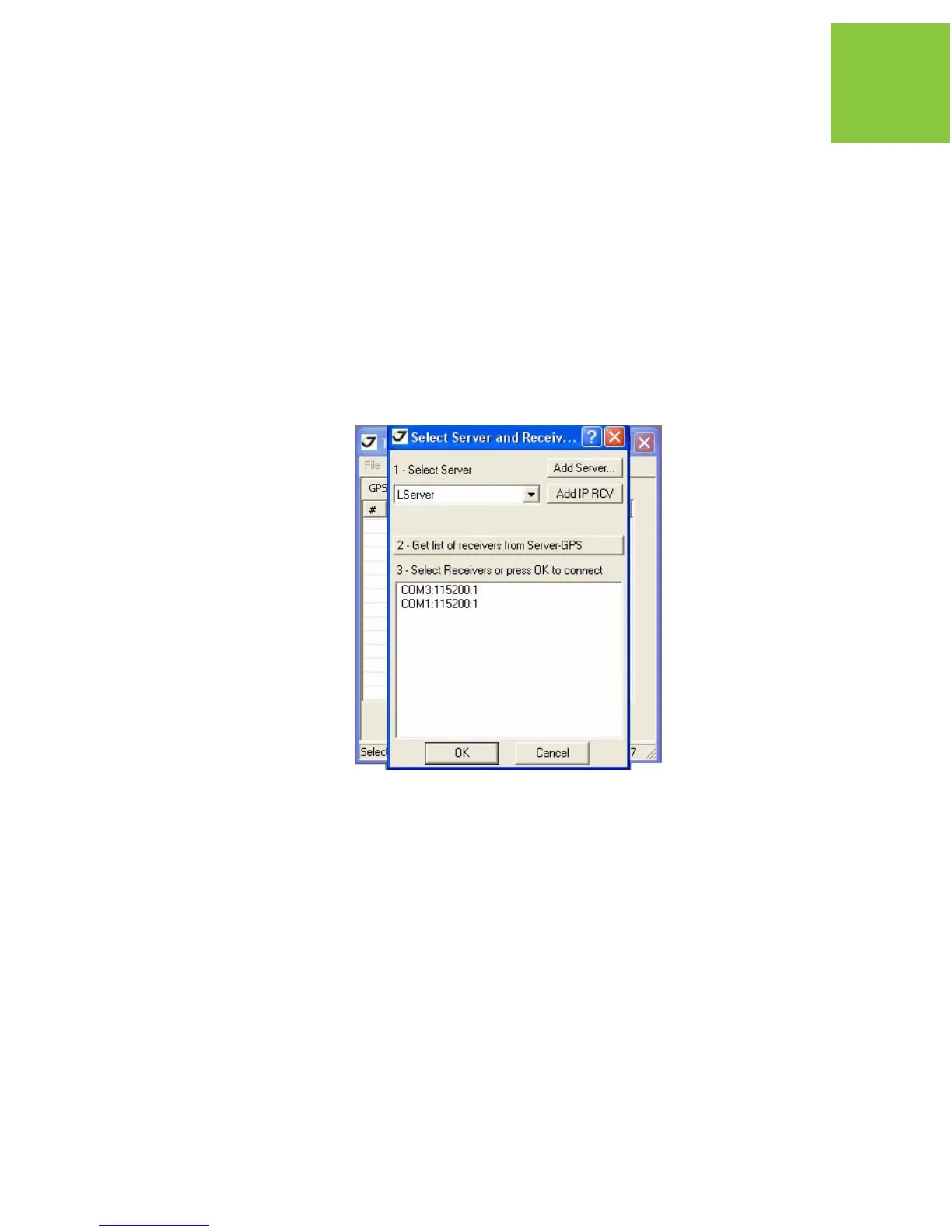
2. Start TriVU. Select the COM port and click Ok (Figure 2-4).
Figure 2-4. Connection Parameters


 To Next Page