Receiver and File Maintenance
Managing Receiver Options
Loading OAFs
86 www.javad.com
5.3.2. Loading OAFs
JAVAD GNSS dealers provide customers with OAF files. For any OAF related questions, E-mail
at support@javad.com. Please have your receiver ID number available (see “Checking Firmware
Version” on page 90).
1. To load a new OAF, follow steps 1-3 in “Checking an OAF” on page 84.
2. Click Load (Figure 5-8 on page 85) to load a new OAF file, or Update to update the OAF
file. The new receiver option loads onto the receiver and the Option Manager table
updates.
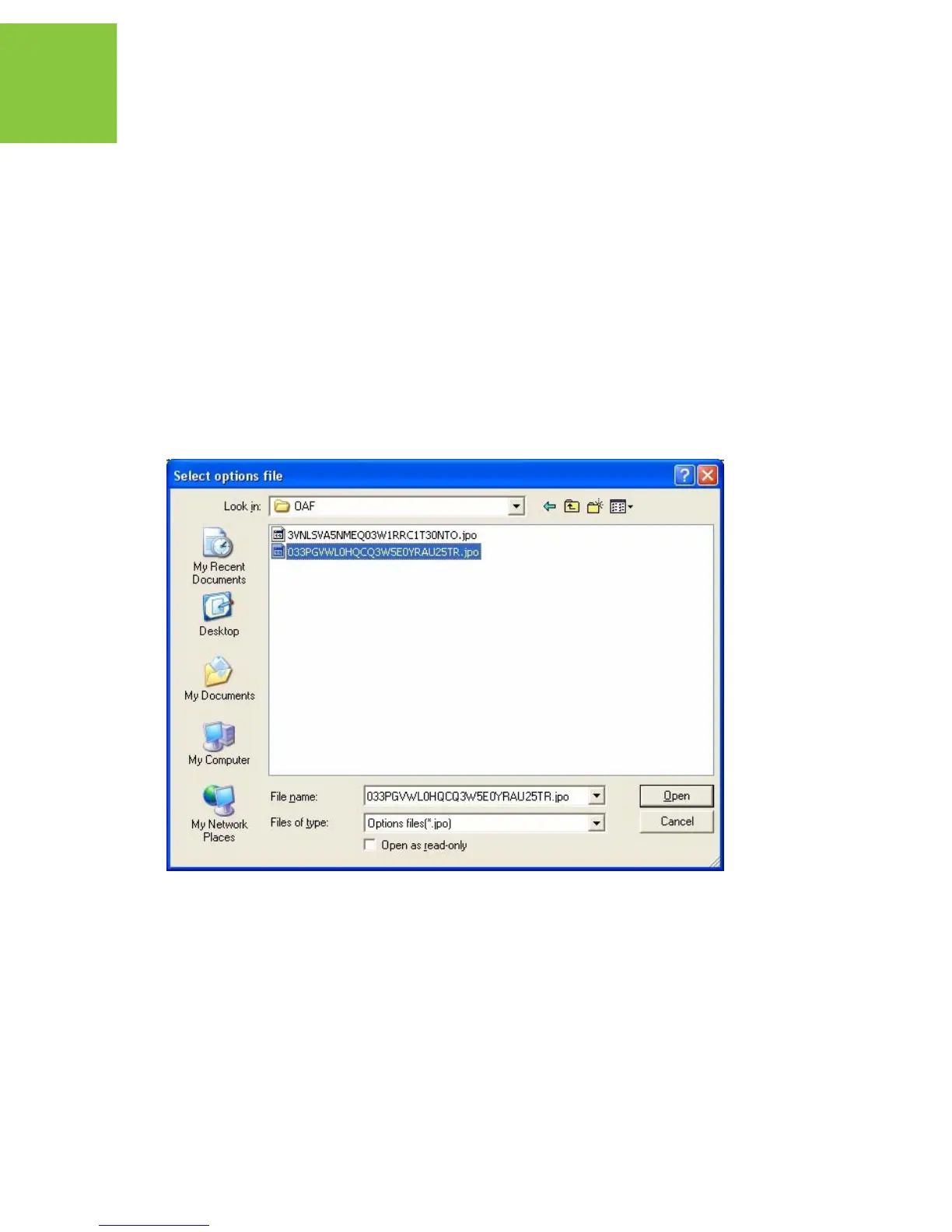
3. Navigate to the location of the new Option Authorization File. OAFs have .jpo extension
and are unique to each receiver (Figure 5-9).
Figure 5-9. Load OAF
4. Select the appropriate file and click Open. The new receiver option loads onto the receiver
and the Option Manager table updates.
5. When finished, click FileDisconnect, then FileExit to quit TriVU.


 To Next Page