Pre-survey Preparation
Bluetooth® Module Configuration
Establishing a USB Cable Connection
40 www.javad.com
2.8. Bluetooth® Module Configuration
To access the Bluetooth® wireless technology module:
1. Connect computer and the receiver, as described in “Connecting the Receiver and a
Computer” on page 37.
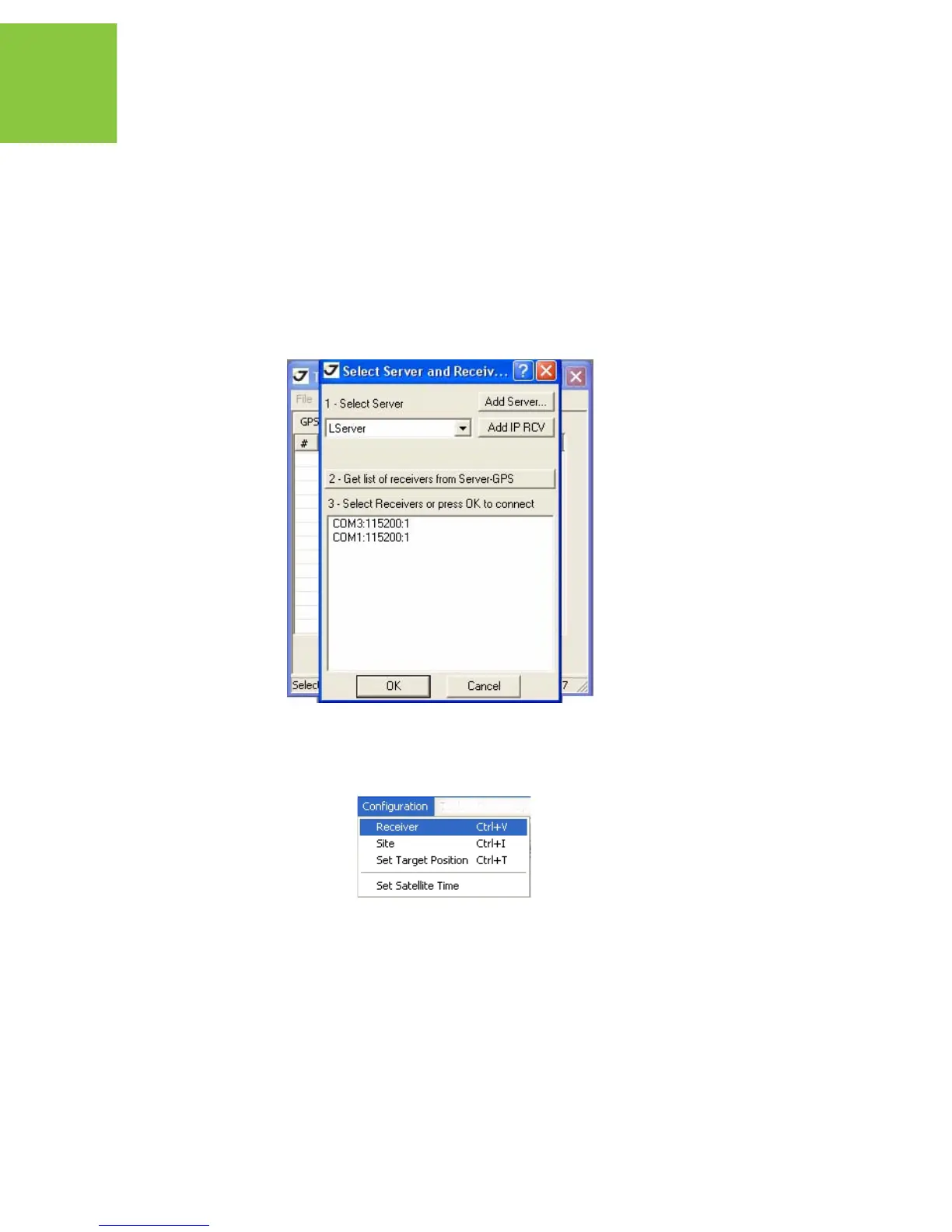
2. Start TriVU. Select the COM port and click Ok (Figure 2-4).
Figure 2-11. Connection Parameters
3. Click ConfigurationReceiver (Figure 2-12).
Figure 2-12. Configuration->Receiver
4. In the Ports tab select the BLT subtab (Figure 2-13).
• Name - The name of the receiver’s Bluetooth® module. Here the user can enter an
arbitrary string comprising up to 14 characters.


 To Next Page