Receiver and File Maintenance
Loading New Firmware
Sleep Mode
91www.javad.com
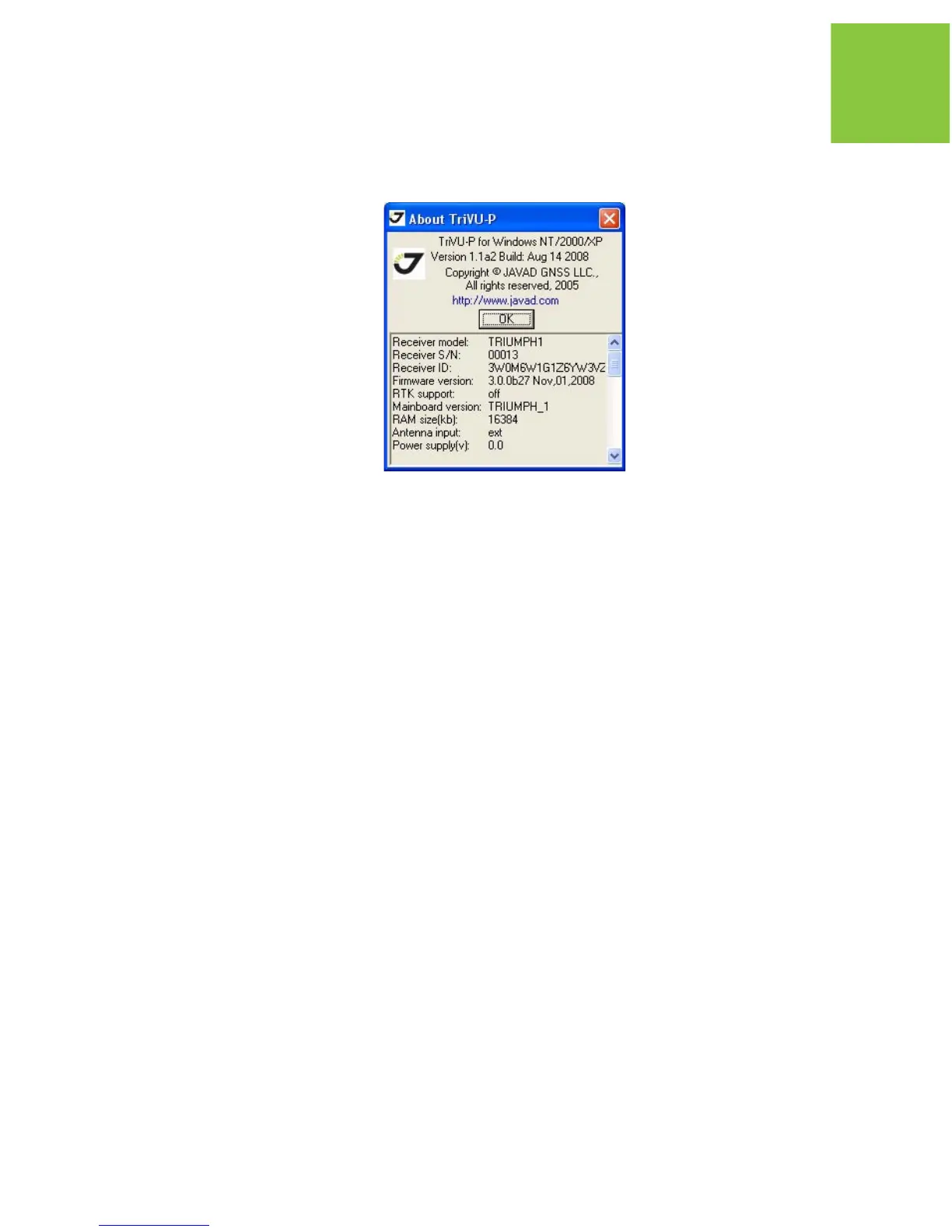
The About TriVU dialog box opens (Figure 5-14).
Figure 5-14. About TriVU
About TriVU lists important information about the different hardware accessories and
software properties. This list includes the following, which you will need if you contact
JAVAD GNSS or your dealer:
• Receiver model
• Receiver IDs
• Firmware version
4. When finished, click OK, then click FileDisconnect, then FileExit to quit TriVU.
5.8. Loading New Firmware
Base and Rover receivers must be loaded with the same firmware version. Use the latest firmware
version, available for download from the JAVAD GNSS website, to ensure your receiver has the
most recent updates.
The receiver uses TriVU to load firmware onto the receiver. For more information, refer to the
TriVU Software Manual, available on the JAVAD GNSS website.
1. Download the new firmware package to your computer.
2. Connect your receiver and computer, as described in “Connecting the Receiver and a
Computer” on page 37.


 To Next Page