(7) Channel Search
(In NZ please see page 13)
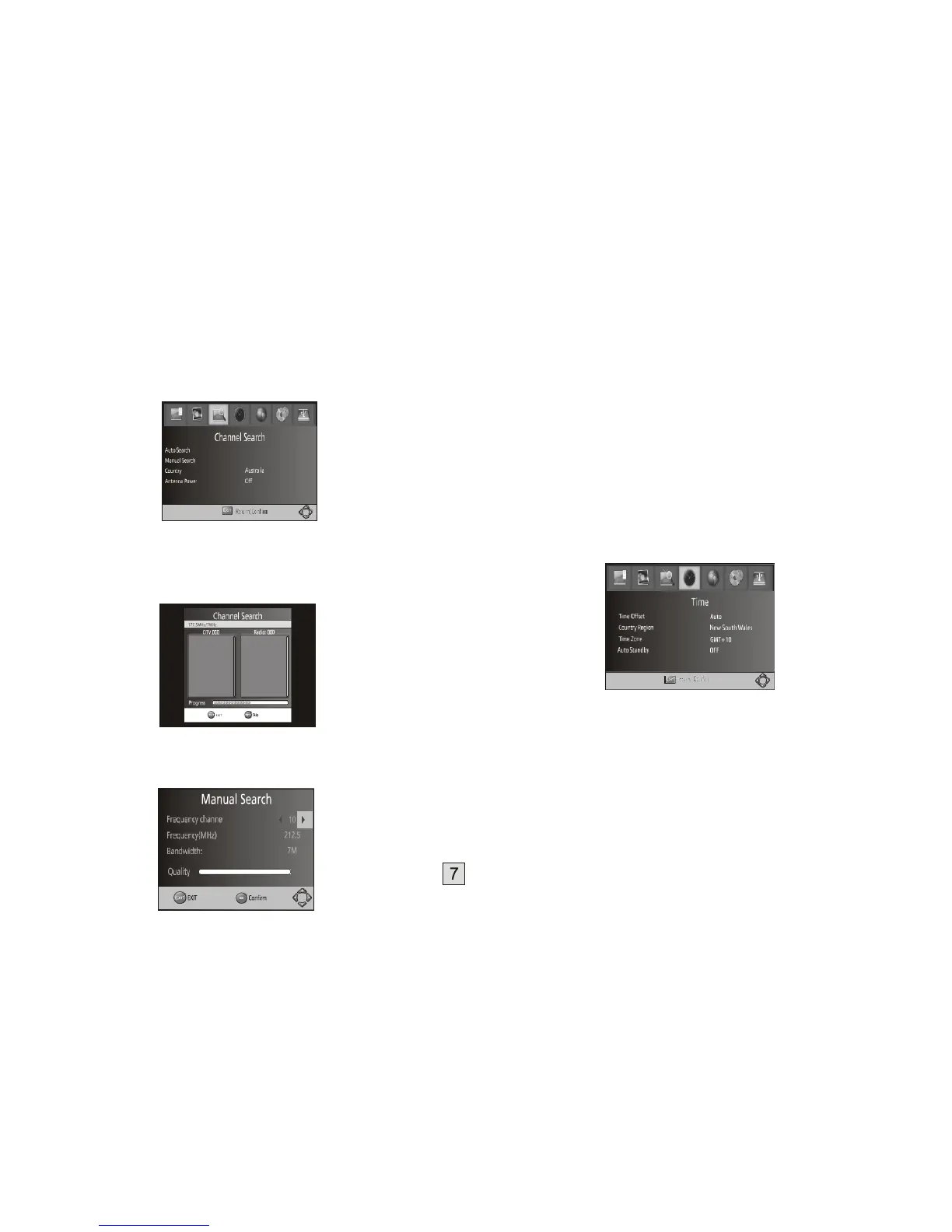
To access the menu, press MENU and select [Channel Search]. The Menu
provides options to adjust the Search Channel settings.
Select an option and press RIGHT/LEFT to adjust the settings.
Press EXIT to exit the Menu.
1. Auto Search
Search and install all DTV and Radio channels automatically. This option
overwrites all preset channels.
1.
Select [Auto Search] and press OK or RIGHT to start the channel search.
2.
To cancel channel search, press EXIT.
2. Manual Search
Install new channels manually. This option adds new channels without
changing the current channels list.
1.
Select [Manual Search] then press OK or RIGHT. The channel search
screen will appear.
2. Press the RIGHT/LEFT key to select the channel frequency
3. Press OK to start searching channels
If a channel is found, it is saved and added to the channels list. If channels can't
be found, please exit the menu and check your antenna connection.
(3) Country (default is Australia)
Select your country of residence. (“Italy” or “Russia” for New Zealand)
(4) Antenna power
Enables Antenna Power (5V dc, 100mA) to be connected to the RF IN socket
for use by an external active antenna.
Warning: Do not activate the Antenna Power option unless you are certain
that any devices in the coax line between your TV antenna and set top box
are compatible with passing or operating from 5V dc. If in doubt, consult with
a TV or installation technician.
(8) Time Setting
(In NZ please see page 13)
To access the Menu, press MENU then select [Time]. The Menu provides
options to adjust the time settings.
Press UP/DOWN to select an option and press RIGHT/LEFT to adjust the
settings. Press EXIT to exit the menu.
(1) Time offset
Select Auto or Manual for GMT offset adjustments.
(2) Country Region
Select the Country Region when [Time Offset] is set to Auto.
(3) Time Zone
Select the Time Zone Offset when [Time Offset] is set to Manual.
(4) Auto Standby
When this setting is on, the Set Top Box will go into sleep mode after 3 hours of
no user-operation. (ie no button presses detected.)
(9) Option
Press MENU and select [Option]. The menu provides options to adjust the OSD
Language, Subtitle Language and Audio Language.
Select an option and press RIGHT/LEFT to adjust the setting. Press EXIT to exit the
Menu.



 To Next Page