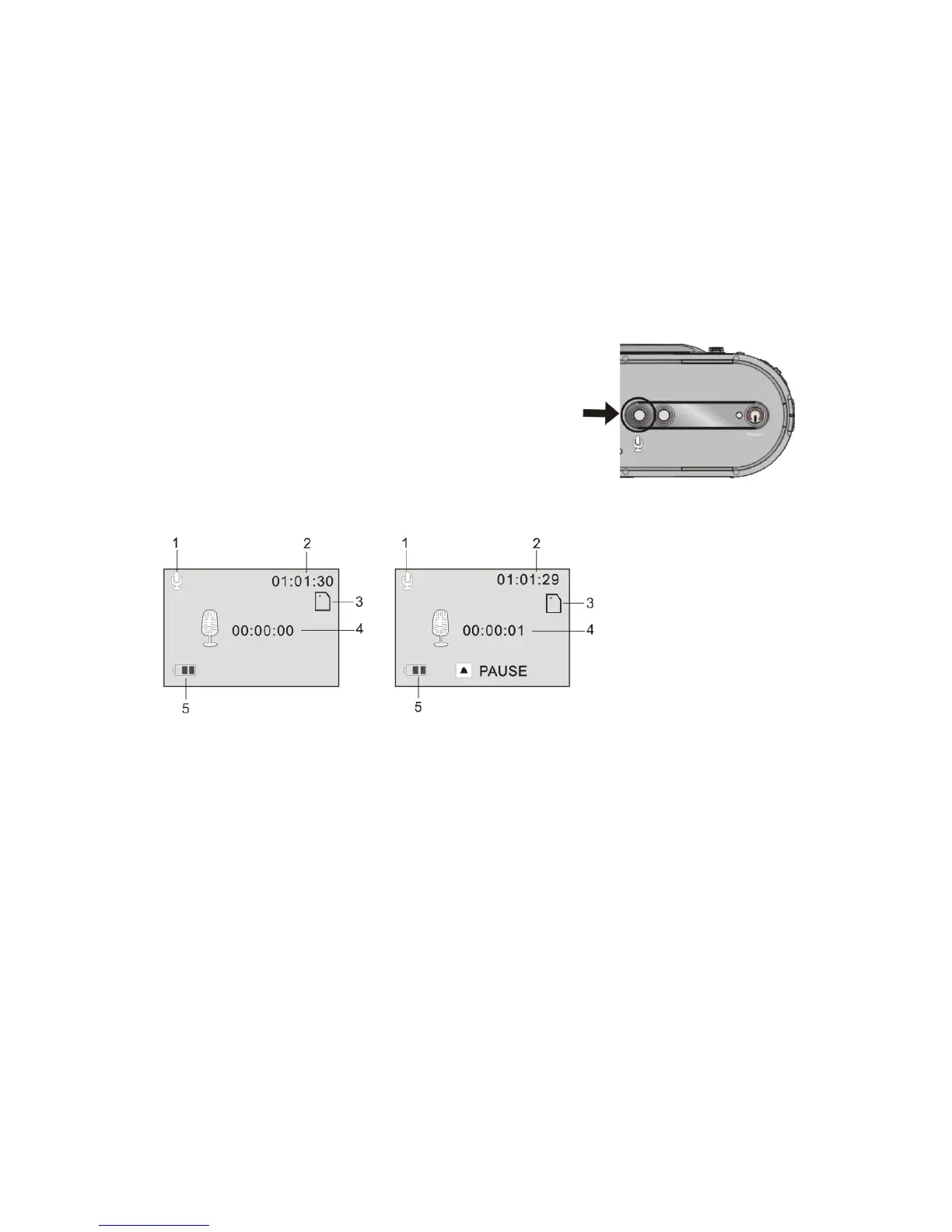
10 Voice Recording MODE:
1 Press the Voice Recording button to enter
the Voice recording options
2 Press the Shutter button to start recording
3 Press Up button to pause recording, press
again to continue recording
4 Press the Shutter button to stop recording
Stop mode Recording mode
1. Voice Recording Mode icon
2. Counter showing available recording time remaining
3. SD Memory card icon
4. Actual recording elapsed time
5. Battery / power level status



 To Next Page