Need help?
Do you have a question about the JBL EON10 G2 and is the answer not in the manual?
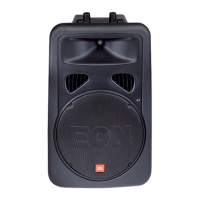
Discusses the various uses for the EON10 G2 speaker system.
Lists the key characteristics and technological advancements of the EON10 G2 speaker.
Details frequency response, coverage, SPL, and driver information.
Covers dimensions, weight, power ratings, and input sensitivities.
Lists optional accessories like tripod stands, suspension kits, and bags.
Illustrates the internal signal path and component connections within the EON10 G2.
Guides users through the basic steps for setting up and adjusting volume on the EON10 G2.
Explains the function of INPUT 1 and INPUT 2 & 3 level controls for signal adjustment.
Describes the XLR and 1/4" connectors for inputs and outputs on the EON10 G2.
Details the function and usage of the MIC/LINE and MIX/LOOP switches.
Explains the meaning and function of the PEAK/SIGNAL and MIC indicator LEDs.
Provides instructions on how to select the correct voltage for the EON10 G2.
States that fuses are not user-serviceable and require professional attention.
Demonstrates a basic PA setup using the EON10 G2 with a microphone and other sources.
Illustrates a basic live sound system setup with EON10 G2s as main speakers and monitors.
Shows a system configuration integrating EONSUB G2 for enhanced low-frequency performance.
Describes a DJ setup combining EON10 G2 with external powered subwoofers.
Addresses common causes and solutions for scenarios where the speaker produces no sound.
Provides solutions for distorted sound, excessive PEAK light, and noise/hiss.
Offers remedies for hum, buzz, feedback, and incorrect gain structure.
Details a step-by-step process for optimizing system gain structure for best performance.
Explains the differences between balanced and unbalanced audio signal types.
Provides guidelines for positioning speakers to achieve the best sound quality and avoid feedback.
Lists various audio cables and their typical applications with EON speakers.
Explains the purpose of the EON SUB G2 in supplementing speaker systems.
Highlights the key design elements and capabilities of the EON SUB G2.
Details frequency range, SPL, dimensions, weight, and driver information.
Lists optional accessories designed for the EON SUB G2 subwoofer.
Describes the XLR LINE LEVEL INPUT and LOOP THRU OUTPUT connectors.
Explains the function of the VOLUME and POLARITY controls on the subwoofer.
Describes the meaning of the PEAK, POLARITY REV, and SIGNAL indicator lights.
Illustrates the internal signal flow and component connections within the EON SUB G2.
Provides fundamental information about low-frequency sound reproduction and subwoofer applications.
Shows a stereo system configuration using EON10-G2 speakers and EON SUBs.
Details how to use a mixer's mono output to drive subwoofers for separate volume control.
Explains using a mixer's auxiliary buss for dedicated subwoofer mixes and low-frequency content.
Illustrates adding EON SUB G2s to systems with passive 2-way speakers.
Instructions for selecting the correct voltage for the EON SUB G2.
States that fuses are not user-serviceable and require professional attention.
Addresses common causes and solutions for power-on and no-sound problems.
Provides solutions for distortion, hum, buzz, feedback, and gain structure problems.


 To Next Page
 General