EasyManua.ls Logo

JBL ON TIME 200ID - Unpacking Your JBL on Time 200 ID; Quick Setup Instructions

JBL ON TIME 200ID
19 pages
Print Icon
To Next Page IconTo Next Page
To Previous Page IconTo Previous Page
Loading...
UNPACKING
YOUR
JBL
ON
TIME
200lD
FM
antenna
IR
remote
-
-,
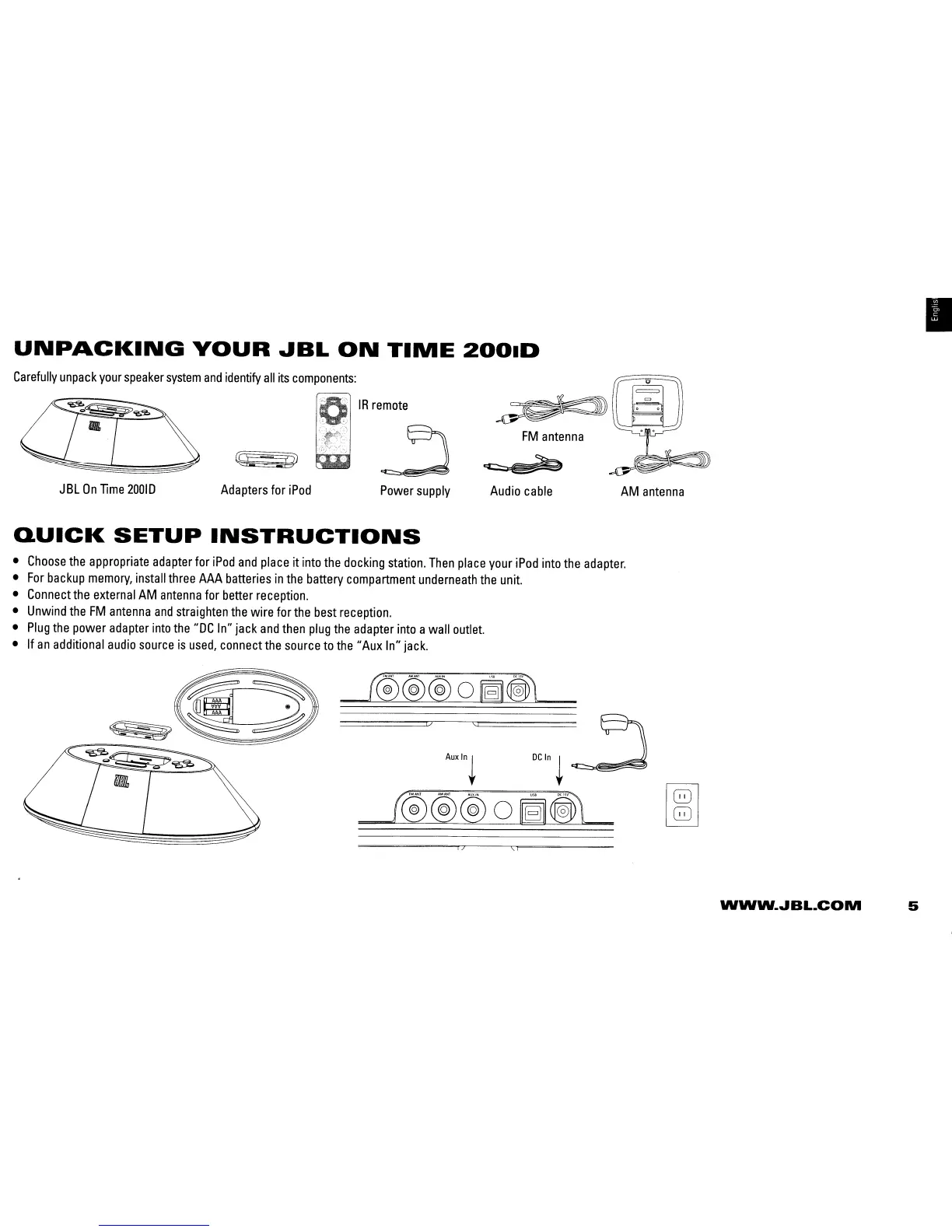
Carefully
unpack
your
speaker
system
and
identify
all
its
components:
JBL
On
Time
20010
Adapters
for
iPod
Power
supply
Audio
cable
AM
antenna
QUICK
SETUP
INSTRUCTIONS
Choose
the
appropriate
adapter
for
iPod
and
place
it
into
the
docking
station.
Then
place
your
iPod
into
the
adapter.
For
backup
memory,
install
three
AAA
batteries
in
the
battery
compartment
underneath
the
unit.
Connect
the
external
AM
antenna
for
better
reception.
Unwind
the
FM
antenna
and
straighten
the
wire for
the
best
reception.
Plug
the
power
adapter
into
the
"DC
In" jack
and
then
plug
the
adapter
into
awall
outlet.
If
an
additional
audio
source
is
used,
connect
the
source
to
the"
Aux
In"
jack.
"
A""';'
DC
I,
~
~
C®@@
0
~OO
[8J
i}
\: I
WWW.JBL.COM
5

Related product manuals