EasyManua.ls Logo

JBL ON TIME 200ID - Screen Contrast;Brightness; Languages;Region; Sleep Timer; Snooze Timer Set

JBL ON TIME 200ID
19 pages
Print Icon
To Next Page IconTo Next Page
To Previous Page IconTo Previous Page
Loading...
SCREEN
CONTRAST/BRIGHTNESS
1.
Press
the
Menu/Up
Level
button
until
you
reach
the
Top
Menu
screen.
2.
Use
Up/Down
arrows
to
select
Display
and
press
Enter.
3.
Use
Up/Down
arrows
to
select
Brightness
or
Contrast.
Press
Enter.
4.
Adjust
settings
using
Up/Down
arrows.
Note:
To
set
brightness
to
Auto,
press
the
Down
arrow until
Auto
is
highlighted.
LANGUAGES/REGION
1.
Press
the
Menu/Up
Level
button
until
you
reach
the
Top
Menu
screen.
2.
Use
Up/Down
arrows
to
select
Region
and
press
Enter.
3.
Use
Up/Down
arrows
to
select
language.
Press
Enter.
4.
Use
Up/Down
arrows
to
select
radio
band
region
type.
Press
Enter.
SLEEP
TIMER
1.
Press
the
Menu/Up
Level
button
until
you
reach
the
Top
Menu
screen.
2.
Use
Up/Down
arrows
to
select
Sleep
and
press
Enter.
3.
Use
Up/Down
arrows
to
select
minutes
and
press
Enter.
4.
The
sleep
timer
is
started
and
the
unit will
power
off
when
the
timer
reaches
zero.
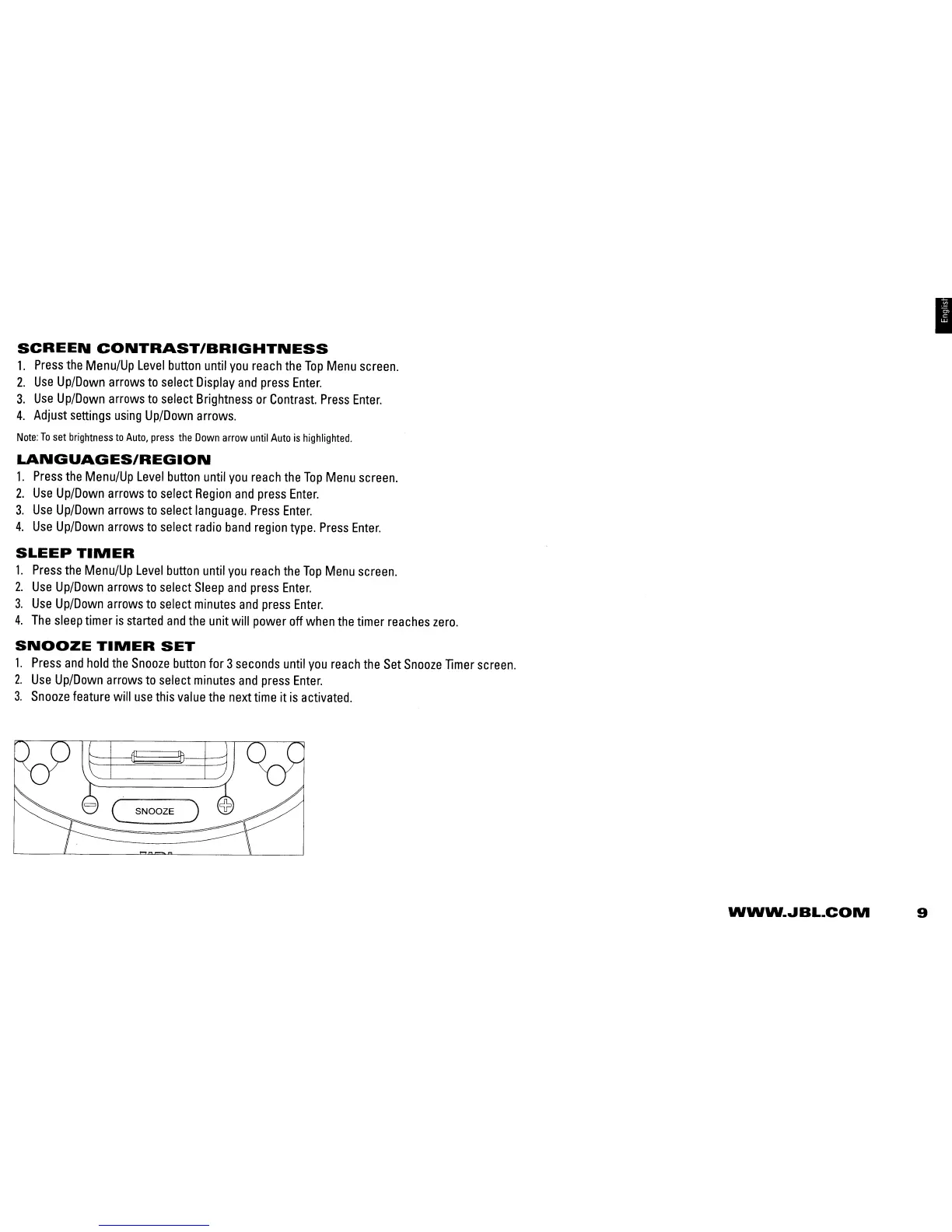
SNOOZE
TIMER
SET
1.
Press
and
hold
the
Snooze
button
for 3
seconds
until
you
reach
the
Set
Snooze
Timer
screen.
2.
Use
Up/Down
arrows
to
select
minutes
and
press
Enter.
3.
Snooze
feature
will
use
this
value
the
next
time
it
is
activated.
I
C
SNOOZE)
WWW
...
BL.COM
9

Related product manuals