EasyManua.ls Logo

JBL ON TIME 200ID - Playing Music; Radio Tuning; Setting Presets; To Select a Preset for Listening

JBL ON TIME 200ID
19 pages
Print Icon
To Next Page IconTo Next Page
To Previous Page IconTo Previous Page
Loading...
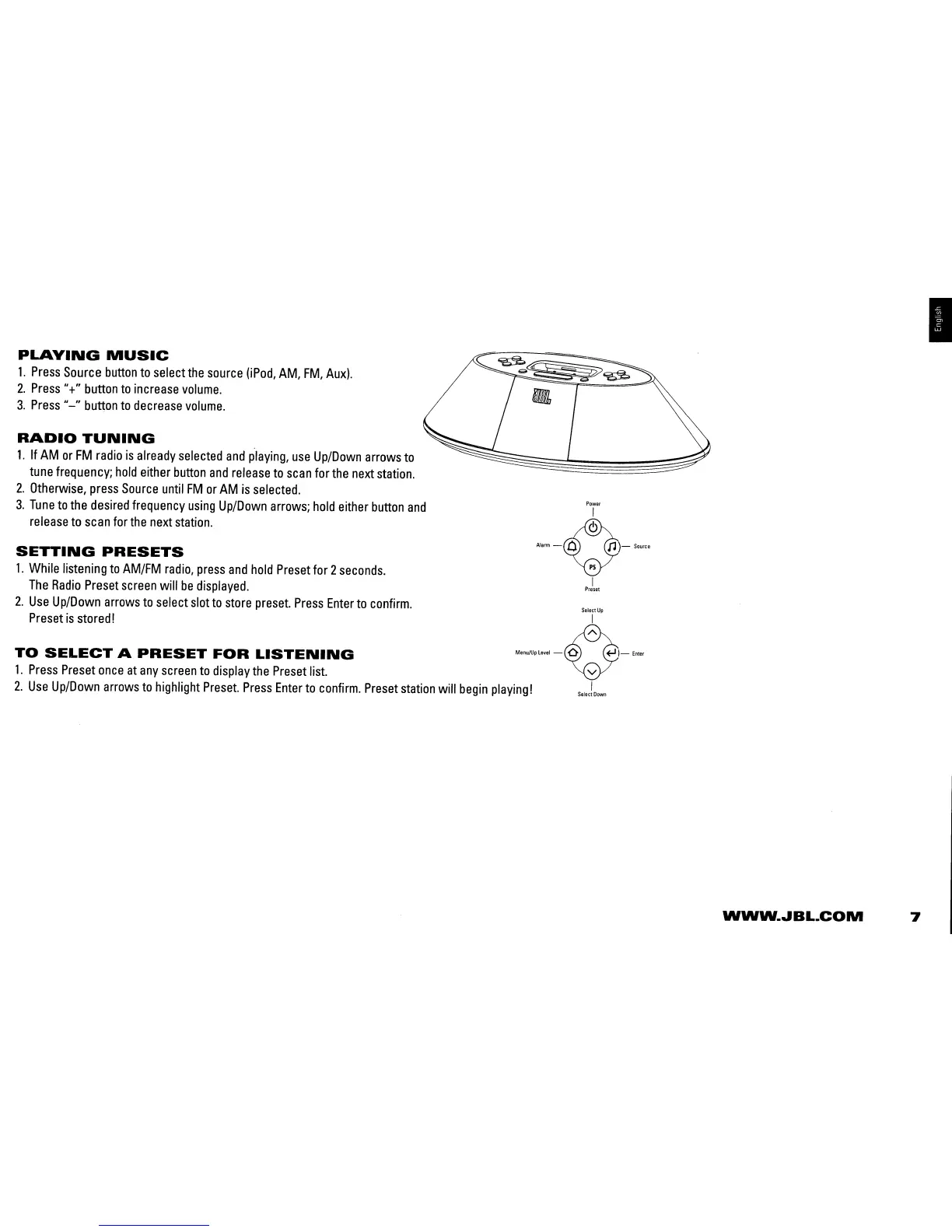
PLAYING
MUSIC
1.
Press
Source
button
to
select
the
source
OPod,
AM,
FM,
Auxl.
2.
Press
"+"
button
to
increase
volume.
3.
Press
"-"
bUt1:0n
to
decrease
volume.
RADIO
TUNING
1.
If
AM
or
FM
radio
is
already
selected
and
playing,
use
Up/Down
arrows
to
tune
frequency;
hold
either
button
and
release
to
scan
for
the
next
station.
2.
Otherwise,
press
Source
until
FM
or
AM
is
selected.
3.
Tune
to
the
desired
frequency
using
Up/Down
arrows;
hold
either
button
and
Pi"
release
to
scan
for
the
next
station.
Vi
SETTING
PRESETS
AI.rm
- 0
ps
n -
Source
1.
While
listening
to
AM/FM
radio,
press
and
hold
Preset
for 2
seconds.
The
Radio
Preset
screen
will
be
displayed.
prJ,,!
2.
Use
Up/Down
arrows
to
select
slot
to
store
preset.
Press
Enter
to
confirm.
S.lectUp
Preset
is
stored! I
TO
SELECT
A
PRESET
FOR
LISTENING
ManuJuPl"'I_~-E"!.r
1.
Press
Preset
once
at
any
screen
to
display
the
Preset
list.
~
2.
Use
Up/Down
arrows
to
highlight
Preset.
Press
Enter
to
confirm.
Preset
station
will
begin
playing!
S.IOC!OOWO
I
WWW
....
BL.COM
7

Related product manuals