Basic Operation JBL Performance
2-4
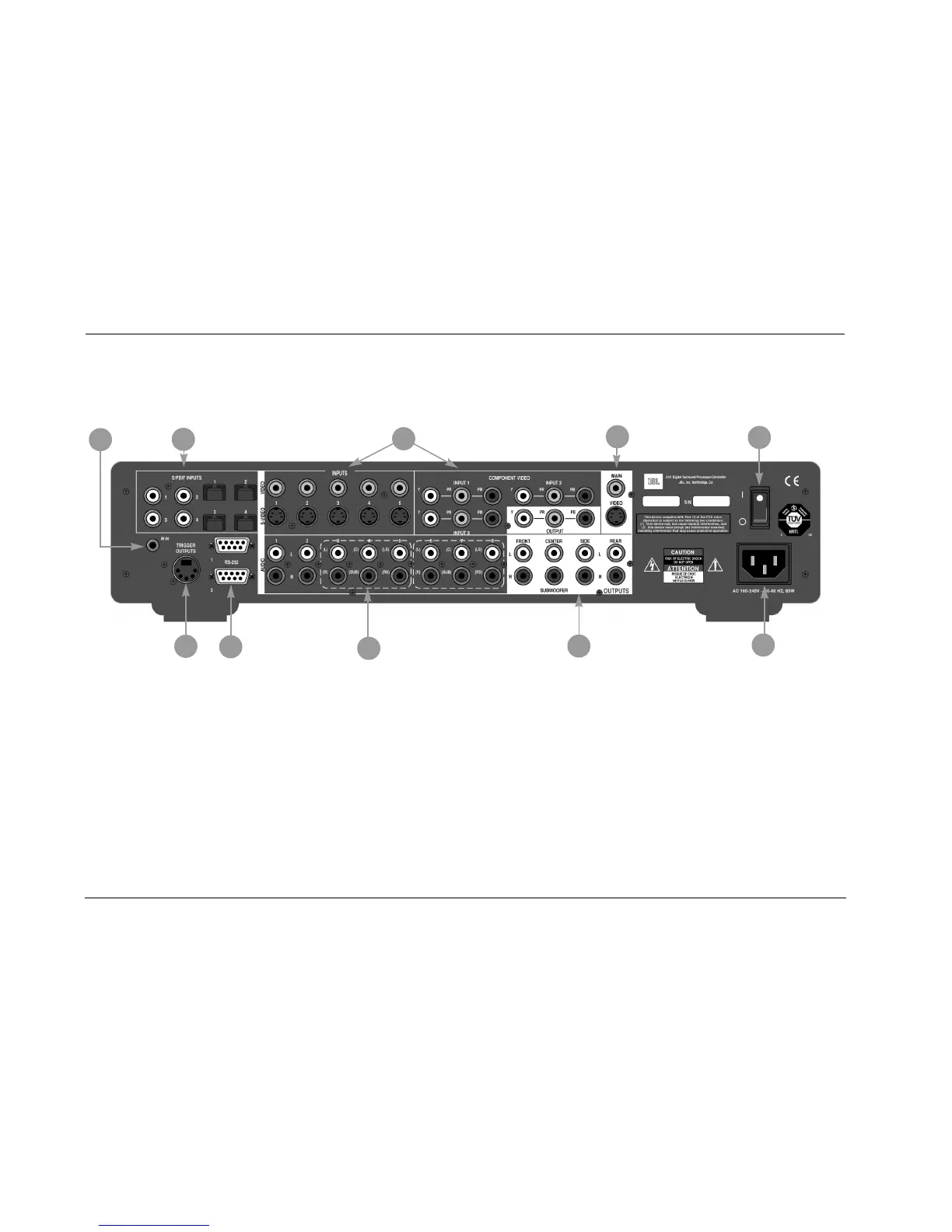
REAR-PANEL OVERVIEW
The numbers in the rear-panel illustration correspond with the numbered items below.
1 POWER SWITCH
Use the Power switch to power the AV1 on or off. The I and O posi-
tions represent "on" and "off" status respectively. When the AV1 is
powered on, the front-panel Standby button or remote control On
button can be used to activate and deactivate standby mode. When
the AV1 is powered off, standby mode is not available.
2 AC INPUT CONNECTOR
Provides power to the AV1 through the supplied power cord
(3 wire, 10 amp, IEC 320).
3 DIGITAL AUDIO INPUT CONNECTORS (S/PDIF)
Provide digital audio input. Four S/PDIF coaxial and four S/PDIF
optical (Toslink) input connectors are available. Connectors are
compatible with PCM (44.1kHz, 48kHz, 88.2kHz and 96kHz),
Dolby Digital and DTS(-ES) sources. Connectors are not compatible
with MPEG (MP3) sources.
Caution!
Never make or break connections to the AV1 unless all
associated components are powered off.
8
3
6
7
1
10
9
4
5
2



 To Next Page