Basic Operation JBL Performance
2-10
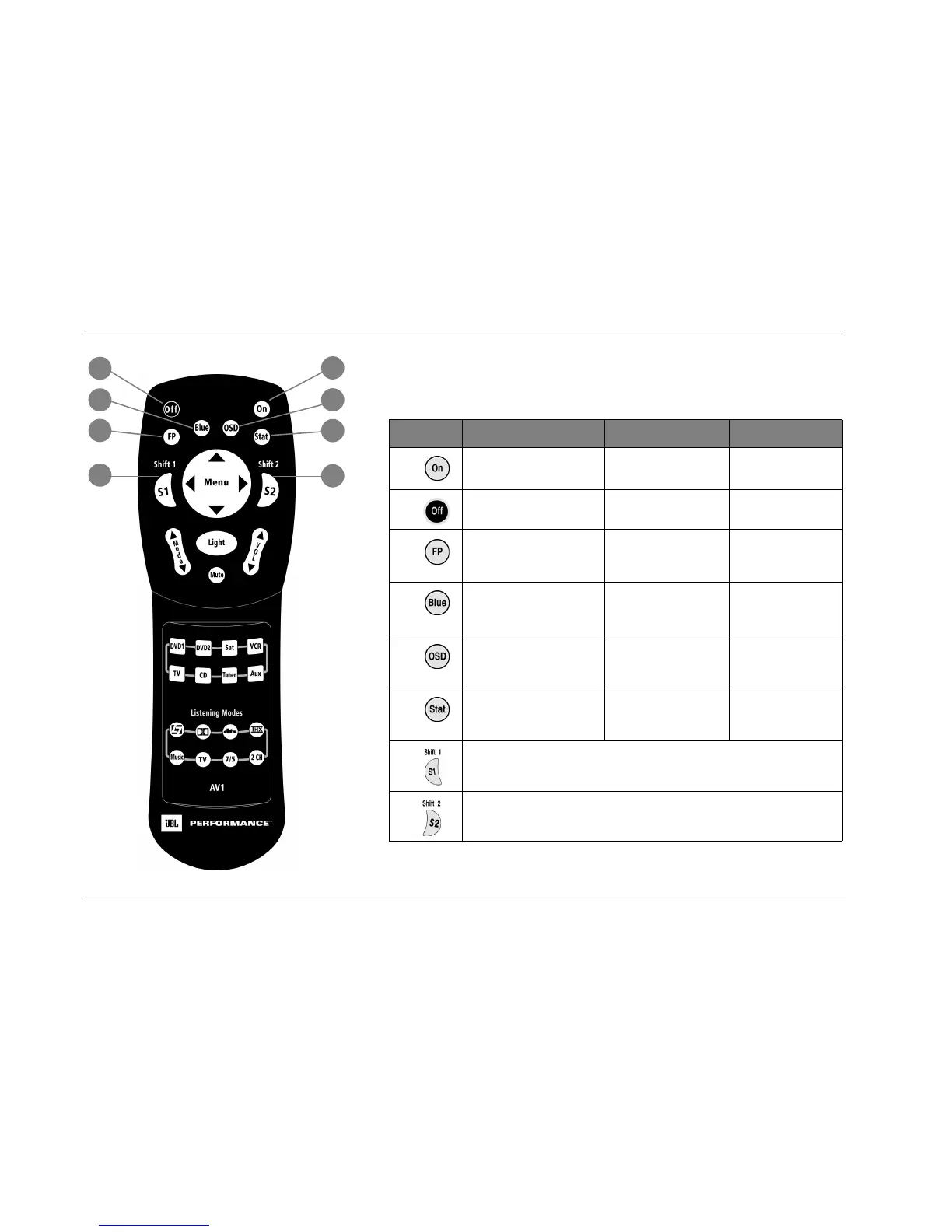
COMMAND MATRIX
The command matrix describes the commands remote control buttons perform when
each command bank is active.
Button Main Zone Shift 1 Shift 2
1
Deactivates standby mode and
activates the AV1.
Reserved for possible
future expansion.
Reserved for possible
future expansion.
2
Activates standby mode and
deactivates the AV1.
Reserved for possible
future expansion.
Reserved for possible
future expansion.
3
Toggles the FRONT PANEL
DISPLAY menu STATUS param-
eter between ALWAYS OFF and
its current setting.
Centers the AUDIO CON-
TROLS menu BALANCE
and FADER parameters.
Reserved for possible
future expansion.
4
Toggles the ON-SCREEN DIS-
PLAY menu BACKGROUND
parameter between ON and
OFF.
Deactivates the trigger out-
put connector (1) when
the connector is config-
ured for remote operation.
Sets the AUDIO CON-
TROLS menu BASS,
TREBLE, and TILT EQ
parameters to +0.0dB.
5
Toggles the ON-SCREEN DIS-
PLAY menu STATUS parameter
between ALWAYS OFF and its
current setting.
Activates the trigger output
connector labeled 1 when
the connector configured
for remote operation.
Reserved for possible
future expansion.
6
Displays the two-line status for
2 seconds.
Toggles between opening
and closing the STATUS
menu for the current input
source.
Reserved for possible
future expansion.
7
Activates an additional bank of commands that control the AV1. See “Command Bank
Activation” on page 3-9 for more information.
8
Activates an additional bank of commands that control the AV1. See “Command Bank
Activation” on page 3-9 for more information.
2
4
7
3
1
6
8
5



 To Next Page