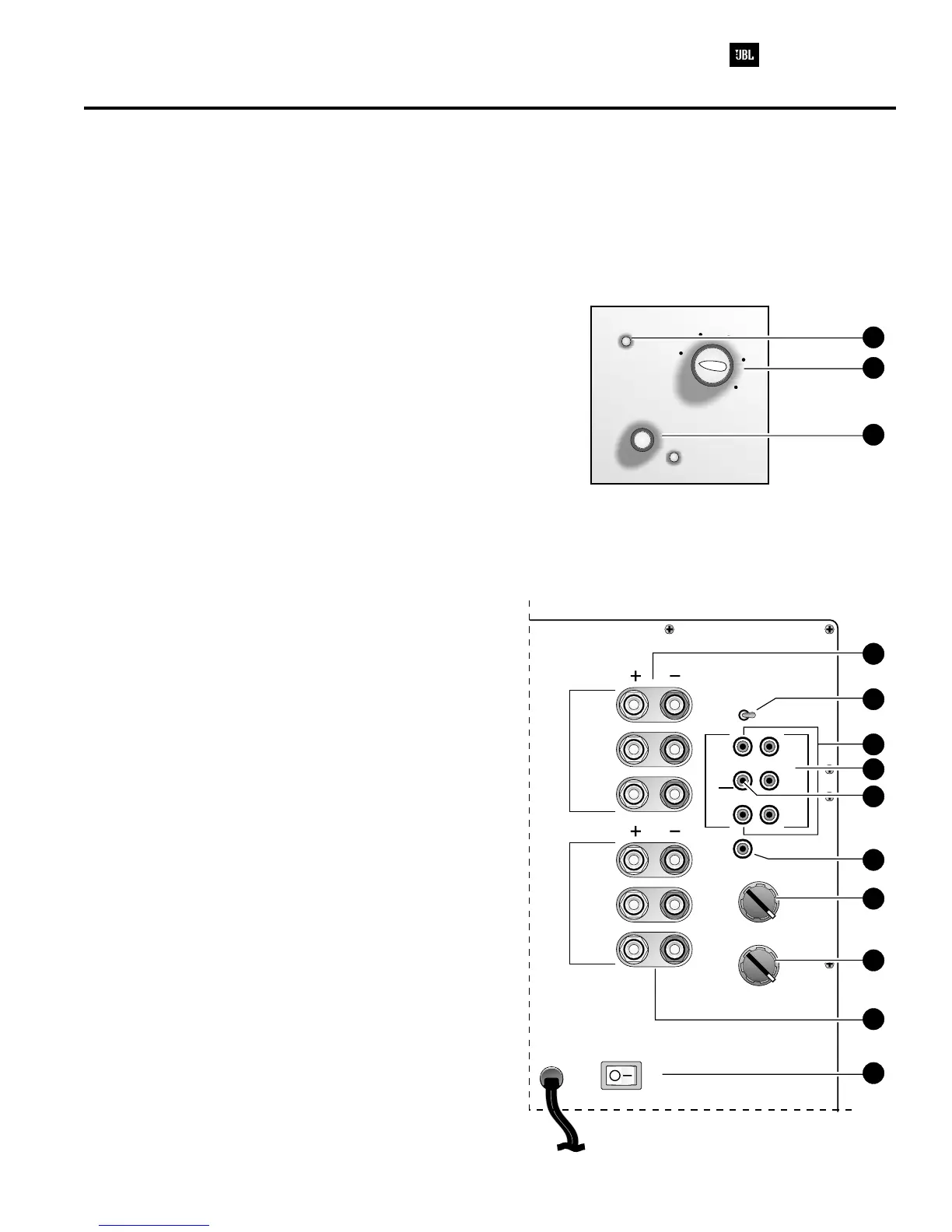
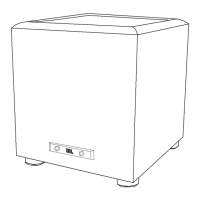
1. Power LED - Will illuminate when the unit is turned on
with the main power switch. This light will be RED when
the unit is plugged in and not receiving a signal; when
the PSW-D112 receives a signal, the light will cycle to
GREEN. If no signal is received after 10 – 15 minutes
the light will cycle back to RED (standby) until a signal is
present again.
2. Main Power Switch - Main Power Switch to the
PSW-D112/DPS-12; turn ON to energize the subwoofer.
Under normal operation, Power Switch may be left ON to
utilize the Auto ON/OFF feature. For extended periods of
non-use, or vacations, it is recommended that the
subwoofer's Power Switch be turned OFF.
3. Level Control - The subwoofer Level Control,
(PSW-D112, located on the front panel, DPS-12, on the
rear panel) adjusts the volume of the subwoofer relative
to the rest of the system.
4. Video Contour - The subwoofer Video Contour
Control, (PSW-D112, located on the front panel)
optimizes the subwoofer's performance for movie
listening. When the video-contour switch is “on” the
subwoofer's performance is tailored to deliver the impact
and excitement of today's movies. The green LED will
illuminate when the video-contour switch is on.
5. Speaker In Jacks - Main Input connection to
subwoofer when line level, subwoofer, or pre-amp output
connectors are not available, or when a high pass filter
(set at 150Hz) to main loudspeakers is desired through
the Speaker Output Jacks.
6. Speak Out Jacks - Connected to main loudspeakers
when the Speaker Input Jacks are used.
7. Phase Switch - Changes the subwoofer's output to be
in phase or 180 degrees out of phase with the program
material.
8. Line Input - Main Input connection to subwoofer
(preferred).
9. Line Output - When using the Line-Level Input jacks,
these are connected to an external power amplifier or
receiver to power the main loudspeakers with a high pass
filter if desired.
10. Direct In - If you will be connecting the PSW-D112 to
a receiver/processor containing a Dolby Digital or DTS
surround technology, use this single RCA connection.
See the owner's manual for complete instructions.
11. Direct Out - (rev0 version only) This connection
allows you to connect more than one PSW-D112 or
DPS-12 together; connect this output jack to the Direct
Input jack on the second subwoofer.
12. High Pass Control - Controls the roll-off point of the
lowest frequency produced at the Line Level Output
Jacks.
13. Low Pass Control - Controls the roll-off point of the
highest frequency the subwoofer will produce.
6
Amplifier/Subwoofer PSW-D112/DPS-12
min
max
video contour
level
60
90
150
180
120
60
90
150
180
120
180
o
0
o
Phase
Low
Pass
High
Pass
D
i
r
e
c
t
L
I
N
E
I
N
L
I
N
E
O
U
T
Direct Out
L
C
R
L
C
R
L
C
R
Power
OnOff
SPKR In
SPKR Out
Front Panel ( only)PSW-D112
Rev0 version PSW-D112/DPS-12
Rev1 version
of the is
shown in this illustration, which has Center channel
input and output connectors; is missing
these, along with the “Direct Out” RCA connector.
Rear Panel
3
1
4
6
2
7
8
12
13
11
5
10
9
PSW-D112/DPS-12 CONTROLS AND THEIR FUNCTION


 To Next Page