EasyManua.ls Logo

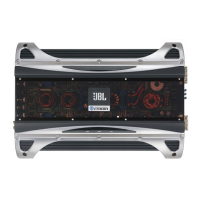
JBL PX300.4 - Power Amplifier; Applications

JBL PX300.4
27 pages
Print Icon
To Next Page IconTo Next Page
To Previous Page IconTo Previous Page
Loading...
Px300.4
(rear panel)
POWER
FUSES
GND REM BATT
Px300.4
SPEAKER OUTPUTS SPEAKER OUTPUTS
STEREO
REAR
FRONT
LRLR
BRIDGED
NEON NEON
-
+
+
-
LF
System
+
-
RF
System
Subwoofer
Set REAR
X-OVER MODE to LP
(on input panel)
FLAT HP LP
MODE
Set FRONT
X-OVER MODE to HP
(on input panel)
FLAT HP LP
MODE
Set FRONT
INPUT MODE to ST
(on input panel)
Set REAR
INPUT MODE to MO
(on input panel)
ST
INPUT
MODE
MO
Px300.4
(rear panel)
POWER
FUSES
GND REM BATT
Px300.4
SPEAKER OUTPUTS SPEAKER OUTPUTS
STEREO
REAR
FRONT
LRLR
BRIDGED
NEON NEON
+
-
+
-
LR Speaker
RR Speaker
RF Speaker
LF Speaker
+
-
+
-
Set REAR and FRONT
INPUT MODE to ST
(on input panel)
Set REAR and FRONT
X-OVER MODE to FLAT
(on input panel)
FLAT HP LP
MODE
ST
INPUT
MODE
MO
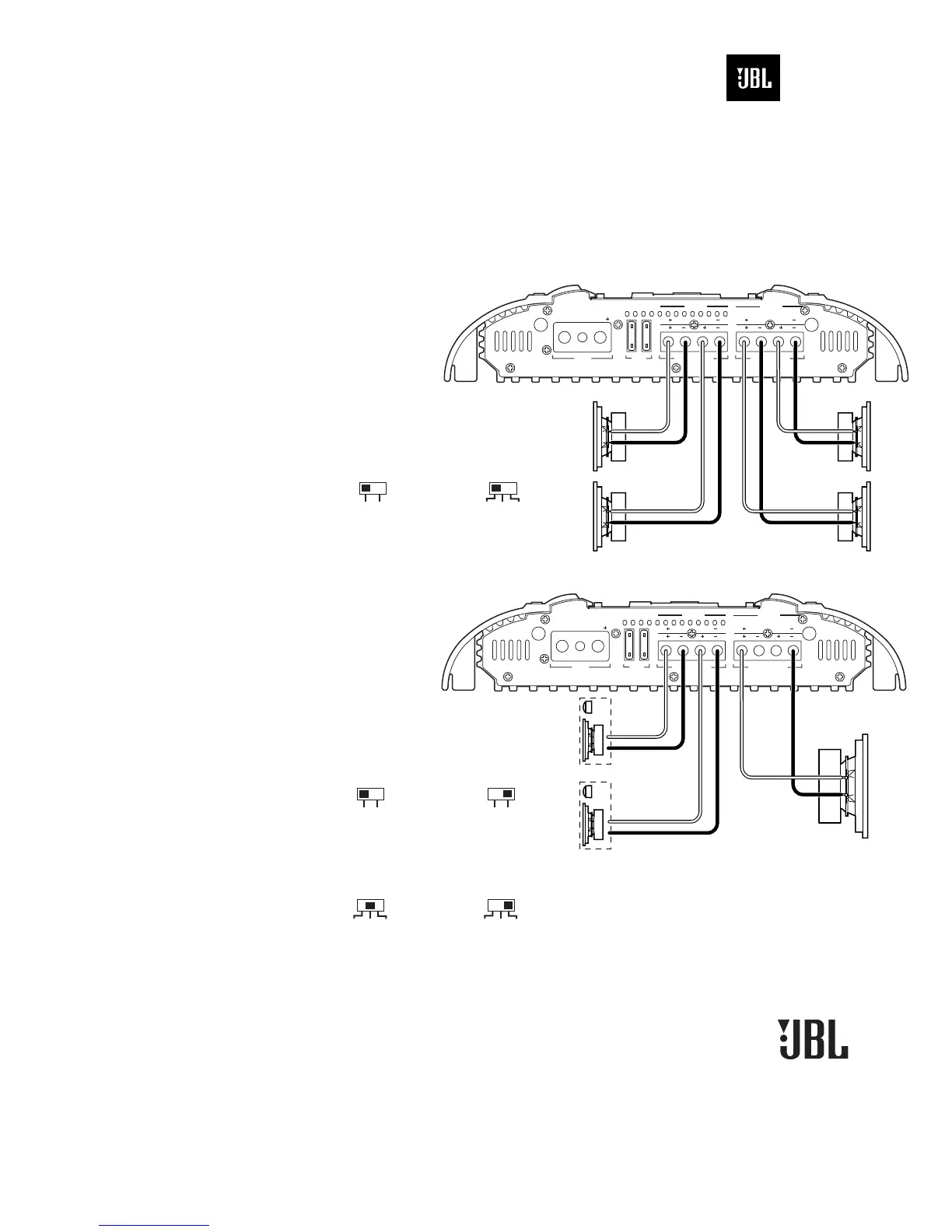
Figure 6. The JBL Px300.4
amplifier is set to stereo mode
to drive front and rear pairs of
full-range speakers.
NOTE: To limit bass sent to
full-range speakers, set
X-OVER MODE to HP. See
page 6 to set FREQ and SLOPE.
Figure 7. The JBL Px300.4
amplifier is set to drive a stereo
component system and a
subwoofer with a nominal
impedance of 4 ohms or greater.
NOTE: To drive a pair of rear
midbass speakers (instead of
subwoofer), set INPUT MODE
to ST, X-OVER MODE to LP,
and use DBO to set HP filter.
APPLICATIONS – Px300.4
The JBL Px300.4 amplifier can be set
up for stereo or tri-mode operation, as
shown in
Figures 6 and 7.
NOTE: For simplicity, Figures 6 and 7 do
not show power, remote and input
connections.

Power Amplifier
PX300.4

Related product manuals