
 Need help?
Do you have a question about the jcm-tech RB3 T868 and is the answer not in the manual?
Essential safety warnings for installation and operation, including qualified professionals and user possession.
Device is for automated garage doors; manufacturer reserves the right to change specifications.
RadioBand system for domestic, commercial, industrial doors/gates; wireless replacement for cables.
Identifies receiver LEDs (R1, R2, R3), CHECK BUTTON, PROGRAMMING BUTTON, MR JUMPER, OPTION SELECTOR.
Details SW1-SW4 settings for interference, operating mode, R3 function, and ATEST polarity.
Shows IN1/IN2 inputs, LED status indicators, and option selector settings for different safety edge types.
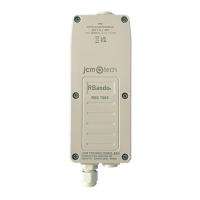
Provides diagrams for receiver/transmitter installation, including wire size, IP65, and cable outlet orientation.
Advises on avoiding metal surfaces, minimum distances, vertical antenna placement, and ground level fitting.
Recommends antenna extension for frequent communication cuts and protecting it from damage.
Illustrates connection example to control panel with safety contact/STOP input and R1 LED status.
Shows connection example to control panel using 8k2 safety edge input and R1 LED status.
Explains SW1 switch settings for adjusting the interference detection time (7s or 265ms).
Details SW2 switch settings for ON/WORK modes, particularly for optical safety edges.
Describes SW3 switch settings for low battery indication or alarm status reporting.
Explains SW4 switch settings for negative/positive ATEST signal polarity for system testing.
Discusses ON/WORK mode usage with different types of optical safety edges and battery life.
Compares ATEST signal behavior and safety state testing in ON and WORK modes with optical safety edges.
Illustrates connection examples for 8k2 resistive and mechanical/contact safety edges to the transmitter.
Shows connection examples for OSE-S7502 and OSE-S7502B optical safety edges to receiver/transmitter.
Demonstrates connections for standard optical safety edge and wicket door contact.
Illustrates connection examples for NC contact input and 8k2 input to the transmitter.
Lists and describes four programming modes based on safety edge input and output activation.
Details the step-by-step process for programming the transmitter for Mode 1 (IN1 to R1).
Details the step-by-step process for programming the transmitter for Mode 2 (IN1 to R2).
Details the step-by-step process for programming the transmitter for Mode 3 (IN1 to R1 and R2).
Details the step-by-step process for programming the transmitter for Mode 4 (IN1 to R1, IN2 to R2).
Guides on checking system status using LEDs and ensuring correct safety edge detection.
Explains the procedure for a total system reset using the PROG button and MR jumper.
Details using the CHECK button for radio coverage testing and error detection during door manoeuvre.
Explains how to interpret signal coverage results and check outcomes for system status.
Correlates RB3 R/T LEDs, beeps, and messages with specific errors and provides corresponding solutions.
Advises on proper storage of lithium cells, including temperature, ventilation, and protection.
Provides guidelines for handling batteries, avoiding damage, short circuits, and improper disposal.
Shows physical dimensions, wire gauge compatibility, and IP protection ratings for receiver and transmitter.
States battery life expectancy and advises against mixing new and old batteries.
Compares frequency, memory, consumption, range, reaction time, and compatible equipment for both models.
Declares compliance with RED, Machine, and RoHS directives; provides company contact details.
Mentions EN 12978, EN ISO 13849-1 compliance, and mandatory WORK mode for short door cycles.
 General
| Frequency | 868 MHz |
|---|---|
| Frequency Range | 863-870 MHz |
| Output Power | 10 mW |
| Modulation | FSK |
| Voltage | 3V |

 To Next Page