Optipay® CC JCM Training Overview JCM Training Overview December, 2006
Part No. 960-000153R_ Rev. A © 2006, JCM American, Corporation
26 3
Lecture NotesLecture Notes
P
ALM
A66US (C
ONTINUED
)
18.The Service menu also offers a ‘Convert Currency’ function. This function is
used in situations where the Coin Changer is required to accept two different
currency types. Currency conversion can only be set if multiple currencies are
programmed into the Coin Changer as part of the operating software. Token
programming may also be used in some cases to satisfy this requirement.
Contact your JCM Representative for further details on this subject.
19.Select the ‘Diagnostics’ Screen Button on the Main Menu.
20.The ‘Diagnostics’ Screen is shown in Figure 37 on page 27 providing the
following information:
•
Software: shows the version of the Operating Software currently pro-
grammed in memory
•
EMP: displays status of the Validator section of the A-66
•
Sorting: displays status of the Coin Sorting section of the A-66
•
Tube Sensors: displays status of the Tube Sensors in the A-66
•
Payout Module: displays status of the Payout module of the A-66
•
Inhibit Switches: provides a visual reproduction of the DIP Switch located
on the rear of the A-66 Validator head, and indicates the 'ON/OFF' status of
each switch.
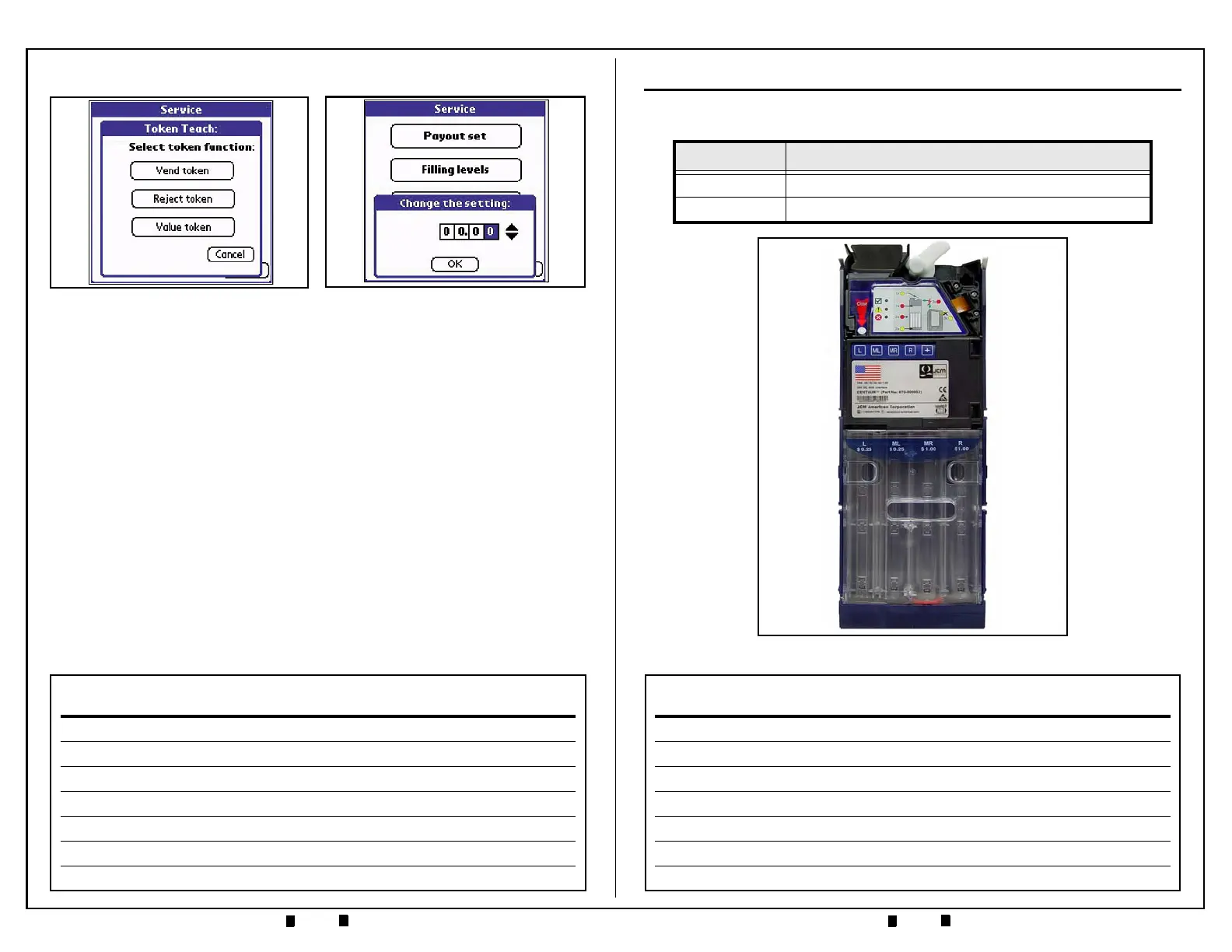
Figure 36 Change Setting Sub-Menu
Figure 35 Select Token Sub-Menu
OVERVIEW
This training course addresses the following JCM A-66 device versions:
Table 1 A-66 Versions
Device Capacity
A-66 Centaur P/N 870 -000003
Figure 1 A-66 Centaur Coin Changer


 To Next Page