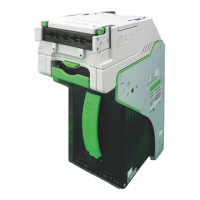
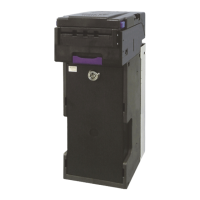
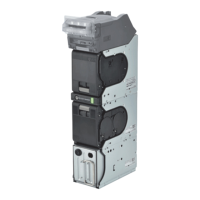
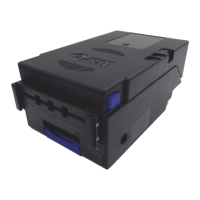
The provided document is a quick reference guide for the JCM DBV™ 200 Units, which are bill validators used in gaming and other applications. This guide covers troubleshooting, abnormal initialization codes, bill return codes, preventive maintenance, DIP switch settings, auto-calibration, in-field stand-alone test mode, and DT-004 downloading procedures.
Function Description:
The JCM DBV™ 200 Units are bill validators designed to accept and process currency. They are equipped with various sensors and mechanisms to detect, validate, and stack bills. The device can be integrated into gaming machines or other systems, and its operation is influenced by software, DIP switch settings, and external commands from a host system. The unit's primary function is to ensure secure and accurate acceptance of bills while minimizing rejections due to counterfeit or improperly inserted currency. It also features diagnostic capabilities to identify and troubleshoot operational issues.
Important Technical Specifications:
While specific technical specifications like dimensions, weight, or power consumption are not detailed in this quick reference guide, the document highlights several functional aspects that can be considered technical features:
- Currency Acceptance: The DBV™ 200 units are designed to accept U.S. "$" Dollar denominations, including $1, $5, $10, $20, $50, and $100 bills. The acceptance of specific denominations can be enabled or disabled via DIP switch settings.
- Interface Options: The units support various ID interfaces, such as ID-004/Bar, ID-011/015, ID-022/023, ID-024, ID-044P/-45P, and ID-044/045W for DBV-I/F, and ID-003, ID-022/-23, ID-024, and ID-044C/0C3 for WBA-I/F. These interfaces are compatible with different OEM (Gaming Manufacturer) systems like JCM Standard (CDS, VLC), Sigma, Videotronic, IGT (S-Slots, P.E., P.E. Plus, Game King, I-Game, Vision Series), Bally, WMS, Aristocrat, and Atronics.
- Sensor Technology: The device utilizes various sensors for bill validation, including magnetic pattern sensors, reflective sensors (for dark/light ratio), transport feed sensors, photo pattern sensors, photo level sensors, barcode sensors, and magnetic sensors. These sensors contribute to detecting bill characteristics, identifying jams, and preventing fraudulent activity.
- Calibration: The unit supports auto-calibration using a specific calibration paper (Part No. 057619). This process involves inserting the paper, allowing the unit to cycle it multiple times, and then checking for proper signals or error blinks.
- Error Reporting: The DBV™ 200 communicates errors through a series of blinks, categorized into "Abnormal Initialization Codes" (e.g., Cashbox Full, Jam in Cashbox, Motor Speed Error, Solenoid Error, Cheat Condition Detected) and "Bill Return Codes" (e.g., Crooked insertion, Magnetic pattern error, Photo pattern error, Bill length error).
- Software and Firmware: The unit's operation is dependent on its software, which can be updated using the JCM DT-004 Download Tool. This process involves setting specific DIP switches and connecting the unit to the DT-004 tool with appropriate harnesses. The 4MEG Program EPROM is mentioned as a component for software installation.
Usage Features:
- DIP Switch Configuration: Users can configure the unit's behavior, such as enabling/disabling bill denominations and selecting interface types, by setting DIP switches (DS1 and DS2).
- Stand-Alone Test Mode: The device can be operated in a stand-alone test mode to verify its functionality independently of a host game. This mode helps in diagnosing issues like bill acceptance, rejection, and motor operation.
- Troubleshooting Guide: The document provides a comprehensive troubleshooting guide that links common problems (e.g., Bill Rejection, No Activity) to probable causes and possible solutions.
- Download Tool (DT-004): A dedicated tool (DT-004) is used for downloading and upgrading the unit's software, ensuring the device stays current with the latest features and security updates.
- Regional Support: JCM American Corp. offers regional offices for sales, technical support, and service, providing localized assistance to users.
Maintenance Features:
- Preventive Maintenance (PM): Regular maintenance is crucial for the DBV™ 200 units.
- Belts: Belts should be replaced if they are frayed, slick, or worn.
- Bill Path, Rollers, and Belts: These components need to be kept clean.
- Sensor Lenses: The transparent polymer sensor lenses should be cleaned with a lint-free cloth and a mild non-abrasive detergent (like liquid dish soap mixed with water). It's important to inspect the lenses after cleaning to ensure they haven't moved out of position or are not flush with the bill path. Alcohol should not be used for cleaning. JCM does not recommend cleaning cards, pads, or solutions.
- Cashbox: Periodic PM on cashboxes involves using compressed air to blow out paper fibers and debris. Belts and moving parts within the cashbox should be checked for wear and proper positioning to prevent bill jams.
- Calibration After PM/Software Update: After completing preventive maintenance or downloading/upgrading software, calibration of the unit is recommended to ensure optimal performance and accuracy.
- Technical Support: For detailed information on procedures and troubleshooting methods, users are advised to contact JCM's Technical Support Division of Customer Service. Contact information for technical support, parts sales, and the service department is provided.

 Need help?
 General

 To Next Page