EasyManua.ls Logo

Jensen CDR362 - User Manual

Jensen CDR362
36 pages
Print Icon
To Next Page IconTo Next Page
Loading...
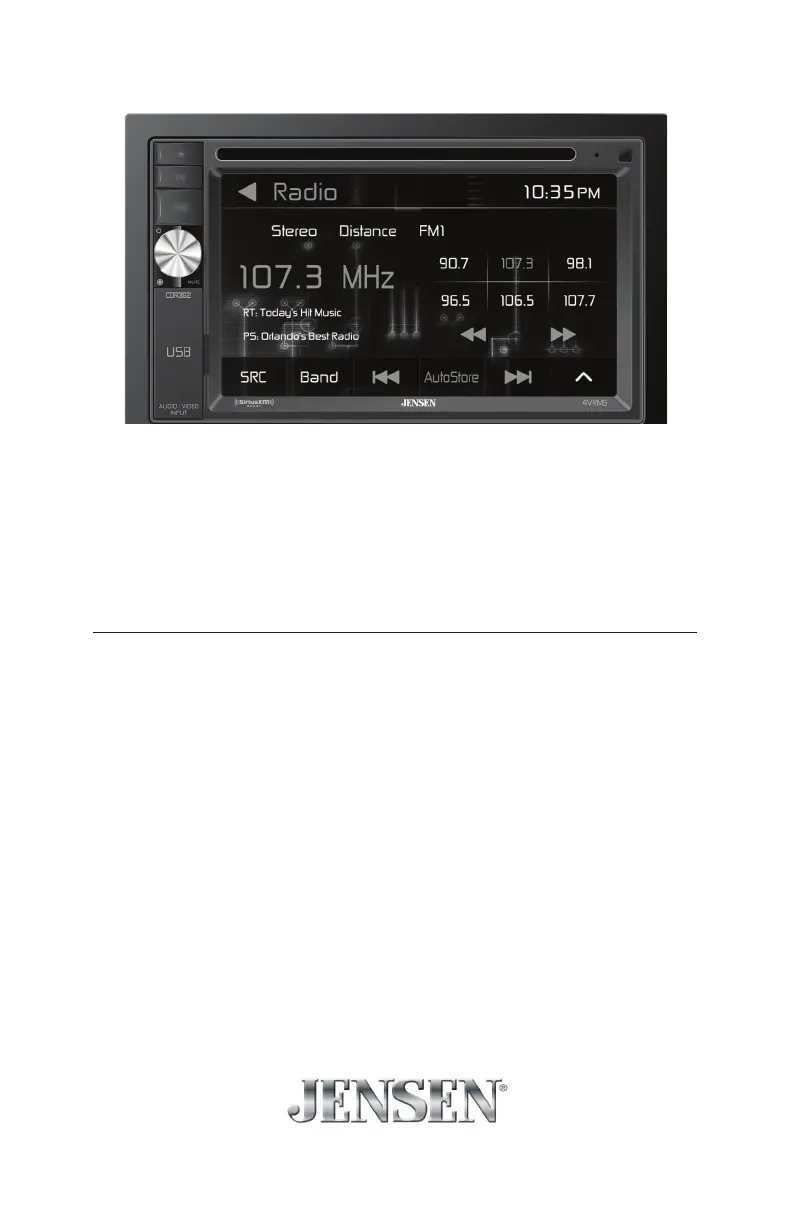
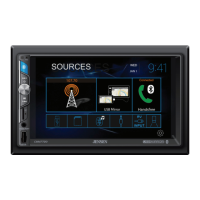
6.2" Double DIN Multimedia Receiver
AM-FM / DVD / Pandora / Bluetooth / iPhone® - iPod®/
SiriusXM-Ready / USB / AV In / Rear Camera In
INSTALLATION &
OWNER'S MANUAL
CDR362

Questions and Answers

  • K
    Kimberly WebbAug 14, 2025
    How to fix a Jensen Receiver that will not turn on?
    • C
      Carolyn TaylorAug 14, 2025
      If your Jensen Receiver unit won't turn on, it could be due to several reasons: * The yellow or red wire might not be connected properly, or the voltage is incorrect. Ensure these connections have the correct voltage (11~16VDC). * The black wire might not be connected. Verify its connection to ground. * The fuse might be blown. If so, replace it.
  • J
    Jessica McguireAug 17, 2025
    What to do if my Jensen Receiver has power but no sound?
    • T
      Teresa KelleyAug 17, 2025
      If your Jensen Receiver has power but no sound, here's what to check: * Ensure the speaker wires are properly connected at the speakers. * Make sure no speaker wires are touching each other or the chassis ground. If they are, insulate all bare speaker wires to prevent contact.
  • V
    Vicki DavisAug 21, 2025
    Why does my Jensen CDR362 keep blowing fuses?
    • B
      Bradley RodriguezAug 21, 2025
      If your Jensen Receiver keeps blowing fuses, the issue might be due to: * A yellow or red wire touching the chassis ground. Inspect for any pinched wires. * Speaker wires touching the chassis ground. Again, check for pinched wires. * An incorrect fuse rating. Ensure you are using a fuse with the correct rating.
  • B
    Brandon LarsenAug 25, 2025
    What does 'ERR FILE' mean on my Jensen CDR362 and how to fix it?
    • E
      Emily ReyesAug 26, 2025
      If 'ERR FILE' appears on the display of your Jensen Receiver, it indicates a disc read error, or that the disc is upside down or focus error. Try pressing the eject button or RESET.
  • G
    George WilliamsAug 29, 2025
    What to do if my Jensen CDR362 will not accept a disc?
    • V
      vcampbellAug 29, 2025
      If your Jensen Receiver displays 'Unit will not accept a disc', it could be due to: * The CD mechanism position being out of alignment. Try pressing the EJECT button to reset it. * The CD transit screws still being in place. Remove the 2 transit screws located on top of the unit.
  • T
    Tiffany AdamsSep 1, 2025
    How to stop excessive skipping on my Jensen CDR362?
    • L
      Linda SantanaSep 2, 2025
      Excessive skipping on your Jensen Receiver can be caused by: * Incorrect mounting or an unsecured backstrap. Check the mounting sleeve and backstrap support. * Physical defects in the media (CD, CD-R, or CD-RW). Inspect the media for scratches.
  • K
    kellie88Sep 5, 2025
    What does 'NO FILE' mean on my Jensen Receiver?
    • M
      melissamcguireSep 5, 2025
      If 'NO FILE' appears on the display of your Jensen Receiver, it means no playable MP3 files were found on the device. Check the device to ensure it contains valid MP3 files.
  • T
    Tina HarrisSep 9, 2025
    What does 'NO SUPPORT' mean on my Jensen CDR362 display?
    • M
      Michele NewmanSep 9, 2025
      The 'NO SUPPORT' message on your Jensen Receiver indicates an invalid ID3 tag version. The receiver supports version 1.0 to 2.0 ID3 tags.

Summary

Preparation

Before You Start

Crucial initial steps before unit installation, including battery disconnection.

Getting Started

Step-by-step guide for unit installation, connection, and securing.

Wiring Diagram

Control Locations

General Operation

Setup Menu

Accessing and configuring unit settings like language, time, and display.

Radio Settings

Tuning, band selection, RDS, and alternative frequencies configuration.

Bluetooth Settings

Pairing, connecting, and managing Bluetooth devices for calls and audio.

SXM Settings

Configuration for SiriusXM tuner, subscription, and channel lock.

Illumination & Wallpaper

Customizing display colors, brightness, and background images.

Version Settings

Displaying unit version and options for factory reset.

Radio Operation

CD Operation

USB Operation

iPod Operation

Pandora Operation

Bluetooth Operation

SiriusXM Satellite Radio Operation

Activating SiriusXM Radio

Steps to activate SiriusXM tuner and subscription.

Accessing SiriusXM Radio

How to navigate and use SiriusXM mode.

Unlocking a Channel

Change Lock Password

Procedure to modify the channel lock password.

Front 3.5 mm Aux Input & Rear RCA A;V Input

Auxiliary Input

Connecting external audio devices via 3.5mm jack.

Using AV Input

Connecting audio/video sources via RCA connectors.

Rear Camera Operation - (Optional)

Using Rear Camera

Connecting and selecting a rear view camera.

Auto Selection

Automatic camera mode activation via reverse lamp.

Media Compatibility - USB;SD Card

Media Compatibility - CD;DVD

Media Compatibility

Playback Order

Sequence of playback for MP3 files on different media.

Compatible Recording Formats

Standards and characters for disc/file naming.

Notes

Recommendations for optimal file ripping and compatibility.

Important Safety Warnings

DVD Operation

SiriusXM Radio Advisory Messages

Troubleshooting

Specifications

Limited One Year Warranty

What to do?

Steps to follow for warranty service and support.

Who is covered?

Details on warranty coverage and eligibility.

FCC Compliance

Jensen CDR362 Specifications

General IconGeneral
BrandJensen
ModelCDR362
CategoryReceiver
LanguageEnglish

Related product manuals