EasyManua.ls Logo

Jensen CAR10 - User Manual

Jensen CAR10
27 pages
Print Icon
To Next Page IconTo Next Page
Loading...
INSTALLATION &
OWNER’S MANUAL
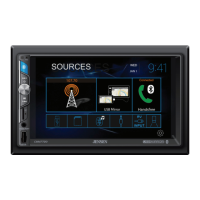
CAR10
10.1”CAPACITIVE TOUCH SCREEN
2 DIN MULTIMEDIA MECHLESS RECEIVER
AM-FM
USB/SD Media Player
Rear Camera Input

Questions and Answers

  • O
    obrientabithaJul 28, 2025
    What to do if my Jensen CAR10 Receiver has no sound?
    • E
      Eric BrownJul 28, 2025
      If your Jensen Receiver has power but no sound, the issue likely lies with the speaker connections. Check the speaker wires to ensure they are properly connected at the speakers. Also, inspect the speaker wires to make sure that none of them are touching each other or the chassis ground; if they are, insulate all bare speaker wires to prevent contact.
  • K
    Kimberly DavenportAug 7, 2025
    Why won't my Jensen CAR10 turn on?
    • N
      Nicholas Smith Jr.Aug 7, 2025
      If your Jensen Receiver isn't powering on, several issues could be the cause. First, the yellow or red wires might not be correctly connected or receiving the correct voltage (11~16VDC), so check those connections. Also, the black wire might not be properly connected to ground, inspect that connection too. Lastly, a blown fuse could be the culprit, so replace any blown fuses.
  • W
    Wendy SchroederAug 17, 2025
    Why does my Jensen CAR10 Receiver keep blowing fuses?
    • J
      joseph90Aug 17, 2025
      If your Jensen Receiver is blowing fuses, there are a few potential causes. The yellow or red wire might be touching the chassis ground, so check for any pinched wires. Similarly, speaker wires touching the chassis ground could also be the problem; check for pinched wires there as well. Finally, the fuse rating might be incorrect, so ensure you're using fuses with the correct rating.

Summary

Critical Safety Warnings

Driver Distraction and Safety Precautions

Discusses driver distraction, parking brake lock-out, and safe volume levels.

Device Safety and Handling

Installation and Wiring Guide

Wiring Diagram and Notes

Illustrates connections for inputs/outputs and explains wiring notes for subwoofer and camera.

Bluetooth Device Connectivity

Smartphone Integration: CarPlay & Android Auto

Apple CarPlay Operation Guide

Details how Apple CarPlay works, its features, and compatible iPhone models.

Controlling Apple CarPlay

Explains basic controls, Siri integration, and how to exit CarPlay mode.

Android Auto Operation Guide

Describes Android Auto features, compatible devices, and starting the application.

Using and Exiting Android Auto

Covers the Android Auto home screen, voice commands, and how to exit the mode.

Steering Wheel Control Integration

Troubleshooting Common Issues

General Troubleshooting Guide

Lists common problems, their causes, and recommended solutions for unit operation.

Technical Specifications

Product Warranty Information

Warranty Coverage and Exclusions

Outlines warranty coverage, exclusions, and what to do for service.

Customer Support and Contact

Jensen CAR10 Specifications

General IconGeneral
TunerAM/FM
BluetoothYes
DisplayLCD
TypeDigital Media Receiver
Apple CarPlayYes
Android AutoYes
Backup Camera InputYes
Peak Power Output50 watts x 4 channels
CD ReceiverNo
MP3 PlaybackYes
WMA PlaybackYes
Remote ControlYes
USB PortYes
Aux InputYes, Front

Related product manuals