EasyManua.ls Logo

Jensen CMM710 - User Manual

Jensen CMM710
22 pages
Print Icon
To Next Page IconTo Next Page
Loading...
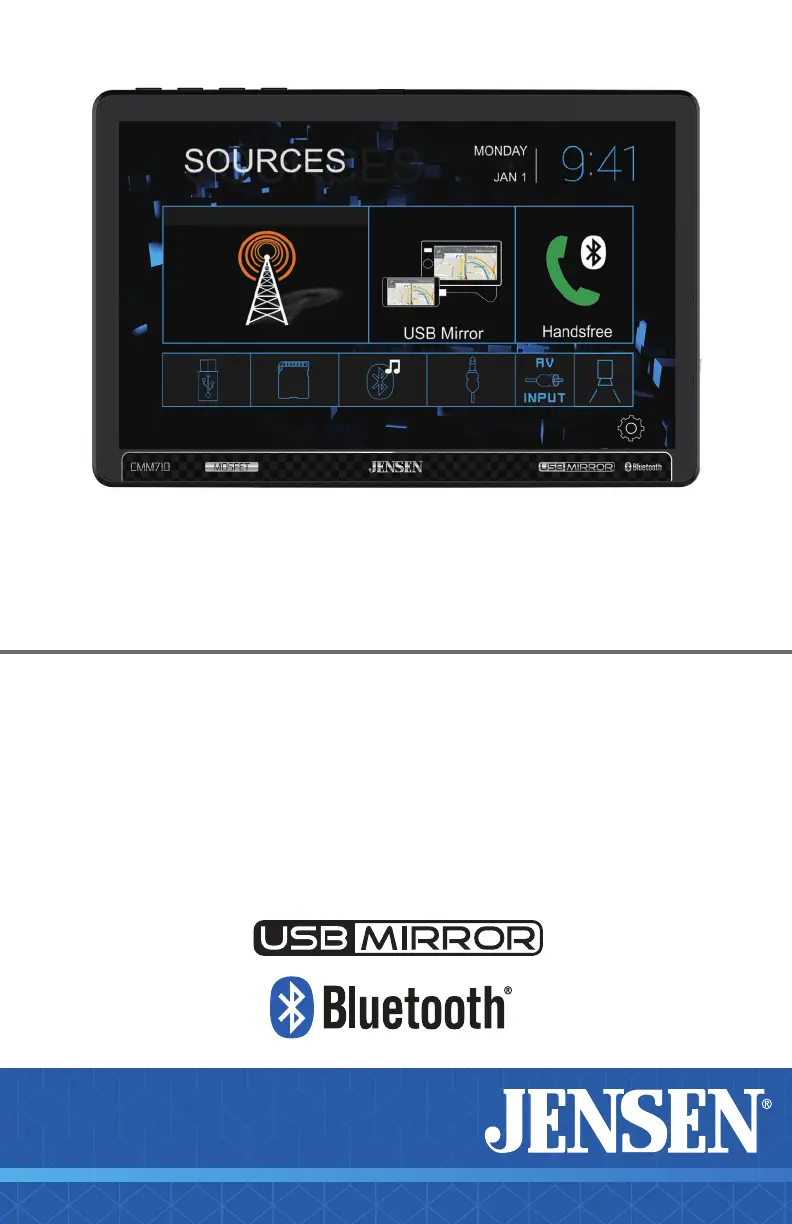
CMM710
10” CAPACITIVE TOUCH SCREEN
MULTIMEDIA MECHLESS RECEIVER
AM-FM, Bluetooth
USB Screen Mirroring
Front & Rear Camera Input
INSTALLATION &
OWNER’S MANUAL
W AT T S
Front & Rear
Camera
B-Type

Questions and Answers

Summary

JENSEN CMM710 INFORMATION

FCC Compliance

Details FCC rules and compliance conditions for the device, ensuring legal operation.

Copyright and Trademark

Lists registered trademarks and intellectual property rights associated with the product and its features.

Safety Notice

Driving Safety and Video Playback Restrictions

Explains video playback limitations while driving to prevent driver distraction and ensure safety.

Preventing Unit Damage and Personal Injury

Provides crucial guidelines to avoid unit damage and personal injury during installation and use.

JENSEN CMM710 INSTALLATION

Preparation and Installation Steps

Outlines essential preparation steps and initial guidance for installing the CMM710 unit.

Input; Output Wiring Diagram

Wiring Connections, Tips, and Camera Inputs

Details the unit's wiring diagram and provides usage tips for fuses and camera connections.

JENSEN CMM710 OPERATION

Main Control Locations Overview

Identifies and describes the main physical controls on the unit and its remote for user interaction.

Source Menu Operation

Navigating and Selecting Audio;Video Sources

Explains how to access and utilize various sources like Radio, USB, Bluetooth, and Mirroring.

On Screen Controls

Understanding On-Screen Functions and Buttons

Details the operation of on-screen elements such as brightness, voice assistant, audio, and settings.

Audio Settings

Customizing Sound with EQ and Surround Settings

Guides users on adjusting EQ presets, surround sound, balance, and fader for optimal audio output.

Settings Menu

System Configuration and Preferences

Explains how to configure general settings, audio, display, and Bluetooth preferences for the unit.

Tuner Operation

Radio Tuning and Station Management

Details how to operate the radio tuner, including tuning, presets, band selection, and signal strength.

USB;microSD Operation

Playing Media from USB and microSD Cards

Guides on playing MP3 files from USB devices and microSD cards, including folder navigation and playback controls.

Media Compatibility

Supported File Formats and Playback Notes

Lists compatible audio/video file types and provides important notes on media playback requirements and limitations.

Bluetooth Operation

Pairing and Phone Call Functions

Explains how to pair Bluetooth devices and use the system for phone calls and contact management.

USB Mirroring

Connecting and Using Screen Mirroring

Guides on setting up and using the USB Mirroring feature to display phone screens on the unit.

App Operation

Jensen Smart App Remote Control

Explains how to download and utilize the Jensen Smart app for wireless remote control functionality.

Navigation Hot Button

Accessing Navigation Apps via Bluetooth

Describes using the Navi hot button to connect to phone navigation apps and stream audio via Bluetooth.

Voice Assistant

Using Voice Commands with Siri;Google Assistant

Details how to activate and utilize Siri or Google Assistant via the receiver's voice activation button.

Rear Camera

Connecting and Activating the Rear Camera

Instructions for connecting an optional rear camera and how the unit automatically selects camera mode.

Front Camera

Connecting and Switching to the Front Camera

Instructions for connecting an optional front camera and switching camera views on the display.

Auxiliary Input

Connecting External Audio Sources via Front Panel

Guides on connecting and listening to audio sources through the front panel's auxiliary input.

A;V Input

Connecting External Audio Sources via Rear Input

Guides on connecting and listening to audio sources through the rear A/V input.

Steering Wheel Controls

Enabling and Programming SWC Compatibility

Explains how to enable steering wheel control functionality using third-party adapters and programming.

Limited One Year Warranty

Warranty Coverage, Exclusions, and Service

Details the warranty period, what is covered, exclusions, and the procedure for obtaining service.

Troubleshooting

Common Issues and Solutions Guide

Provides a table to diagnose and resolve common problems encountered with the unit's operation.

Customer Support

Contact Information and Support Resources

Lists contact phone numbers, email, and website for customer support and product assistance.

Specifications

Technical Specifications of CMM710 Unit

Presents detailed technical specifications for the unit's FM/AM tuners, Bluetooth, monitor, and amplifier.

Summary

JENSEN CMM710 INFORMATION

FCC Compliance

Details FCC rules and compliance conditions for the device, ensuring legal operation.

Copyright and Trademark

Lists registered trademarks and intellectual property rights associated with the product and its features.

Safety Notice

Driving Safety and Video Playback Restrictions

Explains video playback limitations while driving to prevent driver distraction and ensure safety.

Preventing Unit Damage and Personal Injury

Provides crucial guidelines to avoid unit damage and personal injury during installation and use.

JENSEN CMM710 INSTALLATION

Preparation and Installation Steps

Outlines essential preparation steps and initial guidance for installing the CMM710 unit.

Input; Output Wiring Diagram

Wiring Connections, Tips, and Camera Inputs

Details the unit's wiring diagram and provides usage tips for fuses and camera connections.

JENSEN CMM710 OPERATION

Main Control Locations Overview

Identifies and describes the main physical controls on the unit and its remote for user interaction.

Source Menu Operation

Navigating and Selecting Audio;Video Sources

Explains how to access and utilize various sources like Radio, USB, Bluetooth, and Mirroring.

On Screen Controls

Understanding On-Screen Functions and Buttons

Details the operation of on-screen elements such as brightness, voice assistant, audio, and settings.

Audio Settings

Customizing Sound with EQ and Surround Settings

Guides users on adjusting EQ presets, surround sound, balance, and fader for optimal audio output.

Settings Menu

System Configuration and Preferences

Explains how to configure general settings, audio, display, and Bluetooth preferences for the unit.

Tuner Operation

Radio Tuning and Station Management

Details how to operate the radio tuner, including tuning, presets, band selection, and signal strength.

USB;microSD Operation

Playing Media from USB and microSD Cards

Guides on playing MP3 files from USB devices and microSD cards, including folder navigation and playback controls.

Media Compatibility

Supported File Formats and Playback Notes

Lists compatible audio/video file types and provides important notes on media playback requirements and limitations.

Bluetooth Operation

Pairing and Phone Call Functions

Explains how to pair Bluetooth devices and use the system for phone calls and contact management.

USB Mirroring

Connecting and Using Screen Mirroring

Guides on setting up and using the USB Mirroring feature to display phone screens on the unit.

App Operation

Jensen Smart App Remote Control

Explains how to download and utilize the Jensen Smart app for wireless remote control functionality.

Navigation Hot Button

Accessing Navigation Apps via Bluetooth

Describes using the Navi hot button to connect to phone navigation apps and stream audio via Bluetooth.

Voice Assistant

Using Voice Commands with Siri;Google Assistant

Details how to activate and utilize Siri or Google Assistant via the receiver's voice activation button.

Rear Camera

Connecting and Activating the Rear Camera

Instructions for connecting an optional rear camera and how the unit automatically selects camera mode.

Front Camera

Connecting and Switching to the Front Camera

Instructions for connecting an optional front camera and switching camera views on the display.

Auxiliary Input

Connecting External Audio Sources via Front Panel

Guides on connecting and listening to audio sources through the front panel's auxiliary input.

A;V Input

Connecting External Audio Sources via Rear Input

Guides on connecting and listening to audio sources through the rear A/V input.

Steering Wheel Controls

Enabling and Programming SWC Compatibility

Explains how to enable steering wheel control functionality using third-party adapters and programming.

Limited One Year Warranty

Warranty Coverage, Exclusions, and Service

Details the warranty period, what is covered, exclusions, and the procedure for obtaining service.

Troubleshooting

Common Issues and Solutions Guide

Provides a table to diagnose and resolve common problems encountered with the unit's operation.

Customer Support

Contact Information and Support Resources

Lists contact phone numbers, email, and website for customer support and product assistance.

Specifications

Technical Specifications of CMM710 Unit

Presents detailed technical specifications for the unit's FM/AM tuners, Bluetooth, monitor, and amplifier.

Overview

The Jensen CMM710 is a 10-inch capacitive touch screen multimedia mechless receiver designed for in-vehicle entertainment and connectivity. It offers a wide range of features including AM/FM radio, Bluetooth for audio streaming and hands-free calling, USB screen mirroring for smartphones, and inputs for front and rear cameras.

Function Description:

The CMM710 serves as a central hub for audio and visual entertainment in a vehicle. Its primary functions include:

  • AM/FM Tuner: Provides access to radio broadcasts with both US and EU tuning ranges. It features preset stations, local/distance tuning, and stereo/mono toggling. The AS/PS function allows scanning and storing the strongest stations.
  • Bluetooth Connectivity: Enables wireless connection to smartphones for hands-free calling and audio streaming (BT Music). It supports HFP, A2DP, and PBAP profiles with a range of up to 33 feet (10 meters). The unit can be paired with new devices and automatically connects to previously paired devices.
  • USB/microSD Playback: Allows playback of MP3 files from USB devices or microSD cards. Users can navigate through folders and files, control playback (play/pause, next/previous track, fast forward/reverse), and utilize random or repeat functions.
  • USB Screen Mirroring: Mirrors the display of compatible Android and iPhone devices onto the unit's 10-inch screen. This feature allows users to access smartphone apps and content directly on the receiver's display.
  • Camera Inputs: Supports up to two cameras (front and rear, not included). The unit can automatically switch to rear camera mode when the vehicle is in reverse, and a manual selection option is available for dedicated cameras.
  • Auxiliary and A/V Inputs: Provides an auxiliary input on the front panel and a rear A/V input for connecting external audio sources.
  • Steering Wheel Controls (SWC): Compatible with many popular third-party SWC control modules (e.g., PAC, METRA) via a built-in 3.5mm SWC interface. This allows for control of various functions like volume, track seek, band, and mode directly from the steering wheel.
  • Voice Assistant: Features an easy-access voice activation button to use Siri® or Google Assistant™ via a paired Bluetooth smartphone, enabling hands-free interaction.
  • Navigation Hot Button: Directly accesses the user's phone's navigation app when the Jensen Smart app is installed, streaming audio via Bluetooth.
  • Audio Settings: Offers comprehensive audio adjustments including preset EQ settings (Flat, Classic, Rock, Pop, Jazz, Beat, User), manual EQ adjustment, surround sound settings (Concert, Church, Passive, Wide, Live, None), balance, fader, subwoofer frequency and volume, and loudness control.
  • Display Settings: Allows adjustment of screen brightness, contrast, hue, saturation, and sharpness. Users can also select different wallpapers and set backlight timeout options.
  • General Settings: Includes options for OSD language, radio area, time setting, beep sound, camera enable/disable, version display, and factory reset.

Important Technical Specifications:

  • Display: 10-inch Capacitive Touch Screen
  • Resolution: 1024x600
  • Brightness: 500 nit
  • Backlighting: LED
  • FM Tuner:
    • US Tuning Range: 87.5MHz-107.9MHz
    • EU Tuning Range: 87.50MHz-108.00MHz
    • Usable Sensitivity: 8.5dBf
    • 50dB Quieting Sensitivity: 10dBf
    • Stereo Separation@ 1kHz: 30dB
    • Frequency Response: 30Hz-13kHz
  • AM Tuner:
    • Tuning Range: 530kHz-1710kHz
    • Usable Sensitivity: <42dBu
    • Frequency Response: 30Hz-2.2kHz
  • Bluetooth:
    • Version: 4.1 + EDR
    • Profiles: HFP / A2DP / PBAP
    • Range: Up to 33ft / 10m
  • Operation Voltage Input: 11~16VDC
  • USB 1 Charge Output: 2.1A
  • Speaker Nominal Impedance: 4~8 ohms
  • Line Output Voltage: 2 Volts RMS
  • Dimensions: 5" x 7" x 2" (126D x 178W x 50H mm)
  • CEA-2006 Power Standard Specifications:
    • Power Output: 16 Watts RMS x 4 channels at 4 ohms and ≤1% THD+N
    • Signal to Noise Ratio: 80dBA (reference: 1 watt into 4 ohms)
  • Fuse: (1) 15 amp ATC blade-type fuse (located on the back of the unit)
  • Media Compatibility (USB/microSD):
    • File System: FAT 16/FAT 32
    • File Extension: .mp3/.MP3/.Mp3/.mP3
    • MPEG Format: MPEG 1, MPEG 2, MPEG 2.5
    • Sampling Frequency: 32/44.1/48kHz (MPEG 1), 12/16/22.05/24kHz (MPEG 2), 8/11.025/12kHz (MPEG 2.5)
    • Bitrate: 32~320kbps (MPEG 1), 8~160kbps (MPEG 2/2.5)
    • Directory Depth: Unlimited
    • File Name Length: 32 bytes
    • Total File Number: 2000 files
    • Total Folder Number: 200 folders
    • File Number via Folder: 2000 files
    • MP3 ID3 TAG: ver.1.x, ver.2.x, Title, Artist, Album
    • Incompatible files: MP3 PRO, MP3 playlists, RMP, WAV, WMV, AAC, protected AAC, M4A formats.

Usage Features:

  • Safety Notice: Video/movie playback is restricted while the vehicle is moving to prevent driver distraction. It operates only when the vehicle is in Park and the parking brake is engaged. Watching video while driving is illegal in many jurisdictions.
  • Installation: Requires professional installation by an authorized dealer. The unit is designed for 12VDC negative ground systems. It is recommended to disconnect the negative battery terminal before installation.
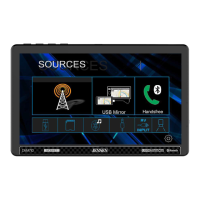
  • Source Menu: An intuitive on-screen menu allows quick access to various sources like Radio, USB Mirroring, Bluetooth Phone, Settings, Rear Camera, AV Input, Auxiliary Input, BT Music, microSD, and USB.
  • On-Screen Controls: Provides direct access to screen brightness, voice assistant, audio settings, navigation, and general settings. The screen can be dimmed or put into standby mode.
  • Remote Control: Compatible with the Jensen Smart app, which acts as a wireless remote control for the receiver, downloadable from app stores.
  • USB Mirroring Instructions: Step-by-step on-screen instructions for connecting Android and iPhone devices. Users are advised to use original USB cables and be aware that OS updates may require firmware updates for the receiver.
  • Media Playback Order: MP3 playback sequence begins in the root folder, skipping folders without MP3/JPG files.
  • Compatible Recording Formats: ISO9660 standards, maximum nested folder depth of 8, valid characters for folder/file names (A-Z, 0-9, "_").
  • Optimal MP3 Ripping: For best results, use 128kbps or higher constant bit rate and 44.1kHz or higher sampling frequency.

Maintenance Features:

  • Troubleshooting Guide: A comprehensive table in the manual helps diagnose common issues like no power, no sound, blowing fuses, or no video, with suggested causes and actions.
  • Fuse Replacement: The unit uses a 15 amp ATC blade-type fuse. Users are warned to use the correct type and amperage to prevent damage.
  • Cleaning: The monitor should be cleaned with a dry silicone or soft cloth. Avoid stiff cloths or solvents like paint thinner and alcohol, as they can scratch the surface or remove printing.
  • Reset Function: If the unit malfunctions, a reset function is available. If problems persist, contact customer support.
  • Software/Firmware Updates: In case of malfunction due to smartphone OS updates, a software/firmware update for the receiver may be required. Customer service can provide information on the latest firmware.
  • Liquid Crystal Safety: In case of a damaged LCD, avoid touching the liquid crystal fluid as it can be hazardous. Wash off any contact with soap immediately.
  • Customer Support: A toll-free number (1-888-921-4088) and email (cs@dualav.com) are provided for technical assistance and warranty claims. An online resource (https://www.jensenmobile.com) is also available.
  • Warranty: A limited one-year warranty covers defects in material and workmanship from the date of original purchase, subject to verification. It does not cover software, installation costs, damage from misuse, or unauthorized repairs.

Jensen CMM710 Specifications

General IconGeneral
BrandJensen
ModelCMM710
CategoryReceiver
LanguageEnglish

Related product manuals