15
OPERATIONCMM710
Bluetooth Operation
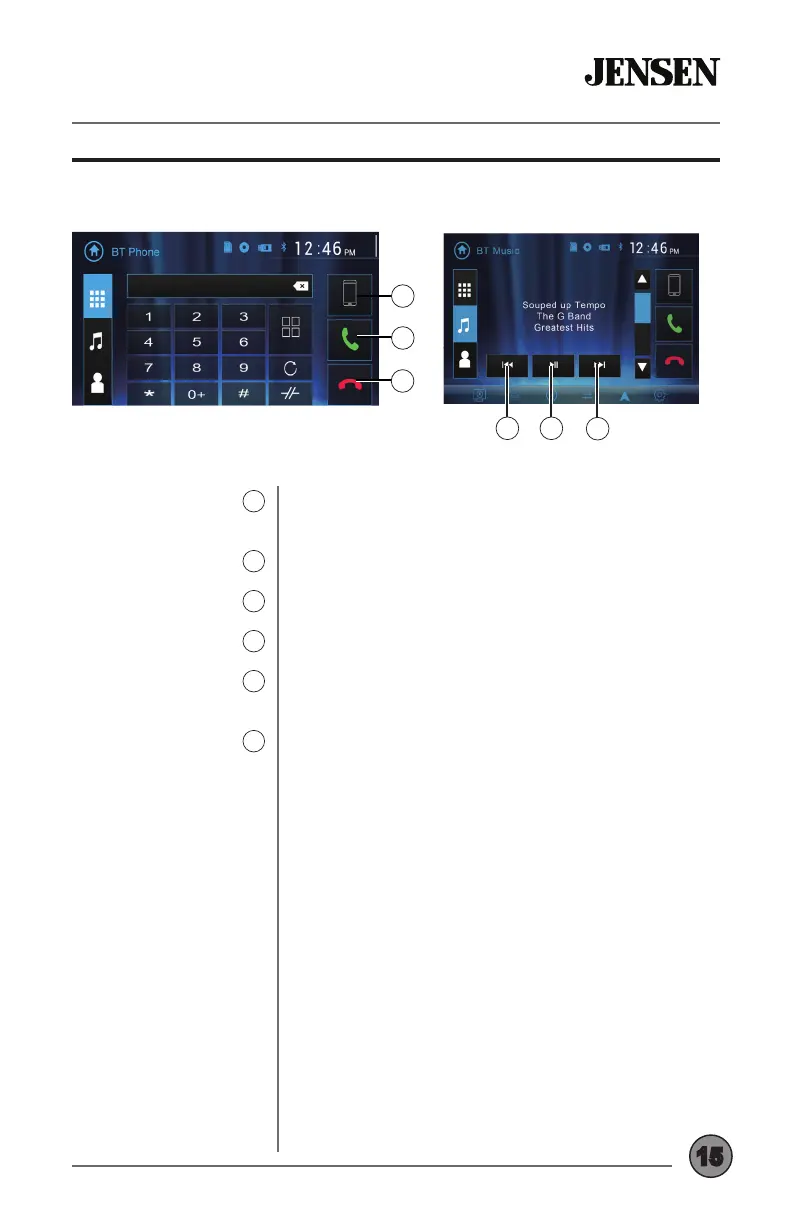
Paired Device List
8
Talk
9
End Call
10
Previous Track
11
Play / Pause
12
Next Track
13
Press to display a list of paired devices, and
select desired device to connect.
Press to connect a call to the number entered.
Press to end a call.
Press to go back to the previous track.
Press to pause the current track, then press again
to resume playback.
Press to advance to the next track.
11 12
13
9
10
8


 To Next Page