EasyManua.ls Logo

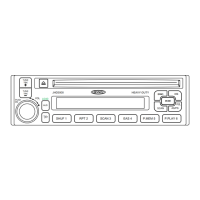
Jensen JBR550 - User Manual

Jensen JBR550
14 pages
Print Icon
To Next Page IconTo Next Page
Loading...
JBR550
Installation and Operation Manual
AM/FM/CD AUDIO SYSTEM with PA

Questions and Answers

  • A
    Anthony HamptonJul 30, 2025
    Why does my Jensen Car Receiver have no power?
    • J
      John WiseJul 30, 2025
      If your Jensen Car Receiver has no power, first ensure the vehicle’s accessory switch is turned to “ACC” if the power supply is properly connected. If that doesn't work, the fuse may be blown and require replacement.
  • J
    Joshua HurstAug 3, 2025
    Why is there no sound coming from my Jensen JBR550 Car Receiver?
    • A
      Alan ShortAug 3, 2025
      If your Jensen Car Receiver is not producing sound, first, make sure the volume isn't set too low and adjust it to a suitable level. If the volume is adequate, then check the wiring connections to ensure they are properly connected.
  • C
    Carolyn Smith MDAug 8, 2025
    What to do if the operation keys on my Jensen JBR550 Car Receiver do not work?
    • B
      boydrobertAug 9, 2025
      If your Jensen Car Receiver's operation keys aren't working, it could be due to improper installation of the control panel; try reinstalling it. Alternatively, noise may be affecting the built-in microcomputer. In this case, press the RESET button.
  • J
    Jake KochAug 14, 2025
    Why does the sound skip on my Jensen JBR550?
    • L
      lawrencelaceyAug 14, 2025
      If your Jensen Car Receiver sound skips, it might be because the installation angle exceeds 30 degrees. Adjust the angle to be less than 30 degrees. Also, the disc may be dirty or defective, so try cleaning it or using a new one.
  • P
    Phillip HoAug 19, 2025
    Why can't my Jensen JBR550 tune to radio stations?
    • M
      Michael MontoyaAug 19, 2025
      If your Jensen Car Receiver cannot tune to a radio station or the auto-seek function isn't working, first, ensure the antenna cable is firmly inserted. If the connection is secure, the signals might be too weak, so try selecting a station manually.
  • C
    Christina MooreAug 25, 2025
    What to do if my Jensen Car Receiver won't load or eject a disc?
    • D
      Daniel SchaeferAug 25, 2025
      If your Jensen Car Receiver won't load or eject a disc, consider the following: 1. If there is already a CD inside, remove it before inserting another. 2. Ensure you're inserting the disc correctly, with the label facing upward. 3. The disc might be too dirty or defective; try cleaning it or using a new one. 4. Condensation might be the issue; leave the player off for about an hour, then try again.

Summary

SAFETY INFORMATION

Laser Safety and Warnings

Highlights laser safety, general warnings, and recommendations for accessory use.

INSTALLATION

Pre-Installation Steps and Notes

Outlines initial steps like disconnecting the battery and crucial advice for proper installation.

DIN Radio and Universal Mounting

Details installing into a 1-DIN opening using a sleeve or a specific kit.

Wiring Diagram

BASIC OPERATION

Reset and Audio Menu Adjustments

Explains how to reset the unit and access/adjust audio settings like Bass, Treble, Balance, and Fader.

Auxiliary Input and PA System

Details connecting auxiliary devices and using the Public Announcement feature with a microphone.

TUNER OPERATION

Preset Station Management

Covers storing, recalling, automatically storing, and scanning preset radio stations.

CD PLAYER OPERATION

Disc Insertion and Ejection Procedures

Guides on how to insert and eject CDs, including auto-reload if not removed.

TROUBLESHOOTING

SPECIFICATIONS

Jensen JBR550 Specifications

General IconGeneral
BluetoothYes
USB PortYes
Aux InputYes
AM/FM RadioYes
Display TypeLCD
DIN SizeSingle DIN
Remote ControlYes
Power Output50W x 4
Peak Power Output50W x 4

Related product manuals