EasyManua.ls Logo

Jensen JHD1130 - User Manual

Jensen JHD1130
14 pages
Print Icon
To Next Page IconTo Next Page
Loading...
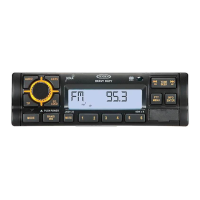
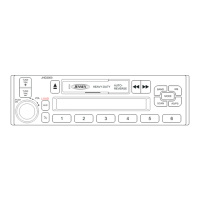
JHD1130
Installation and Operation Manual
AM/FM/WB/AUX-IN Heavy Duty Radio
Guide d’installation et d’opération
DN UP
IN O
ENTER
PTY
F
T
F
MENUMENU
AS/PS
JHD1130
40Wx440W x 4

Other manuals for Jensen JHD1130

Questions and Answers

  • K
    Kathleen MirandaJul 31, 2025
    What to do if my Jensen JHD1130 has no sound?
    • K
      kirbyantonioJul 31, 2025
      If your Jensen Car Receiver isn't producing any sound, there might be a couple of reasons. First, check that the volume isn't set too low or that the system isn't muted. If that's not the issue, then verify that all wiring connections are properly connected.
  • N
    Nathan DuffyAug 7, 2025
    Why does my Jensen JHD1130 have no power?
    • A
      Adrienne MyersAug 7, 2025
      There are a couple of reasons why your Jensen Car Receiver might not be getting power. It could be that the vehicle's accessory switch isn't turned on. If the power supply is properly connected to the vehicle's accessory terminal, switch the ignition key to 'ACC' or 'Run'. Another possibility is that the fuse is blown, in which case you should replace it.
  • J
    John MichaelAug 15, 2025
    How to fix Jensen JHD1130 when it cannot tune to radio station?
    • R
      Robert PenaAug 15, 2025
      If your Jensen Car Receiver is unable to tune to a radio station or the auto-seek function isn't working, check the antenna cable to ensure it's properly connected. If the antenna is connected correctly, the radio signals might be too weak. In this case, try selecting a station manually.
  • S
    Shannon WilliamsAug 23, 2025
    What to do if the operation keys on my Jensen JHD1130 Car Receiver do not work?
    • A
      atorresAug 23, 2025
      If the operation keys on your Jensen Car Receiver aren't working, it could be due to the built-in microcomputer not operating properly because of noise. Try pressing the RESET button.

Summary

Introduction to the JHD1130 Radio

System Features Overview

Key capabilities and functionalities of the JHD1130 mobile audio system.

Package Content List

Items included in the product package and documentation.

Safety Information

Driving Safety Precautions

Guidelines for safe operation while driving and awareness of surroundings.

Vehicle Washing and Parking Safety

Recommendations for protecting the unit during car washing and parking.

Power Supply and Critical Warnings

Correct power source requirements and critical safety warnings for fire/shock prevention.

Installation Guide

Preparation Before Installation

Essential preparatory steps, including battery disconnection.

Important Installation Considerations

Key considerations for proper wiring, parts, and mounting angles.

DIN Front Mount Installation Procedure

Step-by-step guide for installing the unit into a standard DIN opening.

Unit Removal Instructions

Method for safely detaching the radio from its mounting sleeve.

Final Battery Reconnection Step

Final step to reconnect the vehicle’s battery after installation.

Wiring the JHD1130 Radio

Wiring Diagram and Connections

Visual representation of all electrical connections required for the unit.

ACC Power Connection Warning

Critical safety alert regarding the correct connection of the switched accessory power.

Basic Operation of the Radio

Power On;Off and Volume Control

How to turn the unit on/off and adjust the audio volume level.

Mute and Mode Selection

Functions for muting audio and switching between operation modes.

Reset Function Procedure

Procedures for resetting the unit in case of malfunctions or errors.

Audio Menu Adjustments

Accessing and adjusting Bass, Treble, Balance, and Fader settings.

System Menu and Settings

System Menu Navigation

How to access and navigate through the device's system configuration menu.

Setting the Clock

Step-by-step guide to set the current time on the unit.

Display Mode Selection

Options for customizing the information shown on the LCD display.

Tuner Operation Guide

Band Selection and Tuning Methods

Covers manual tuning, auto seek, and band switching.

Preset Station Management

Storing and recalling favorite radio stations.

Automatic Station Storage & Scan

Automated methods for finding and scanning stations.

RBDS & PTY Search Functionality

Using RDS data and program type filtering for station discovery.

Weather Band Operation

NOAA Weather Radio Overview

Introduction to the national weather broadcast system.

Tuning Weatherband Channels

How to access and tune into the seven available weather band frequencies.

Weatherband Reception Guidance

Information on expected signal strength and reception quality.

Care and Maintenance

Product Care and Handling

Guidelines for cleaning, storing, and handling the unit to ensure longevity.

Ignition and Radio Interference

Understanding and mitigating noise from ignition systems and environmental factors.

Troubleshooting Common Issues

Power and Sound Output Problems

Solutions for common problems like no power or no sound output.

Operational and Tuning Faults

Troubleshooting for unresponsive controls and radio tuning difficulties.

Technical Specifications

Radio and Audio Specifications

Technical details including frequency coverage, sensitivity, and power output.

General Unit Specifications

Electrical requirements, speaker impedance, and physical dimensions.

Jensen JHD1130 Specifications

General IconGeneral
TunerAM/FM
BluetoothYes
USB PortYes
Aux InputYes
Display TypeLCD
WeatherbandYes
WaterproofNo
Remote ControlNo
Compatible Audio FormatsMP3, WMA
TypeSingle DIN

Related product manuals