EasyManua.ls Logo

Jensen JHD1120 - User Manual

Jensen JHD1120
14 pages
Print Icon
To Next Page IconTo Next Page
Loading...
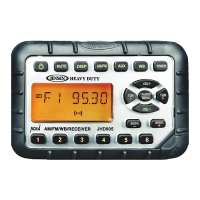
JHD1120
Installation and Operation Manual
AM/FM/WB/AUX-IN Heavy Duty Radio
DN UP
IN O
ENTERENTER
PTY
F
T
F
MENU
AS/PS
JHD1120
iPod
WB M P3
1
2
3
DISC
AM
FM
SAT
TITLE
SLEEPRPTLD IN T
ST
RDM ALARM
AR TIST CA TCH. NA ME MENU
COMPOSER
PS
40Wx440W x 4
Guide d’installation et d’opération

Questions and Answers

  • M
    mburnsJul 31, 2025
    What to do if my Jensen JHD1120 has no sound?
    • F
      Francis WhiteJul 31, 2025
      If your Jensen Car Receiver has no sound, first, make sure the volume isn't too low or muted, and adjust it accordingly. If that's not the issue, then check the wiring connections to ensure they are properly connected.
  • J
    Joseph JonesAug 6, 2025
    Why does my Jensen Car Receiver have no power?
    • M
      Michelle ClarkAug 6, 2025
      If your Jensen Car Receiver isn't turning on, make sure the vehicle’s accessory switch is on by switching the ignition key to “ACC” or “Run”, assuming the power supply is properly connected to the vehicle’s accessory terminal. Also, check the fuse and replace it if it's blown.
  • T
    Timothy HowellAug 14, 2025
    What to do if the operation keys on my Jensen Car Receiver do not work?
    • J
      Joshua GutierrezAug 14, 2025
      If the operation keys on your Jensen Car Receiver aren't working, it could be due to noise affecting the built-in microcomputer. Try pressing the RESET button to resolve this.
  • M
    Michael DanielAug 21, 2025
    Why can't my Jensen JHD1120 tune to radio stations?
    • G
      gaguilarAug 21, 2025
      If your Jensen Car Receiver cannot tune to a radio station or the auto-seek function isn't working, check that the antenna cable is properly connected. If the signals are too weak, try selecting a station manually.

Summary

Introduction

System Features

Details the key features of the Jensen JHD1120 mobile audio system.

Content List

Lists the items included in the Jensen Heavy Duty Radio package.

Hardware Kit Contents

Illustrates the components included in the hardware kit for installation.

Safety Information

Driving Safety

Advises keeping volume low for awareness of road and traffic conditions.

Vehicle Washing Precautions

Warns against exposing the product to water or excessive moisture.

Parking in Sunlight

Caution regarding high interior temperatures and cooling before use.

Proper Power Supply

Specifies operation with a 12-volt DC negative ground battery system.

Installation

Before You Begin

Instructions to disconnect the battery negative terminal before starting.

Important Notes

Key points for proper installation, including testing and using supplied parts.

DIN Front Mount

Steps for mounting the unit into a standard 1-DIN dashboard opening.

Removing the Unit

Procedure for safely removing the radio from its mounting sleeve.

Reconnect Battery

Final step to reconnect the battery negative terminal after wiring.

Wiring

Wiring Diagram Detail

Detailed view of the unit's pin connections and descriptions.

Wiring Warning

Crucial warning about connecting the +12VDC ACC switched wire correctly.

Basic Operation

Power On;Off and Volume Control

Instructions for turning the unit on/off and adjusting volume.

Mute Function

How to mute and restore audio output.

Mode Selection

Procedure for switching between Tuner and Auxiliary modes.

Reset Procedure

When and how to use the reset button to resolve operational issues.

Audio Menu Adjustments

Guide to adjusting Bass, Treble, Balance, and Fader settings.

System Menu

System Menu Navigation

Instructions for accessing and navigating the system settings menu.

Equalizer Settings

How to select pre-defined EQ curves like FLAT, ROCK, POP, CLASSICAL.

Loudness Feature

Enables/disables loudness for enhanced bass/treble at low volumes.

Auxiliary Input Usage

Steps to connect and select an external audio device via AUX IN.

LCD Display Information

Details about what is shown on the Liquid Crystal Display panel.

Clock and Display Settings

Setting the Clock

Procedure to set the current time on the unit's clock.

Display Modes

How to switch between clock display and source information display.

Tuner Operation

Band Selection

How to switch between AM, FM, and Weatherband (WB) modes.

Manual Tuning

Using buttons to step through radio frequencies manually.

Auto Seek Tuning

Automatically finding the next or previous strong radio station.

Preset Stations

Storing and recalling favorite radio stations using preset buttons.

Automatically Store (AS;PS)

Automatically scans and stores the strongest stations.

RBDS Operation

Using RBDS to display station information and search by program type.

Weather Band Operation

NOAA Weather Radio

Information about the NOAA Weather Radio system and its broadcasts.

Tuning to Weatherband

How to access and tune through the seven weatherband channels.

Expected Station Reception

Factors affecting reception of local weatherband signals.

Care and Maintenance

General Care Guidelines

Advice on keeping the product dry, clean, and handling it gently.

Ignition Noise Suppression

Methods to reduce noise caused by the vehicle's ignition system.

Interference Factors

Explanation of how environment affects radio reception.

Troubleshooting

No Power Issues

Solutions for when the unit does not power on.

No Sound Issues

Troubleshooting steps for when there is no audio output.

Non-Responsive Keys

Solutions for when control buttons do not function correctly.

Tuning or Seek Problems

Addressing issues with radio tuning and auto-seek functionality.

Specifications

FM;AM Radio Specifications

Technical details for FM and AM frequency coverage and sensitivity.

General Unit Specifications

Details on operating voltage, impedance, power output, and current drain.

Unit Dimensions

Physical dimensions of the JHD1120 unit.

Jensen JHD1120 Specifications

General IconGeneral
BluetoothYes
USB PortYes
Aux InputYes
AM/FM RadioYes
Display TypeLCD
Preamp OutputsNo
WeatherbandNo
SD Card SlotNo
Remote ControlYes

Related product manuals