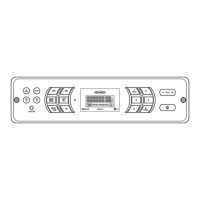
EasyManua.ls Logo

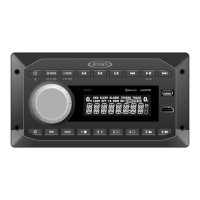
Jensen JWM30 - User Manual

Jensen JWM30
16 pages
Print Icon
To Next Page IconTo Next Page
Loading...
Installation and Owner's Manual
MOBILE AUDIO SYSTEM
JWM30

Questions and Answers

  • R
    rdavisAug 12, 2025
    What to do if Bluetooth Device will not connect/pair with Jensen Car Receiver?
    • J
      Jeffrey MullinsAug 12, 2025
      If your Bluetooth device won't connect or pair with your Jensen Car Receiver, ensure that no other devices are already connected. Disconnect any connected devices. On your smartphone or tablet, try turning Bluetooth off and then on again.
  • M
    Monique MyersAug 16, 2025
    What to do if Jensen Car Receiver will not turn ON or has no front panel operation?
    • K
      Kristina RodriguezAug 16, 2025
      If your Jensen Car Receiver isn't turning on or the front panel isn't working, try pressing the reset button. Also, check the fuse, the 12V+ connection on the accessory wire (RED wire), and the ground connection.
  • C
    Casey EllisAug 20, 2025
    Why Jensen JWM30 Car Receiver turns ON, but there is no sound?
    • X
      xsanchezAug 20, 2025
      If your Jensen Car Receiver turns on but you're not getting any sound, first, double-check that the volume, fader, balance, and mute settings are correctly adjusted. Then, verify that the correct speaker selection is made, the speaker connections are properly wired, and inspect the speaker wires for any shorts or open circuits. You can also try the reset button.
  • G
    gabriella70Aug 25, 2025
    Why is there a loss of middle channel audio (dialogue audio) from HDMI-IN on my Jensen JWM30 Car Receiver?
    • D
      dwalkerAug 25, 2025
      If you're experiencing a loss of middle channel audio (dialogue audio) from HDMI-IN on your Jensen Car Receiver, ensure the audio format is set to Dolby Digital, PCB, or Stereo. Additionally, try pressing the reset button.
  • M
    Megan LiAug 27, 2025
    What to do if display is blank on Jensen JWM30 Car Receiver?
    • P
      Patricia MillerAug 27, 2025
      If your Jensen Car Receiver display is blank, try turning the unit off and on again to reset the display.
  • T
    tporterAug 31, 2025
    Why is there no AM or FM reception on my Jensen JWM30?
    • C
      Christopher JohnsAug 31, 2025
      If you're experiencing no AM or FM reception on your Jensen Car Receiver, first, make sure you're tuned to a valid station. Then, check the antenna connection on the rear of the stereo and try a different antenna. You can also try pressing the reset button.
  • M
    Mary GonzalezSep 4, 2025
    What to do if Jensen Car Receiver unit does not respond to Remote Control?
    • C
      Colleen SummersSep 4, 2025
      If your Jensen Car Receiver isn't responding to the remote control, make sure there's a clear line of sight for the IR signal. Also, check the remote control batteries.
  • K
    Katie CooperSep 8, 2025
    What to do if there is no picture from HDMI input pass thru on Jensen JWM30 Car Receiver?
    • K
      Kevin PatrickSep 8, 2025
      If you're not getting a picture from the HDMI input pass-through on your Jensen Car Receiver, ensure the HDMI cable is correctly connected from the HDMI output to the input on your television.

Summary

Introduction

Packing List

Lists all items included in the JWM30 package for initial setup and use.

Installation

Tools and Supplies

Lists necessary tools and supplies required for the installation of the JWM30 unit.

Disconnecting the Battery

Procedure for safely disconnecting the battery before installation to prevent short circuits.

Selecting the Mounting Location

Guidelines for choosing an appropriate and safe location for mounting the JWM30 unit.

Preparing the Opening

Instructions for measuring and cutting the mounting hole and securing the unit.

Wiring

Wiring Diagram and Connections

Detailed diagram and explanation of all wiring connections for proper unit operation.

Basic Operation

Power

Instructions on how to turn the unit on, enter standby mode, and resume operation.

Zones Volume Control

How to select and adjust volume levels for different speaker zones (AB and C).

Audio Menu Setting

Guidance on adjusting audio settings like Bass (BAS) and Treble (TRE) using the encoder knob.

System Menu Setting

Steps to access and adjust system settings including Bluetooth device management and display options.

Pause;Mute

How to silence audio output temporarily and restore it.

Liquid Crystal Display (LCD)

Explanation of the LCD panel functions, dimmer control, and cold temperature effects.

System Settings and Features

Time Display and Menu Setup

Details on setting time, alarms, sleep timers, and toggling clock display.

USB Interface Connector

Information on connecting USB devices for playback and charging.

Remote Sensor and Speaker Output

Location of the infrared receiver and how to control individual speaker zones.

System Reset

Procedure and reasons for resetting the JWM30 to factory default settings.

HDMI Connectivity and Devices

Instructions for connecting HDMI devices, using ARC, and supported audio formats.

Multi-Source Setup

How to switch Zone C mode for individual Bluetooth or shared source mode.

ARC Function Operation

Tuner Operation

Automatically Store; Preset Scan

Instructions for automatic station storing and scanning through preset stations.

Select a Band

How to switch between AM (AM1, AM2) and FM (FM1, FM2, FM3) bands.

Manual Tuning

How to seek stations up or down step by step using tuning buttons.

Auto Seek Tuning

How to automatically seek the next or previous strong station.

Preset Stations

How to store and recall stations using the six numbered preset buttons.

MP3;USB Operation

Playback Controls

How to play, pause, select tracks, and fast forward/reverse media.

Folder Navigation

How to navigate through higher and lower folder levels on a USB device.

Intro Scan and Repeat Modes

How to use Intro Scan, and select RPT ONE, RPT OFF, RPT ALL, RPT FOLD.

Random Playback

How to play all files in random, shuffled order.

MP3 Specifications

Notes on MP3 playback, including folder limits, file limits, and character limits.

Bluetooth Operation

Pairing a Bluetooth Device

Steps to start Bluetooth pairing and select the JWM30 on your device.

Bluetooth Menu Options

Accessing and adjusting Bluetooth settings like device management and pairing.

Answering a Call

How calls affect BT audio playback and how to resume playback.

Bluetooth Audio (A2 DP)

How to access and play audio from Bluetooth-enabled phones.

Selecting Tracks and Pausing Playback

How to change tracks and pause/resume Bluetooth audio playback.

Remote Control Operation

Tuner Controls

Remote buttons for controlling tuner functions like power, volume, and tuning.

Bluetooth Controls

Remote buttons for controlling Bluetooth functions like power, volume, and pairing.

MP3;USB Controls

Remote buttons for controlling MP3/USB playback like power, volume, and track selection.

AUX IN;HDMI IN;TV AUDIO Controls

Remote buttons for controlling audio sources like power, volume, and mute.

Setting Menu Controls

Remote buttons for accessing and navigating the system settings menu.

Remote Control Function Mapping

Directional and Playback Buttons

Mapping of directional buttons for band switching and navigation, and playback controls.

Source and Menu Navigation

Buttons for selecting audio sources, accessing menus, and displaying information.

Care and Maintenance

General Care Instructions

Guidelines for keeping the product dry, clean, and away from dust and extreme temperatures.

Ignition Noise

Explanation of ignition system noise and methods for suppression.

Interference

Understanding radio reception differences and factors affecting AM reception.

Troubleshooting

Unit Not Turning On

Solutions for issues where the unit does not power on or the front panel is unresponsive.

No Sound or Display Issues

Troubleshooting steps for no sound output, blank display, or Bluetooth connection problems.

Reception and HDMI Problems

Solutions for no AM/FM reception, no HDMI picture, or loss of middle channel audio.

Remote Control Issues

Steps to resolve issues where the unit does not respond to the remote control.

Specifications

Tuner and Amplifier Specs

Technical details for FM/AM tuning, stereo separation, and amplifier output power.

General and Mounting Dimensions

Power requirements, operating voltage, overall and mounting dimensions, and weight.

FCC Notes

FCC Compliance Statement

Information regarding compliance with FCC Rules for Class B digital devices.

Interference Correction and Warnings

Measures to correct interference and warnings about modifications and radiation exposure.

Jensen JWM30 Specifications

General IconGeneral
BrandJensen
ModelJWM30
CategoryCar Receiver
LanguageEnglish

Related product manuals