JMD200
7
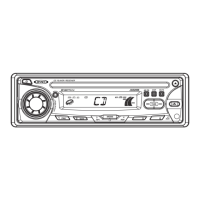
Time/Frequency Display Selector (T/F)
Displaying the Clock
Press the T/F button (10) to display the time of the incorporated quartz clock for 5 seconds.
Setting the Clock
1. To set the clock, first turn the vehicle ignition and radio on.
2. Press and hold the T/F button (10).
3. Press the TUNE/TRK |<< and >>| buttons (4) to adjust the hours. “AM” or “PM” will
appear on the display to indicate AM or PM.
4. Press the T/F button again to move the cursor to the minutes position, and then use the
TUNE/TRK |<< and >>| buttons to adjust the minutes.
5. After five seconds, normal operation will resume.



 To Next Page