EasyManua.ls Logo

Jensen JMD200 - User Manual

Jensen JMD200
14 pages
Print Icon
To Next Page IconTo Next Page
Loading...
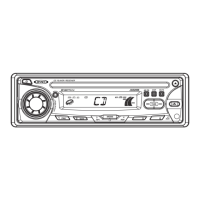
JMD200
Installation and Operation Manual
AM/FM/CD AUDIO SYSTEM
INT
PUSH POWER

Questions and Answers

  • T
    Teresa AlexanderJul 30, 2025
    Why does my Jensen JMD200 Car Receiver have no power?
    • M
      Mrs. Regina Hicks MDJul 30, 2025
      If your Jensen Car Receiver has no power, first ensure the vehicle’s accessory switch is turned to “ACC” if the power supply is properly connected. If that doesn't work, the fuse may be blown and require replacement.
  • C
    Chad IrwinAug 4, 2025
    Why is there no sound coming from my Jensen JMD200 Car Receiver?
    • D
      Dr. Ronald RichardsAug 4, 2025
      If your Jensen Car Receiver is not producing sound, first, make sure the volume isn't set too low and adjust it to a suitable level. If the volume is adequate, then check the wiring connections to ensure they are properly connected.
  • E
    Emma JonesAug 9, 2025
    What to do if the operation keys on my Jensen Car Receiver do not work?
    • K
      Kaitlyn HillAug 9, 2025
      If your Jensen Car Receiver's operation keys aren't working, it could be due to improper installation of the control panel; try reinstalling it. Alternatively, noise may be affecting the built-in microcomputer. In this case, press the RESET button.
  • C
    cooperdeborahAug 14, 2025
    Why does the sound skip on my Jensen JMD200 Car Receiver?
    • C
      Colton McmahonAug 14, 2025
      If your Jensen Car Receiver sound skips, it might be because the installation angle exceeds 30 degrees. Adjust the angle to be less than 30 degrees. Also, the disc may be dirty or defective, so try cleaning it or using a new one.
  • A
    abrownAug 19, 2025
    Why can't my Jensen Car Receiver tune to radio stations?
    • H
      Heather GonzalesAug 19, 2025
      If your Jensen Car Receiver cannot tune to a radio station or the auto-seek function isn't working, first, ensure the antenna cable is firmly inserted. If the connection is secure, the signals might be too weak, so try selecting a station manually.
  • B
    Brendan WellsAug 25, 2025
    What to do if my Jensen JMD200 won't load or eject a disc?
    • T
      Theresa HughesAug 25, 2025
      If your Jensen Car Receiver won't load or eject a disc, consider the following: 1. If there is already a CD inside, remove it before inserting another. 2. Ensure you're inserting the disc correctly, with the label facing upward. 3. The disc might be too dirty or defective; try cleaning it or using a new one. 4. Condensation might be the issue; leave the player off for about an hour, then try again.

Summary

System Features

Content List

Lists the items included in the package.

Hardware Kit

Illustrates the components of the hardware kit.

Safety Information

Disc Maintenance

Guidelines for cleaning and handling discs for optimal performance.

Installation

Before You Begin

Steps to take before starting the installation process.

Important Notes

Key considerations and tips for proper installation.

DIN Radio Installation

Specifics for installing into a standard DIN opening.

Universal Installation (Using Mounting Sleeve)

Guide for installing using the universal mounting sleeve.

Kit Installation

Instructions for installing using a specific installation kit.

Wiring Diagram

Unit Handling and Removal

Reconnecting the Battery

Steps to reconnect the battery after wiring is complete.

Removing the Unit

Procedure for safely removing the unit from the dashboard.

Basic Operation

Reset

Procedure for resetting the unit to its default settings.

Power On;Off

How to turn the unit on and off.

Volume Control

Adjusting the audio volume level.

Mute

Function to temporarily silence the audio output.

Mode

Switching between different audio sources or modes.

Audio Menu

Accessing and adjusting audio settings like bass, treble, balance, fader.

Auxiliary Input (LINE)

Connecting and using external audio devices via AUX input.

Liquid Crystal Display (LCD)

Information displayed on the unit's screen.

Display and Clock Functions

Displaying the Clock

How to view the current time on the display.

Setting the Clock

Step-by-step guide to setting the internal clock.

Tuner Operation

Select a Band

Changing between FM and AM radio bands.

Manual Tuning

Steps for manually tuning to radio frequencies.

Auto Seek Tuning

Using the auto-seek feature to find stations.

Preset Stations

Storing and recalling favorite radio stations.

Store a Station

Procedure for saving a station to a preset button.

Recall a Station

How to retrieve a stored station using preset buttons.

Automatically Store; Preset Scan (A;PS)

Features for automatic station storage and scanning.

Automatically Store

How the unit automatically finds and stores stations.

Preset Scan

Scanning through stored preset stations.

CD Player Operation

Inserting and Ejecting a Disc

Guide to inserting and removing CDs from the player.

Controlling Disc Playback

How to manage CD playback functions.

Selecting Tracks

Navigating between tracks on a CD.

Fast Forward;Fast Reverse

Methods for fast forwarding or reversing through a CD track.

Play;Pause Disc Playback

Controls for pausing and resuming CD playback.

Previewing Tracks (Intro)

Using the intro scan feature for CDs.

Repeat Play

Functionality for repeating a CD track.

Random Play

Playing CD tracks in a shuffled order.

Care, Maintenance, and Troubleshooting

Care and Maintenance

Guidelines for keeping the product clean and in good condition.

Ignition

Information regarding ignition noise interference.

Interference

Explains radio reception issues in a moving environment.

Troubleshooting

Common problems and their solutions.

Specifications

Jensen JMD200 Specifications

General IconGeneral
DisplayLCD
BluetoothYes
USB PortYes
Aux InputYes
Radio TunerAM/FM
Supported FormatsMP3, WMA
TouchscreenNo
SD Card SlotYes
Preamp Outputs2 pairs
DIN SizeSingle DIN
Rear View Camera InputYes
CD PlayerNo
MP3 PlaybackYes
Power Output200W
TypeReceiver
Peak Power Output50 Watts x 4
Steering Wheel Control CompatibleYes

Related product manuals