6
MPR210RGB
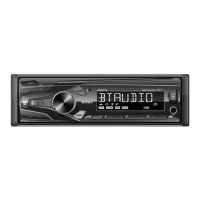
AM/FM Tuner Operation
Seek Tuning
Manual Tuning
Band
Storing Presets
Recalling Presets
Automatically Store
Preset Scan
Press TUNE or TUNE to seek to the previous
or next strong station.
Press and hold TUNE or TUNE
to enter
manual tuning mode, then press TUNE or TUNE
momentarily to change radio frequency up or down
one step at a time. Press and hold TUNE or TUNE
to advance quickly.
Press BAND to select between FM1, FM2, FM3, AM1 and
AM2 bands. Up to six presets can be programmed
for each band, enabling up to 18 FM stations and 12 AM
stations to be stored in memory.
Up to 18 FM and 12 AM stations can be stored. To store
a station, select the desired band and station. Press and
hold the desired preset button (1-6) for more than two
seconds. When s
tored, the preset number will appear in
the display.
Preset stations can be recalled any time by pressing the
corresponding preset button.
Press and hold MENU for more than 2 seconds, then
press DISP to store 18 FM stations and 12 AM stations
automatically.
Touch PS to recall each preset station that has been
stored in memory for each band. (Available with the
Jensen Smart Remote App only)


 To Next Page