EasyManua.ls Logo

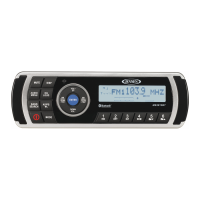
Jensen MS2013BT - User Manual

Jensen MS2013BT
17 pages
Print Icon
To Next Page IconTo Next Page
Loading...
InstructionDisclaimer
Dennis Kirk provides instructions to help our customers better understand how to install the
products we sell. The instructions are exact copies of what the manufacturer includes with the
product being sold.
That means the quality and accuracy of the instructions is solely dependent on what the
manufacturer produces. We do our best to make the text legible and the pictures viewable.
However, the end result depends largely on the quality of instructions the manufacturer
provides.
Therefore, you will find that some instructions are not of the highest quality. Sometimes text is
hard to read and pictures are not easy to see. At times you will find the overall look of the
instructions to be less than professional. However, we feel it is better to provide what we have
rather than provide nothing at all.
To the best of our knowledge the instructions and application information contained in the
instructions is accurate. However, Dennis Kirk assumes no liability related to any errors that
may be contained in the copy of the manufacturer’s instructions we provide. Buyers are solely
responsible to insure that product use is consistent with their application.
If you have any questions please contact us at customerservice@denniskirk.com
or
800-969-7501 so we can further assist you regarding additional product information or any other
business related questions.
Thank you for doing business with Dennis Kirk.

Other manuals for Jensen MS2013BT

Questions and Answers

Summary

Important Safety Instructions

Portable Cart Warning

Warning regarding safe operation and storage of the portable cart, including unplugging during storms.

Installation

Front Mount Installation

Detailed steps for physically mounting the unit into the dashboard opening.

Wiring

Basic Operation

Additional Basic Operations

Tuner Operation

MP3;WMA Operation

USB Device Installation

Instructions for connecting and accessing USB devices for playback.

Playback Controls

Managing playback functions such as pause, track selection, repeat, intro scan, and random play.

iPod Operation

Bluetooth Operation

Pairing a Bluetooth Device

Step-by-step guide to connect a Bluetooth-enabled phone or device to the unit.

Troubleshooting

No Power

Diagnosing and resolving issues where the unit does not turn on.

No Sound

Troubleshooting steps for when the unit is on but produces no audio output.

Operation Key Issues

Resolving problems where the unit's operation keys are unresponsive.

Tuner and Reception Problems

Addressing issues with tuning to stations, auto-seek, or poor AM/FM reception.

Troubleshooting Guide

Radio Power and Sound Issues

Resolving problems related to the radio not turning on or having no sound.

Reception and iPod Issues

Troubleshooting AM/FM reception problems and iPod connectivity.

USB and AUX Mode Problems

Addressing issues with USB function, AUX audio, and wired remote control.

Bluetooth Connectivity Issues

Resolving problems with Bluetooth mode availability and operation.

Summary

Important Safety Instructions

Portable Cart Warning

Warning regarding safe operation and storage of the portable cart, including unplugging during storms.

Installation

Front Mount Installation

Detailed steps for physically mounting the unit into the dashboard opening.

Wiring

Basic Operation

Additional Basic Operations

Tuner Operation

MP3;WMA Operation

USB Device Installation

Instructions for connecting and accessing USB devices for playback.

Playback Controls

Managing playback functions such as pause, track selection, repeat, intro scan, and random play.

iPod Operation

Bluetooth Operation

Pairing a Bluetooth Device

Step-by-step guide to connect a Bluetooth-enabled phone or device to the unit.

Troubleshooting

No Power

Diagnosing and resolving issues where the unit does not turn on.

No Sound

Troubleshooting steps for when the unit is on but produces no audio output.

Operation Key Issues

Resolving problems where the unit's operation keys are unresponsive.

Tuner and Reception Problems

Addressing issues with tuning to stations, auto-seek, or poor AM/FM reception.

Troubleshooting Guide

Radio Power and Sound Issues

Resolving problems related to the radio not turning on or having no sound.

Reception and iPod Issues

Troubleshooting AM/FM reception problems and iPod connectivity.

USB and AUX Mode Problems

Addressing issues with USB function, AUX audio, and wired remote control.

Bluetooth Connectivity Issues

Resolving problems with Bluetooth mode availability and operation.

Jensen MS2013BT Specifications

General IconGeneral
BrandJensen
ModelMS2013BT
CategoryMarine Audio
LanguageEnglish

Related product manuals